EasyManua.ls Logo

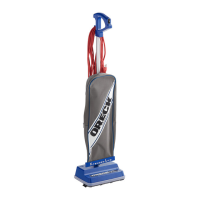
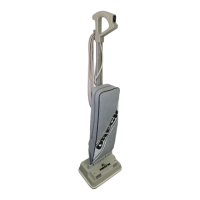
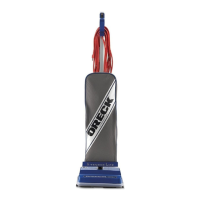
Oreck XL2100RHS - User Manual

Oreck XL2100RHS
21 pages
Print Icon
To Next Page IconTo Next Page
Loading...
users GuiDe
•IMPORTANT•
SAVE THIS BOOKLET!
CoMMerCial
Xl2100rHs
HIGH SPEED UPRIGHT VACUUM
CLEANER
WITH
CLEANING SYSTEM
®
s i M p l Y a M a Z i n G
®
Includes:
Safety Warnings
Warranty
Operating Instructions
Trouble Diagnosis
Accessories
E N G L I S H
USA: 1-888-768-2014
WWW.ORECKCOMMERCIAL.COM

Questions and Answers

  • D
    Donna DunnJul 27, 2025
    Why Oreck Vacuum Cleaner does not pick up?
    • E
      ewingericaJul 27, 2025
      Your Oreck Vacuum Cleaner may not be picking up dirt due to several reasons: the filter bag might be full, the nozzle or intake pivot could be clogged, the belt might be broken or stretched, the brush could be worn, the bag tube might be clogged, the bag pores might be clogged with fine dust, the impeller fan could be broken, or the revolving brush might not be even at both ends. Here are some solutions: * Replace the filter bag. * Clear any obstructions. * Replace the belt. * Change the bag. * Check the brush roll end cards to ensure the words “old” or “new” match at each end. * If the impeller fan is broken, return the vacuum to a service center for repair.
  • T
    Timothy PriceAug 11, 2025
    What to do if Oreck Vacuum Cleaner will not run?
    • C
      Caleb SmithAug 11, 2025
      If your Oreck Vacuum Cleaner won't run, the issue might be that it's not properly plugged into the wall outlet or there is no electricity in the wall outlet. Ensure the cleaner is firmly plugged into the wall outlet and check the electrical source, such as the fuse or circuit breaker.

Summary

Important Safety Instructions

Maintenance and Customer Service

Warranty

Troubleshooting Guide

Assembly

Operating Instructions

Disposable Paper Filter Dust Bags

Explains the role and importance of disposable paper filter dust bags for cleaner efficiency and proper operation.

The Belt

Details the function of the belt in controlling the brush speed and the importance of using genuine Oreck belts.

Lubrication

States that the vacuum cleaner motor bearings are factory lubricated and sealed, requiring no further lubrication.

General Cleaner Care

Provides guidance on monthly maintenance, including cleaning the brush, exterior, and checking the outer bag.

To Replace Filter Dust Bag

Step-by-step instructions for correctly installing a new disposable paper filter dust bag into the vacuum cleaner.

How to Replace a Worn Belt

Detailed, illustrated steps for safely removing and replacing the worn belt on the vacuum cleaner's brush roll.

Stuffing or Blockage

Troubleshooting guide for clearing blockages in the intake tube, lower tube, or fan housing to restore suction.

To Adjust or Replace Brush

Instructions on how to adjust or replace the brush roll, including bearing assembly settings and bristle height.

Using An Oreck Fresh Air Tab

Explains how to use the special pocket inside the outer bag to insert a Fresh Air tab for odor control.

Grounding Instructions

Details the importance of grounding for electrical safety and how to properly connect the appliance to an outlet.

Oreck XL2100RHS Specifications

General IconGeneral
ModelXL2100RHS
TypeUpright
Weight8 lbs
FiltrationHEPA
Motor12 amp
Cord Length30 ft
Cleaning Path Width12 in
Warranty1 year limited
Included AccessoriesDusting brush, crevice tool, upholstery nozzle

Related product manuals