EasyManua.ls Logo

Oreck XL2800H2 - User Manual

Oreck XL2800H2
8 pages
Print Icon
To Next Page IconTo Next Page
Loading...
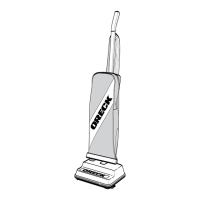
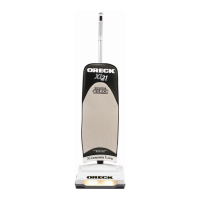
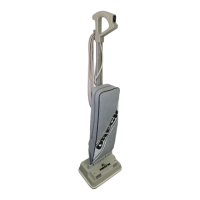
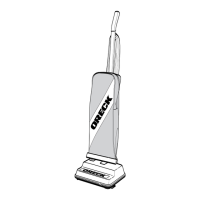
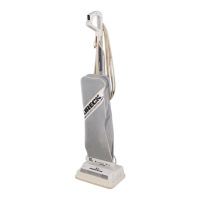
HIGH SPEED UPRIGHT VACUUM
CLEANER WITH
CLEANING SYSTEM
SIMPLY AMAZING
USERS GUIDE
•IMPORTANT•
SAVE THIS BOOKLET!
Includes:
Safety Warnings
Warranty
Operating Instructions
Trouble Diagnosis
Accessories
XL2800H2

Questions and Answers

  • N
    Nicole LynchJul 30, 2025
    Why is my Oreck XL2800H2 Vacuum Cleaner not picking up?
    • D
      Dr. Justin DrakeJul 31, 2025
      Your Oreck Vacuum Cleaner might not be picking up dirt due to several reasons: a full filter bag, a clogged nozzle or intake pivot, a broken or stretched belt, a worn brush, a clogged bag tube, bag pores clogged with fine dust, a broken impeller fan, or an uneven revolving brush. To resolve this, replace the filter bag, clear any obstructions, replace the belt or brush if needed, change the bag, or return the vacuum to a service center for impeller fan repair. Also, check the bearing seal and ensure the words 'old' or 'new' match at each end of the revolving brush.
  • P
    poolehannahAug 14, 2025
    What to do if my Oreck XL2800H2 Vacuum Cleaner will not run?
    • R
      Rebecca RivasAug 15, 2025
      If your Oreck Vacuum Cleaner will not run, the problem could be due to the following causes: it is not properly plugged in, there is no electricity in the wall outlet, or the plug is not firmly in the handle assembly. To fix this, ensure the cleaner is firmly plugged into the wall outlet, check the electrical source (fuse or circuit breaker), and plug the cord firmly into the handle assembly.

Summary

ORECK XL XL2800 H2 Users Guide

Important Safety Instructions

Safety Precautions and Warnings

Lists critical safety precautions to prevent fire, electric shock, or injury during operation.

Polarized Plug Usage

Explains the polarized plug feature and its correct usage for safety.

Maintenance and Customer Service

Product Warranty Information

Details the limited warranty terms, coverage, exclusions, and duration for the product.

Available Accessories

Lists available optional accessories and their part numbers.

Assembly Procedures

Handle and Cord Assembly

Instructions for assembling the handle and managing the power cord.

Filter Dust Bag Replacement Guide

Procedures for removing and installing the disposable paper filter dust bag.

Operating the Vacuum Cleaner

Vacuum Operation Steps

How to start and use the vacuum cleaner with different speed settings.

Paper Filter Dust Bag Importance

Importance and proper replacement of dust bags for optimal cleaner performance.

Brush Roll Belt Function

Role of the belt in brush rotation and recommendations for replacement.

General Cleaner Maintenance

Routine maintenance tips for keeping the cleaner in good condition.

Celoc Filter System Care

Information on the specialized filter system and its maintenance.

Component Replacement and Adjustment

Belt Replacement Procedure

Step-by-step guide for replacing a worn drive belt.

Brush Roll Adjustment and Replacement

Guide on adjusting or replacing the brush roll, including bearing assembly settings.

Troubleshooting and Special Features

Bulb Replacement Guide

Instructions for replacing the vacuum cleaner's light bulb.

Clearing Blockages and Stuffing

Steps to identify and clear blockages in the intake tube and fan housing.

Fresh Air Tab Usage

Instructions on how to use the special Fresh Air tab pocket in the vacuum cleaner.

Troubleshooting Guide

Oreck XL2800H2 Specifications

General IconGeneral
TypeUpright
ModelXL2800H2
Weight8 lbs
FiltrationHEPA
Dust Capacity1.5 quarts
Volts120V
Hertz60Hz
ColorBlue
Cord Length30 ft

Related product manuals