2
EN
A . FRONT DISPLAY
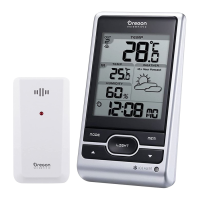
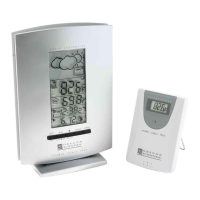
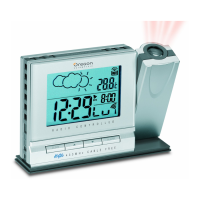
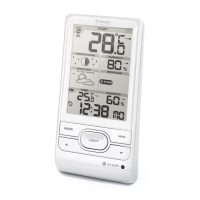
A four line easy-to-read LCD
A1. WEATHER FORECAST WINDOW
Graphically illustrates a weather forecast
A2. [ SNOOZE ] BUTTON
Activates the 8-minute snooze function when the clock alarm
goes off
B. [
] Battery-low indicator
Activates when the remote-sensor or main unit battery power
is low
C. [
] Radio-reception signal
Indicates the condition of radio reception
D. [MEMORY] BUTTON
Displays minimum and maximum temperature and
humidity readings, and erases memory data
E. [CHANNEL] BUTTON
Toggles among the remote sensor channels
F. [MODE/SET] BUTTON
Changes the display mode of the clock and alters time/date
setting
G. [
] / [ ] Alarm-on iconS
Appears when the alarm is activated
H. [((1))] / [((2))] Alarm iconS
Appears when the alarm time is displayed
I. [ TIME
] Button
Decreases the value of a setting
J. [ TIME
] Button
Advances the value of a setting
K. [
] BUTTON
Displays the alarm time, or changes the alarm set time
L. [ON/OFF] Button ( Temp/% rh alarm )
Enables / disables HI/LO temp alarm and HI/LO % RH alarm
M. [HI/LO] Button ( Temp/% rh alarm )
- Set the upper or lower temperature alarm limits of individual
channels
- Confirms alarm settings
N. [
] Button ( Temp/% rh alarm )
Sets the readings for the upper or lower temperature and
humidity of individual channels
O. [AL clock] Button
Enables or disables the daily alarms
P. [RESET] Button
Returns all settings to default values
Q. Wall-Mount Hole
For mounting the unit on a wall
R. Battery Compartment
Accommodates four (4) UM-3 or “AA” size batteries
S. Removable Table Stand
For standing the main unit on a flat surface

 To Next Page
 Loading...