5
performance fails due to low temperature, the unit will
resume proper functioning as the temperature rises to
within the normal temperature range (i.e. no permanent
damage will occur to the unit due to low temperatures).
USING THE BACKLIGHT FUNCTION
In normal mode, press “CHANNEL” or “MIN./MAX.”
key once to activate the backlight for 5 seconds.
SWITCHING BETWEEN ºC & ºF
TEMPERATURE FORMATS
Slide “ºC/ºF” switch to select between Celsius and
Fahrenheit.
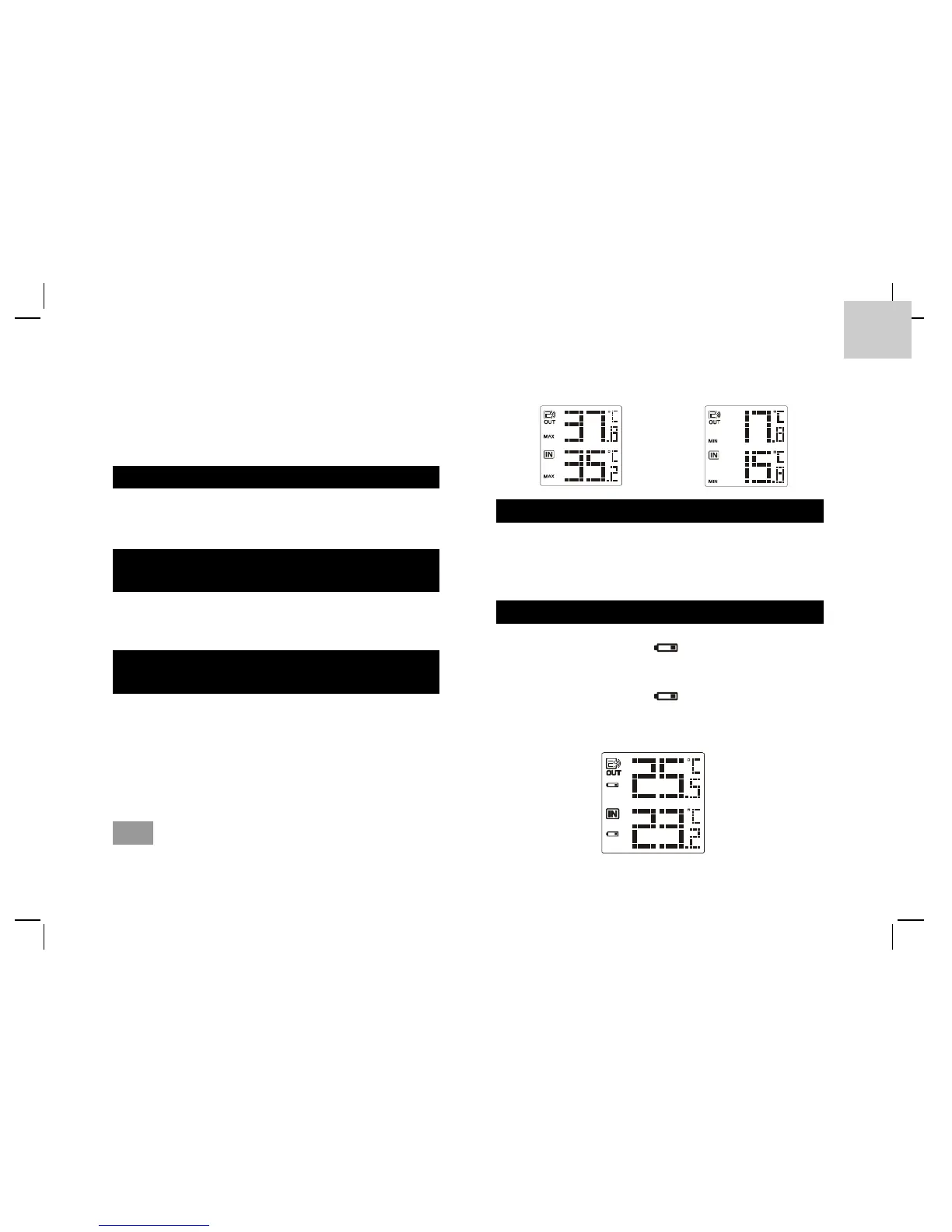
VIEWING THE MIN. & MAX.TEMPERATURE
RECORDS
1. In normal mode, press “MIN./MAX.” key once
to show the minimum indoor & outdoor
temperature records in the past 24 hours.
2. Press it twice to show the maximum temperature
records.
3. Press it again to exit.
Note Press and hold it for 3 seconds to delete the
minimum and maximum temperature records.
USING ICE ALERT FUNCTION
If the outdoor temperature range is -2.0ºC ~ 3.0ºC
(28ºF ~ 37ºF), the Ice Alert indicator light will be
turned on and flash.
BATTERY REPLACEMENT
If the low battery icon “ ” turns on next to the
outdoor temperature reading, replace the sensor’s
battery with 2 AAA batteries.
If the low battery icon “ ” turns on next to the
indoor temperature reading, replace the sensor’s
battery with 2 AA batteries.






 To Next Page