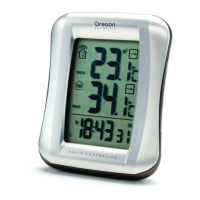
3
BACK VIEW
1
5
6
7
10
8
9
2
3
4
1. / : Increase / decrease setting; activate /
deactivate clock reception signal
2. MODE: Change settings / display
3. CHANNEL: Switch remote sensor display
4. MEM: View current, maximum and minimum
temperature / humidity
5. °C / °F: Select temperature unit
6. HEAT INDEX
7. TEMP / HUMIDITY HI / LO
: Change settings
or enable / disable hi or lo temperature / humidity
alarm
8. RESET: Reset unit to default settings
9. EU / UK switch
10. Battery compartment
RMR383HG_M_EN_op1.indd 3 15-9-24 ��2:13

 To Next Page
 Loading...