Page
08
Operation Controls
and Functions
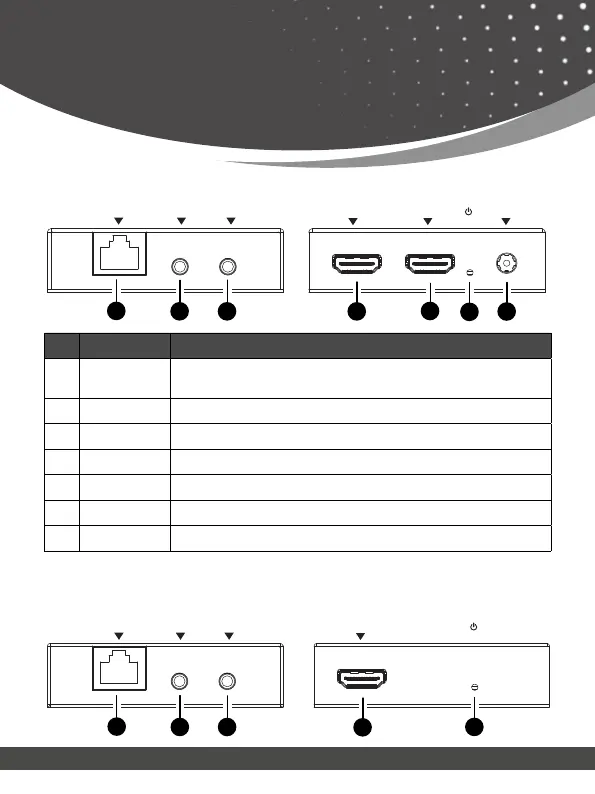
No. Name Function Description
1. CAT OUT
Connect a CAT 6/7 cable. The other end connects to the
Receiver
2. IR IN Connect the IR Receiver cable
3. IR OUT Connect the IR Blaster cable
4. HDMI IN Connect a media device such as DVD player, Nvidia Shield, etc.
5. HDMI OUT Connect a display device such as TV, Monitor, etc.
6. Power LED The Green LED will light up when Transmitter is powered on.
7. DC 5V Connect the included power adapter
Transmitter Panel
IR OUTIR INCAT OUT
DC 5VOUTIN
1
2
3
4
5
6
7
OUT
IR OUT IR INCAT IN
1
2
3
4
5
Receiver Panel


 To Next Page