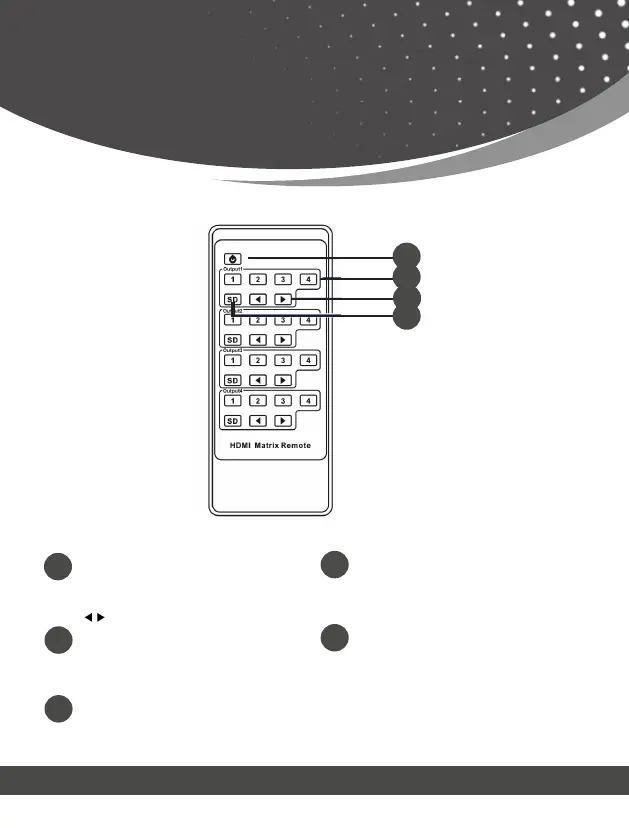
Remote
Control
page 10
1
2
4
3
1
Power button: Press this button to power on
the device or put it into standby mode.
2
1/2/3/4: Press buttons 1~4 to select the
required source for Output1.
3
Select the last or next input channel among
1/2/3/4, to select the required source for
Output1.
4
SD: Press this button to turn on / off the down-
scaler function.
5
The corresponding button function of Output2/
Output3/Output4 is the same with that of Output1.



 To Next Page