page
09
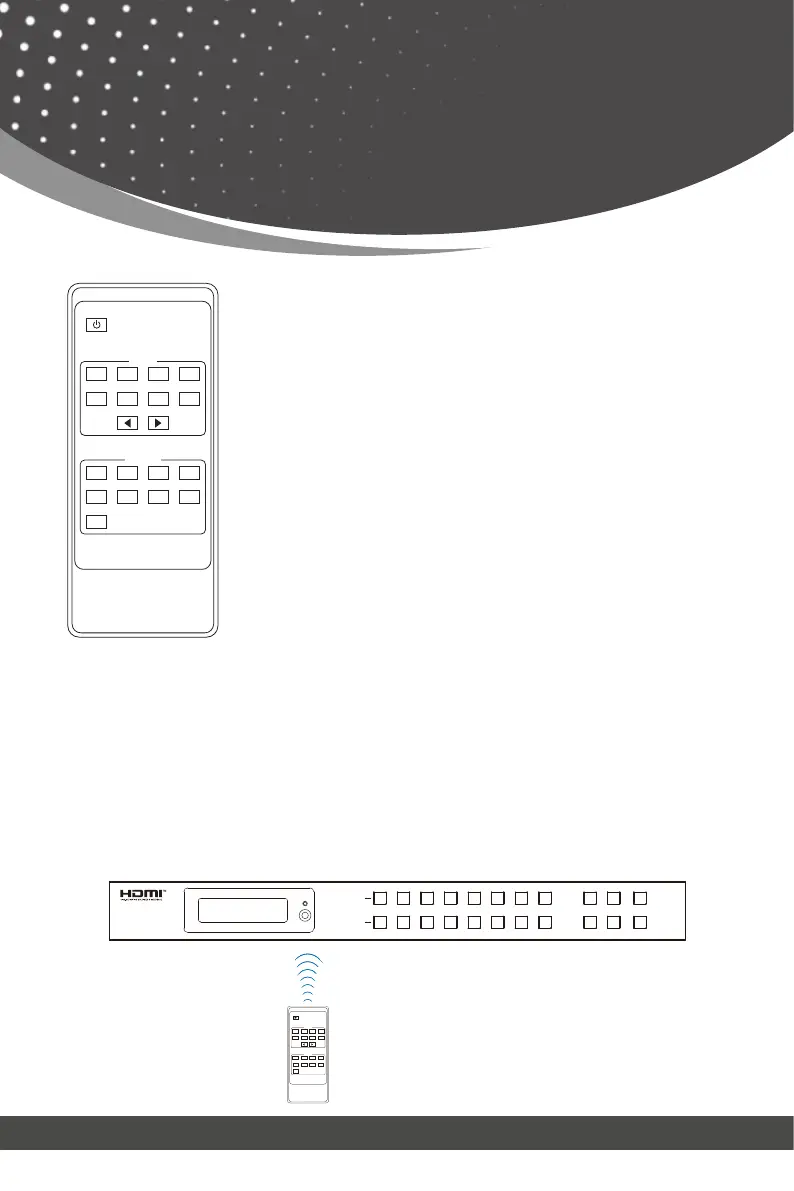
IR Remote
Power on or Standby:
INPUT 1/2/3/4/5/6/7/8:
◀ ▶:
OUTPUT 1/2/3/4/5/6/7/8:
ALL:
Power on the Matrix or set it to standby mode.
Press these buttons to select the input source.
Select all output channels simultaneously. For example, when
you press the “ALL” button and then press INPUT “1” button,
at this time the input “1” source will be output to all display
devices.
The first way: The IR window accepts the IR remote signal. When using the IR remote,
the furthest distance is 7 meters and the angle is ± 45°. The diagram is shown as below:
Users can select input and output sources by using the IR remote. There are two ways
to receive the IR remote signal.
Press these buttons to select the signal output channel.
Select the last or next signal input channel.
HDMI Matrix Remote
1 2 3 4
5 86
7
1 2
3
4
5
8
6
7
All
Output
Input
1 2 3 4
5 6 7 8
1 2 3
4
8765
All
HDMI Matrix Remote
Input
Output
1 2 3 4 5 6 7 8
1 2 3 4 5 6 7 8
INPUT
OUTPUT
MENU
ENTER
18Gbps 8x8
HDMI Matrix
POWER
LOCK
DOWN
UP
IR remote
Operation Instruction: You need to press the OUTPUT button firstly and then press the
INPUT button to select the corresponding input source. For example, press OUTPUT-X
(X means the output button from 1 to 8, including “ALL” button), then press INPUT-Y (Y
means the input button from 1 to 8).



 To Next Page