13
Controls and Indicators
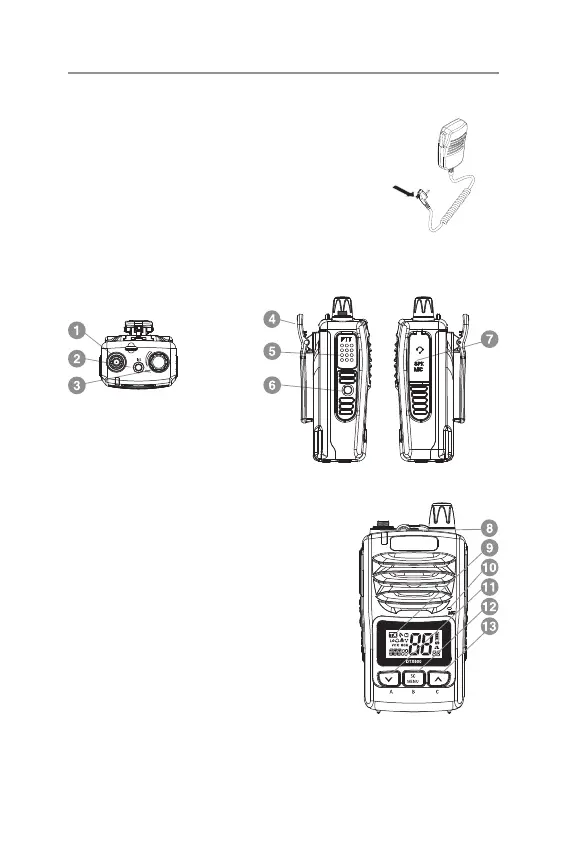
The Speaker Mic (accessory)
To connect the speaker mic, t the plug into the
socket and tighten the retaining screw (nger
tight only).
NOTE: When accessories are tted, the IP rating
may be compromised.
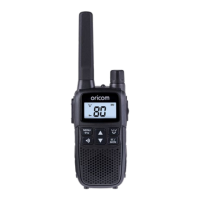
Basic Control
1. Antenna connector
2. Instant channel memory recall
and write
3. Power On/Off and volume adjust
4. Belt Clip
5. Push to talk (PTT)/Melody call
6. Monitor On/Triple Watch
7. External speaker & Microphone
jack
8. RX/TX LED indicator
9. LCD
10. Microphone
11. Channel down
12. Scan/Menu
13. Channel up


 To Next Page