12
Displaying stored measurements
5. Displaying stored measurements
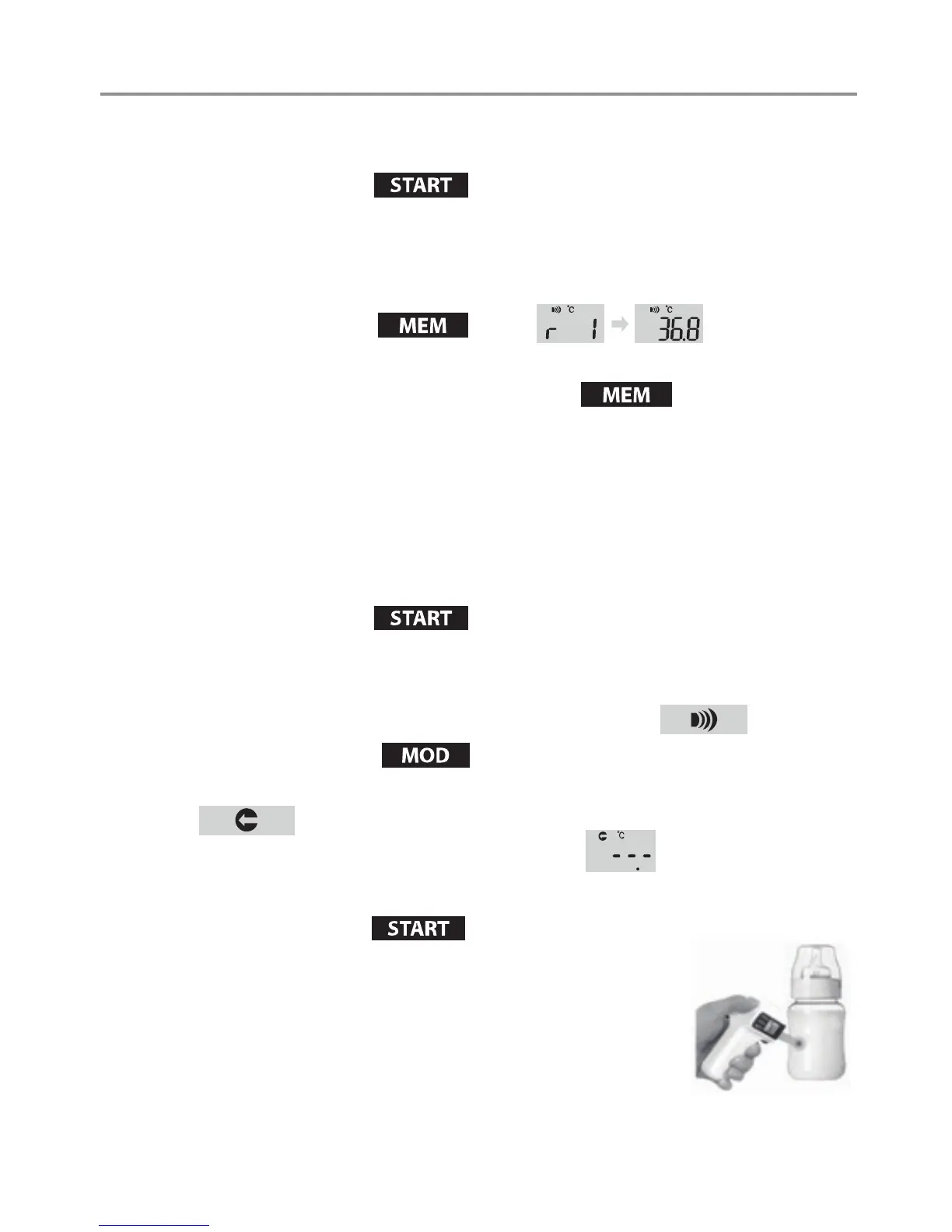
• Press the Start button briey.
> The device switches on. After two seconds, the display shows that the
device is ready for use.
• The device automatically stores the last 32 measurements.
• Press the MEM button
briey.
> The most recent measurement is displayed.
• Each additional press of the MEM button
calls up the next
most recent measurement. The number on the display indicates how many
measurements ago this reading was taken.
> The thermometer then changes to body temperature mode after 30 seconds.
• The device only stores measurements when in body temperature mode.
6. Measuring object temperature
• Press the Start button briey.
> The device switches on. After two seconds, the display shows that the
device is ready for use.
> The device always starts in body temperature mode.
• Press the Mode button
briey.
> The device switches to the object temperature measuring mode.
• Check the measurement ready status on LCD.
• Hold the thermometer 2 to 3cm from the desired measuring point.
Press the Start button
briey.
> Keep the distance until you hear the measurement
completion beep.
> If the thermometer is in silent mode, keep the
distance for approximately 2 seconds.


 To Next Page