EasyManua.ls Logo

Orion Control Systems OE742-32-VAVZ - User Manual

Orion Control Systems OE742-32-VAVZ
36 pages
Print Icon
To Next Page IconTo Next Page
Loading...
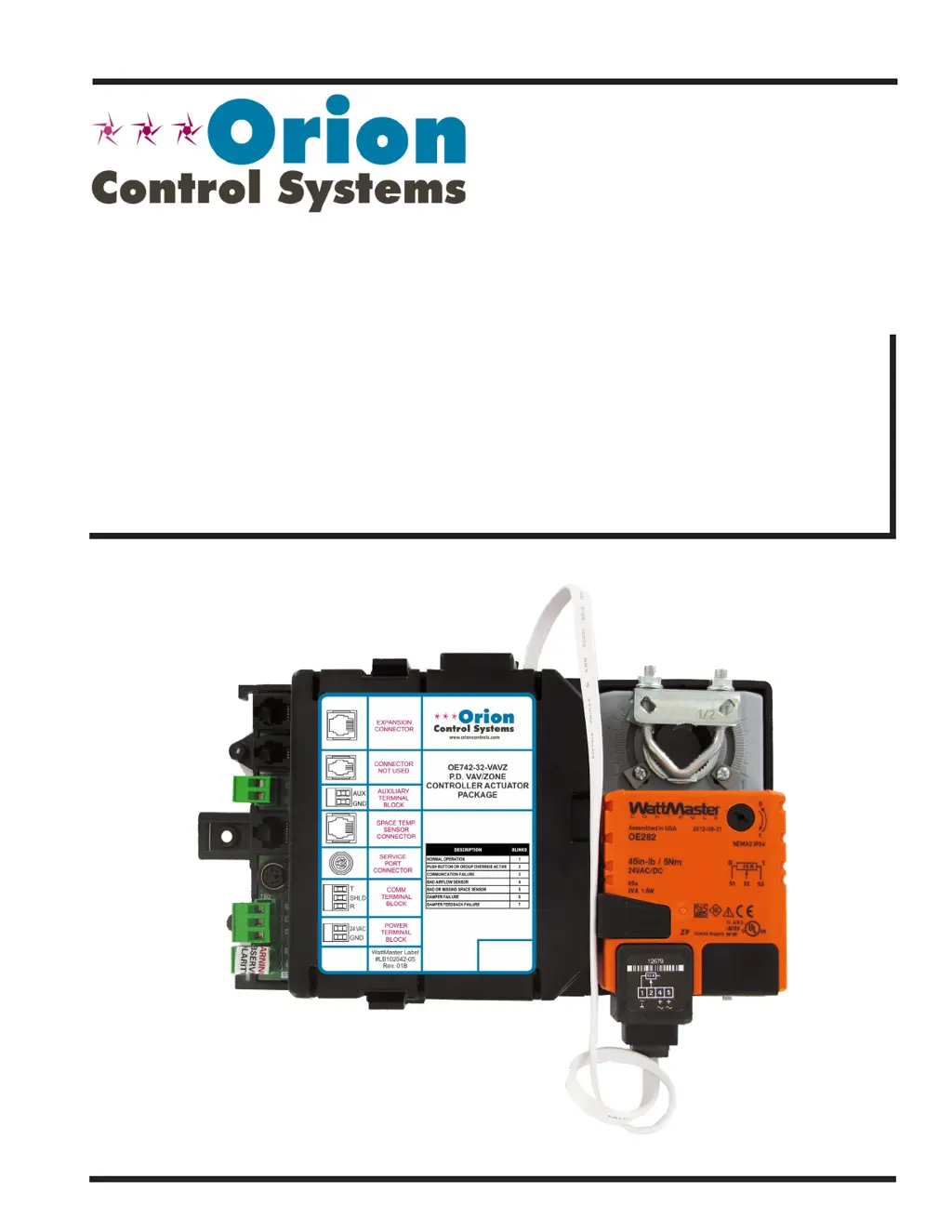
Non-Modular
VAV/Zone Controller
Actuator Package
www.orioncontrols.com

Table of Contents

Questions and Answers

  • P
    Phyllis RyanAug 5, 2025
    Why is the “PWR” LED not lighting up on my Orion Control Systems Controller?
    • M
      Michael NealAug 5, 2025
      If the “PWR” LED on your Orion Control Systems Controller doesn't light up, ensure the modular connector is properly connected to the board, the connections are secure, and the connector tab is locked. Also, verify that the power is connected to the Power/Comm board and the modular cable connector is securely attached. If the LED still doesn't light up after these checks, the board may be defective.
  • S
    Sara RiveraAug 12, 2025
    What to do if the Space Temperature Sensor on my Orion Control Systems Controller is not reading a valid temperature?
    • L
      luceronicoleAug 12, 2025
      To resolve an invalid temperature reading from the Space Temperature Sensor on your Orion Control Systems Controller, first ensure the modular cable connector is firmly plugged into both the board and the Space Temperature Sensor. If you're using a cable coupler, make sure it's also firmly connected. If the problem continues, try replacing the sensor with a known working one.
  • A
    Amy CherryAug 19, 2025
    How to troubleshoot the “STAT” LED if it does not operate as indicated on my Orion Control Systems Controller?
    • S
      Sarah GuerraAug 20, 2025
      If the “STAT” LED on your Orion Control Systems Controller isn't operating as expected, begin by verifying the address switch setting. If the setting is correct and the LED still malfunctions, contact Orion Controls Technical support.
  • D
    David OlsenAug 28, 2025
    What to do if the “REC” LED does not flicker on my Orion Control Systems Controller?
    • T
      Tracy SmithAug 28, 2025
      If the “REC” LED on your Orion Control Systems Controller isn't flickering, check the MiniLink PD and/or CommLink connected to the Power/Comm board, which is connected to your VAV/Zone Controller. Ensure that the MiniLink and/or CommLink is powered on and properly connected.

Summary

Overview of VAV;Zone Controller Actuator Packages

Product Identification and Features

Differentiates between modular and non-modular VAV/Zone Controller packages and their features.

Physical Dimensions

Dimensional drawings for Pressure Dependent and Independent packages.

Package Components

Identification of components within the controller actuator packages.

Inputs and Outputs

Controller Inputs and Connections

Describes analog inputs for sensors and external controller connections.

Expansion Module Outputs

Details relay and analog outputs from the OE325-01 Expansion Module.

Installation & Wiring

General Installation and Mounting

Procedures for installing and mounting the VAV/Zone Controller.

Wiring Considerations & Transformer Sizing

Critical advice on transformer sizing, wire gauge, and connections.

Specific Wiring Diagrams

Wiring for actuator packages, expansion modules, and communication.

Slaved Zone Damper Wiring

Instructions for wiring slaved zone dampers to the master controller.

Start-Up & Commissioning

Controller Addressing and Powering Up

Steps for setting addresses and applying power to controllers.

Initialization and Programming

Procedures for initializing the controller and programming its functions.

Sequence of Operations

VAV;Zone Configuration & Setup

Configuration options for tailoring software to specific equipment.

Modes of Operation

Explains the 7 possible operating modes based on conditions.

Occupied Mode Sequences

Details damper behavior and sequences during occupied modes.

Unoccupied Mode Sequences

Details damper behavior and sequences during unoccupied modes.

Damper Control & Tenant Override Logs

How damper position is calculated and tenant override logging.

Zone Polling, Voting & Alarm Detection

System configuration for zoning, polling, and alarm reporting.

Internal Trend Logging & Force Modes

Maintaining logs and using force modes for troubleshooting.

Troubleshooting

LED Troubleshooting

Using controller LEDs to diagnose operational status and failures.

Sensor Testing Procedures

Procedures for testing temperature and airflow sensors.

Room Sensor Testing

Testing resistance and voltage for room sensors.

Orion Control Systems OE742-32-VAVZ Specifications

General IconGeneral
Controller TypeVAV Controller
Points32
Input Voltage24 VAC
Communication ProtocolBACnet MS/TP
Output TypeAnalog and Digital

Related product manuals