11
-
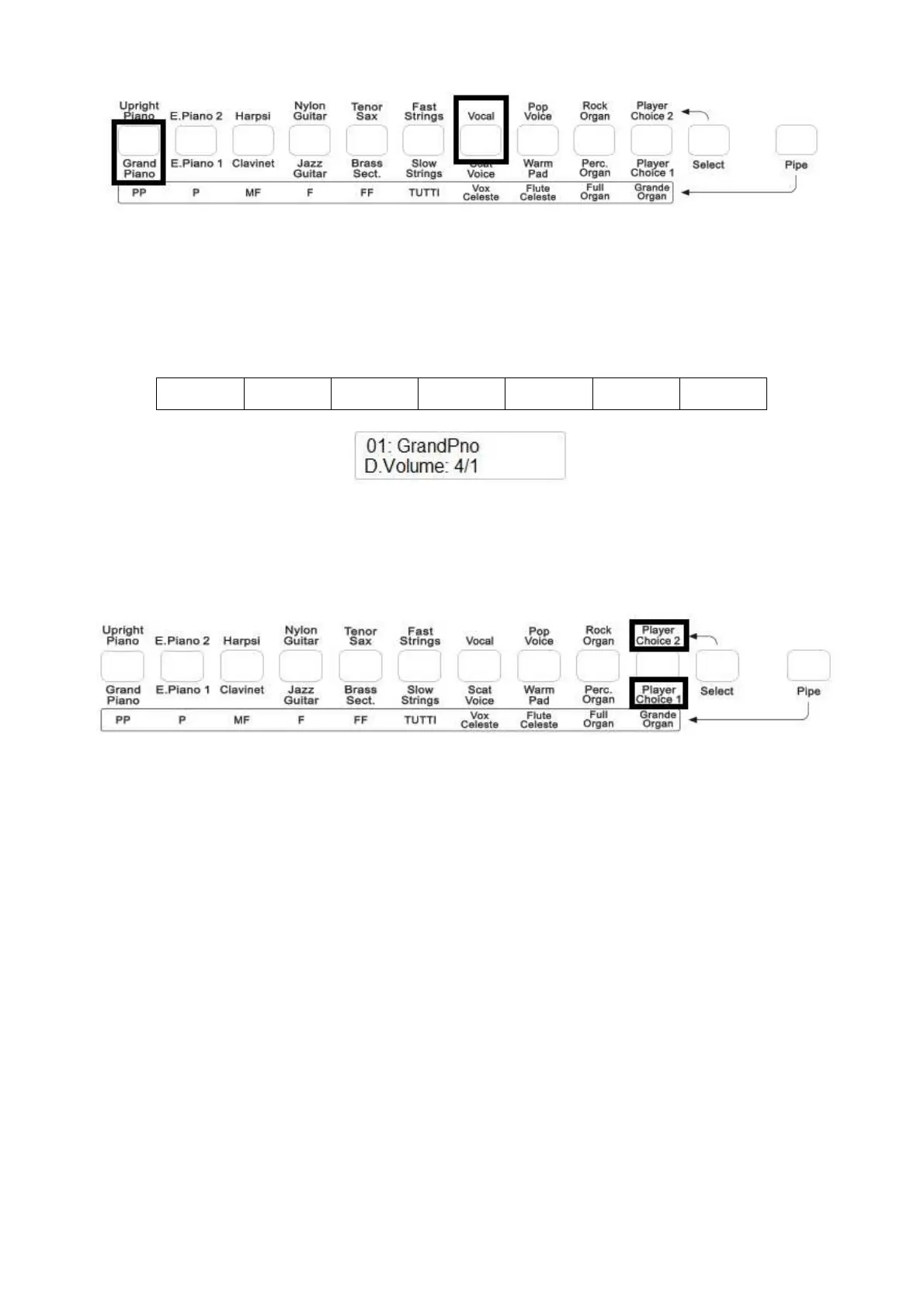
The display will indicate VOCAL for a few seconds and will go back to GRAND PIANO
voice that was the first voice selected.
-
The two voices are now selected and they can be played at the same time.
It is now possible to balance the two voices using the (/\) UP and (\/) Down DATA buttons . Try
the different volume settings as per below table:
4 - 1 4 – 2 4 - 3 4 – 4 3 - 4 2 - 4 1 - 4
PLAYER CHOICE
Using the PLAYER CHOICE buttons it is possible to select any voice from the internal library of
the Stage Concert or CDP 202.
To select the PLAYER CHOICE 1 button just play the related button. To select PLAYER CHOICE
2, press the SELECT button and then press the related button.
The default voice of PLAYER CHOICE 1 is Vibes (nr. 13).
The default voice of PLAYER CHOICE 2 is Accordion (nr. 32).
To select a new voice for PLAYER CHOICE 1 follow the instructions:
-
Press the PLAYER CHOICE 1 button.
-
Use the Data Control wheel to select any of the 142 voices available in the internal sound
library. The PLAYER CHOICE 1 Led is blinking indicating you are selecting a new sound.
-
The new selected voice is now loaded in the button.
-
In order to save the new selected Player Choice for future use, after the instrument is
switched off, it is necessary to save the new selection in a Memory Registration ( we see
later in the manual ).
-
At power off the last selected Player Choice voice will remain in memory until replaced or
until a new registration memory bank is loaded.



 To Next Page