23
Press [/\] button to delete the file.
Press [\/] button to exit the function without deleting the file.
USB FILE BUTTON
Use this button to switch to USB mode immediately, even if the keyboard is in any other mode.
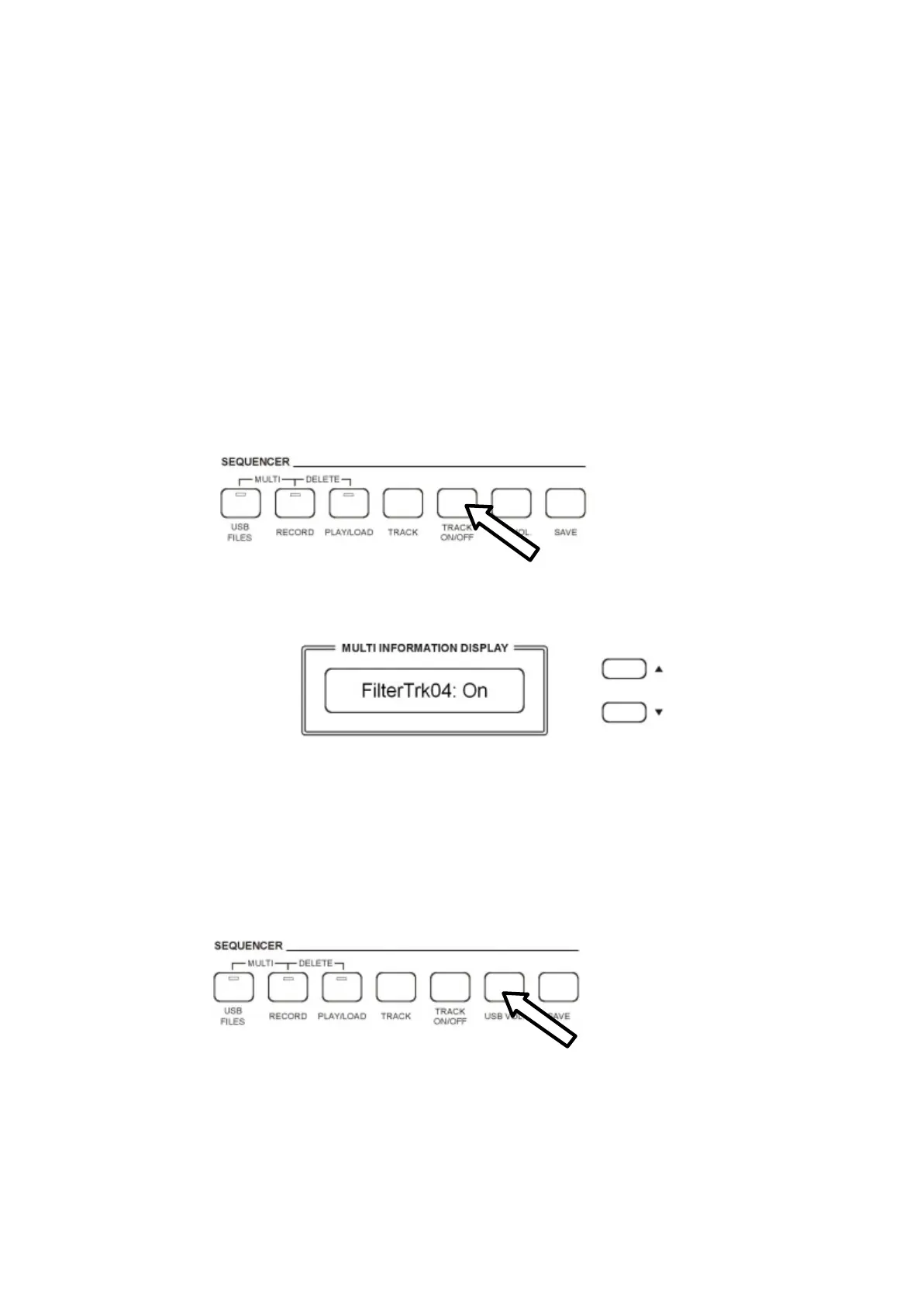
TRACK ON/OFF
Use this function to turn on or turn off any track of the song played (each track corresponds to a
midi channel), even during Play Song.
When switching On the instrument the default track will be nr. 4 that is normally the Melody Track
in the Standard Midi Files.
- Press [TRACK ON/OFF] button as many times is necessary to select the
desired track.
Every time the button is pressed the Track Number will be updated to the next track.
- Use [/\] or [\/] button to select “on” or “off”.
NOTE - The [TRACK ON/OFF] button is disabled while recording.
USB SONG VOLUME
It is possible to balance the Song Volume using the USB VOLUME .
- Press the USB VOLUME button and
the display will indicate the current Song Volume value.
- Use the [/\] and [\/] buttons to control the volume of the Standard Midi File song played
from the USB disk.
- Range: 00-127 Default: 90



 To Next Page