Date Name Author(s) Rev Language Page
11/05/12 Settings_and_user_manual _Orpheo_TG TF 6 English 5/24
III.
GETTING STARTED
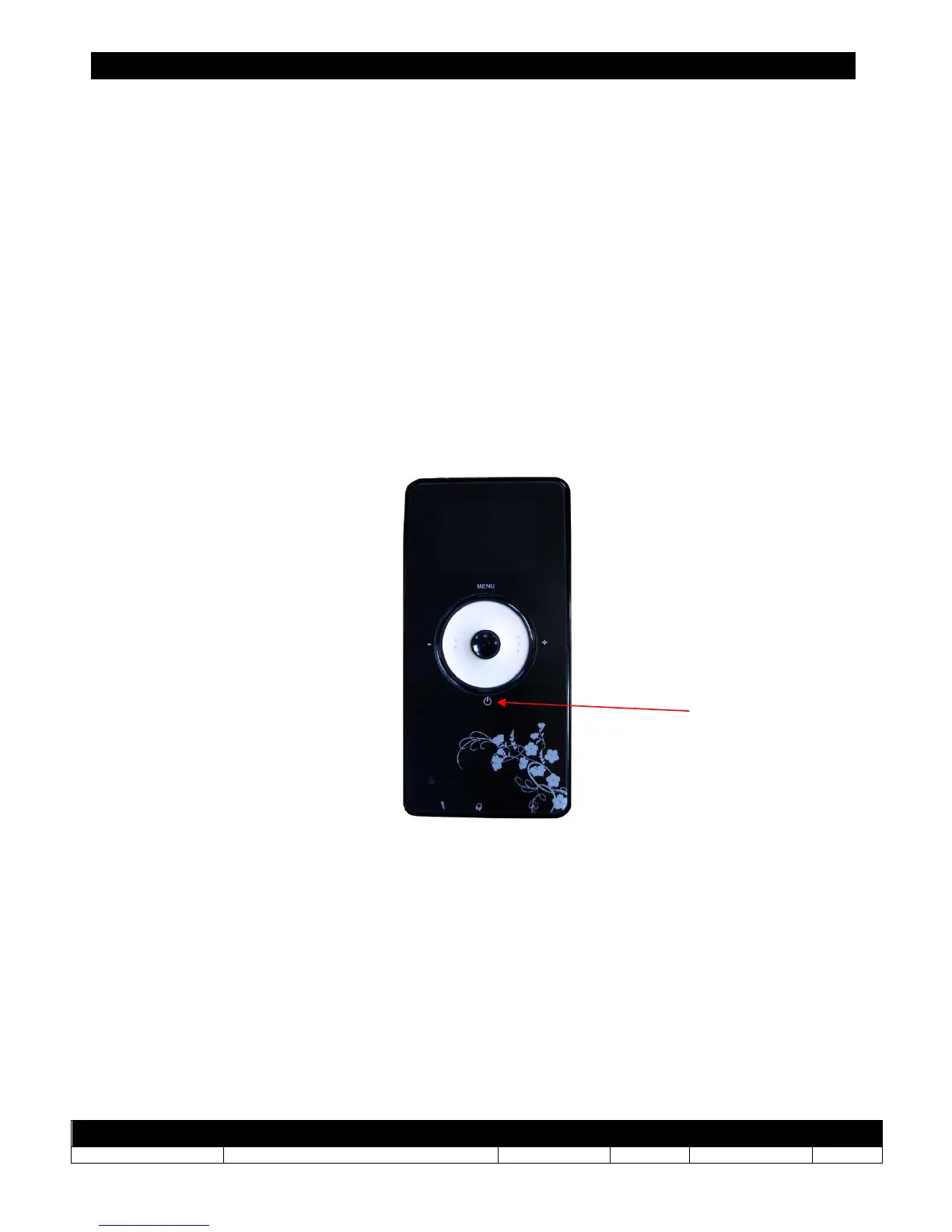
To switch on a device, press & release briefly the [ON/OFF] button.
To switch off a device (whether it is in transmitter mode or in receiver mode), press & hold
the [ON/OFF] button for 2 seconds.
After a complete discharge of the battery or after a reset (see chapter IX), the device is
switched off but it will keep the previous configuration in memory.
Note:
• Once it is switched on, the device will display its firmware version for 2 seconds.
• The device always keeps its previous configuration whether set to transmitter Mode
or receiver Mode; this includes the configuration of audio inputs and outputs, the
channel number and the volume level.
Backlight
The device is equipped with an energy saving backlight on the display and LEDs on the sides
of the device.
The backlight starts as soon as the user presses a button, and also when the device is first
switched on.
The backlight stops automatically after 5 seconds of inactivity. Nevertheless, a short blinking
flash indicates that the device is still powered on.
When the backlight is inactive, no information is visible on the display.
On / Off



 To Next Page