41 GB
QuicK RefeRence
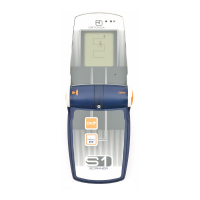
SWiTching On – deVice Open
SWITCHING ON
The S1+ can be switched on when
open or closed!
SWITCHING ON –
DEVICE OPEN
Turn ON/ OFF switch (1) clockwise by
90° degrees.
The welcome screen appears and the
self-test begins.
SELF-TEST
The self-test checks:
TRANSMITTING
RECEIVING
SENSORS
BATTERY CAPACITY
If a malfunction or problem is detect-
ed, then an acoustic warning sounds.
The type of fault and warning code are
displayed.
If a warning is displayed during the
self-test, then carry out the test again
in the open in surroundings without
interference. When doing so, it is es-
sential to make sure that no other
transmitters are nearby.
Switch off all sources of interference
ON
(mobile phones, wireless devices,
digital cameras etc.) or move them
well away. If the malfunction is dis-
played again, then send the device to
the service department.


 To Next Page
 Loading...