42GB
QuicK RefeRence
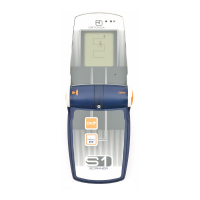
SWiTching On – deVice clOSed
SWITCHING ON –
DEVICE CLOSED
Turn ON/ OFF switch (1) clockwise by
90° degrees.
When the S1+ is switched on when
closed, the result of the self-test is
given acoustically.
3 short, acoustic signals =
at least 75% battery capacity;
2 short, acoustic signals =
at least 50% battery capacity
1 short acoustic signal =
at least 25% battery capacity.
Below 25% battery capacity, a perma-
nent alarm signal sounds.
If the device self-test was not able to
be positively concluded,
a repeat warning signal sounds.
SWITCHING OFF
Press ON / OFF switch and turn anti-
clockwise.
Off
TRANSMITTING
Close the S1+ after the self-test has
successfully concluded. The trans-
mission monitoring lights (4) now start
flashing. The S1+ will now transmit.
ON
4
4



 To Next Page