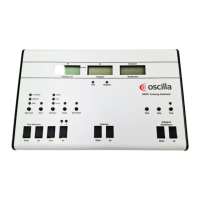
T830
T840
A. Online values
B. Status indicator
C. Softbutton selections
D. Tympanogram
E. Reflex table
A. On-line values
Middle ear pressure
Shows the pressure with the highest measured compliance.
Ear volume
Shows the volume of the section between the ear tip and the eardrum in ml.
Compliance
Shows the value of the compliance from the tympanogram in ml.
Tymp width
Shows the value that sums up the curve characteristics in one number.
B. Status indicator
The status indicator can display a number of messages:
Ready
Indicates that the device is ready for testing.
Blocked
Indicates that probe tip is blocked (this may be caused by incorrect positioning of
the probe in the ear).
Leak
Indicates that the air seal between the probe and the ear is not tight.
Tymp
Indicates that the tympanometric test is in process.
Inmedico A/S - T830/T840
User Guide
12



 To Next Page