AURORA1600 Features
18
It provides 4 SDI output interfaces, they are labeled as SDI OUT 1~4. The
SDI Output interface supports the following resolutions, as shown in Table
4-6:
Table 4-6 The Resolutions of the SDI Output Interfaces
Name Resolutions
Input formats
SD-SDI: 525i60, 625i50
HD-SDI: 720p50/59.94/60, 720p23.98/24/25/29.97/30,
1080i50/59.94/60, 1035i59.94, 1035i60,
1080p23.98/24/25/29.97/30, 1080sf23.98/24
3G-SDI: 1080p50/60/59.94
4.2.3 Timing
AURORA1600 provides the following timing methods: LTC and native
timing (administration side).
1. LTC Timing
Use LTC timing through LTC port, the conditions are as below:
(1) Connect a LTC timing device through the LTC port. The LTC external
device receive a timecode input signal to keep synchronous with the
system clock, and the timecode conforms to the SMPTE12M
(EBU-3259-E) standard.
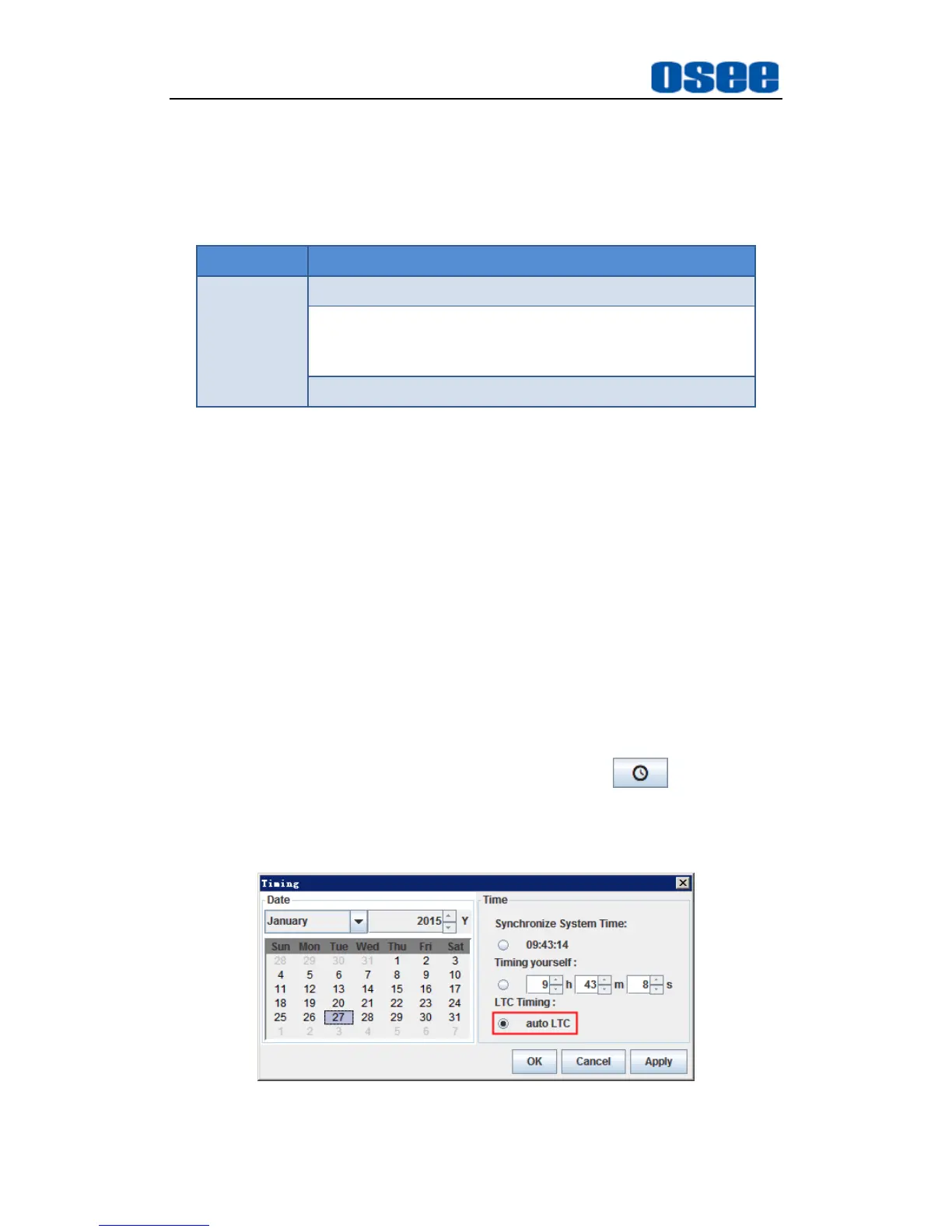
(2) Timing operation: click the manual timing button , it will pop up
the timing window, select LTC timing in the timing dialog box, as shown
in Figure 4.2-11:
Figure 4.2-11 Selection of Timing Method-LTC



 To Next Page