AURORA1600 Features
19
2.
Local Timing
Use the local computer connected through the Ethernet port to time with
AURORA1600.
(1) Connect a local computer through the Ethernet port (RJ45), using
twisted-pair cables the IP address of the local computer and the
AURORA1600 must be in the same network segment.
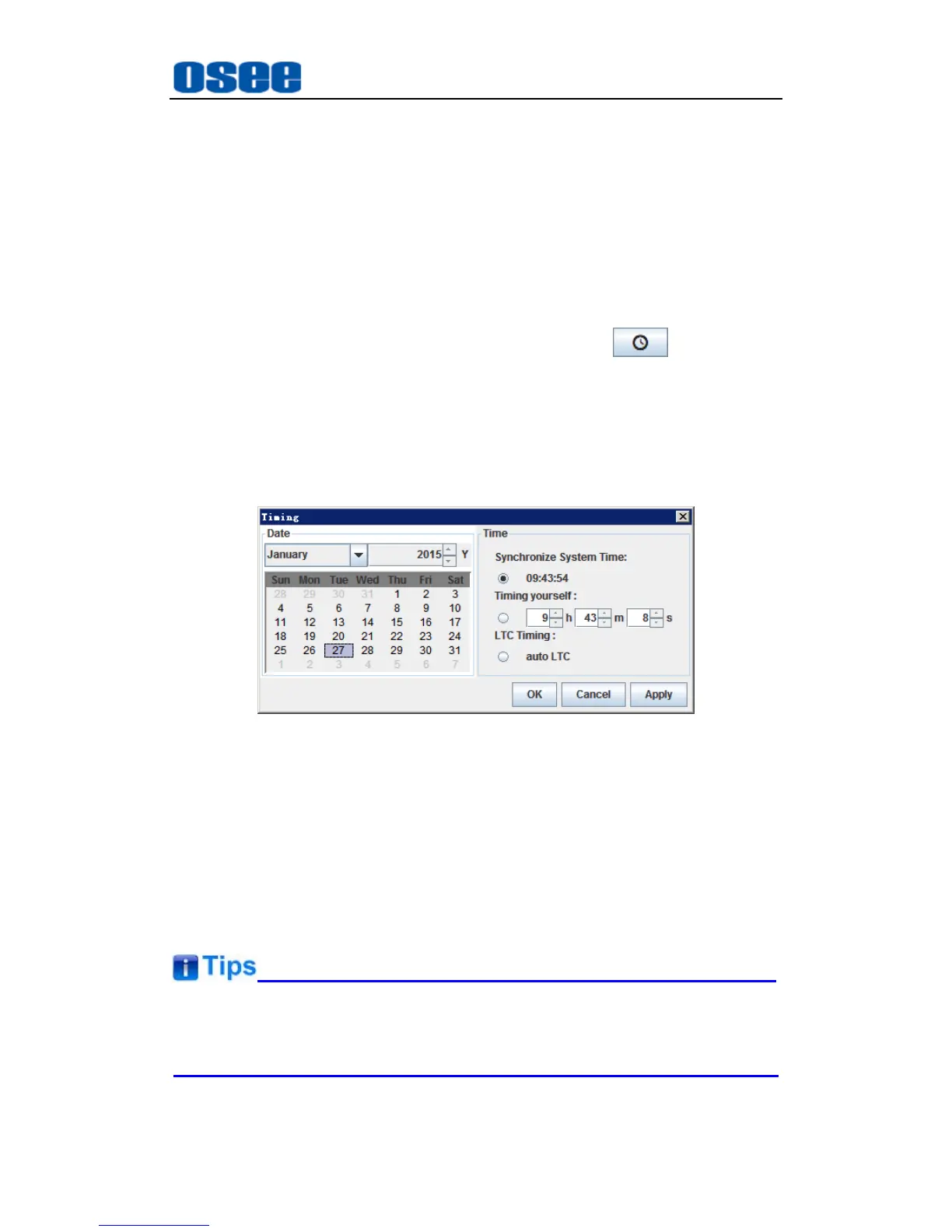
(2) Timing operation: click the manual timing button , it will pop up
the timing window, select the Time method as Synchronize System
Time to use the current time, or select as Timing yourself to a
customized time, as shown in Figure 4.2-12, click the manual timing
button to confirm timing with the local time.
Figure 4.2-12 Timing Operation Window
4.3 Control Access
The AURORA1600 is connected to its remote control computer through the
Ethernet interface using the twisted-pair cable. Start up the computer and run
the multi-image control software, and the software will load the information of
the multi-image after setting up the connection.
The multi-image and the remote control computer must be at the same
network segment.
Double click the program AURORA.exe in the installation folder of the



 To Next Page