EasyManua.ls Logo

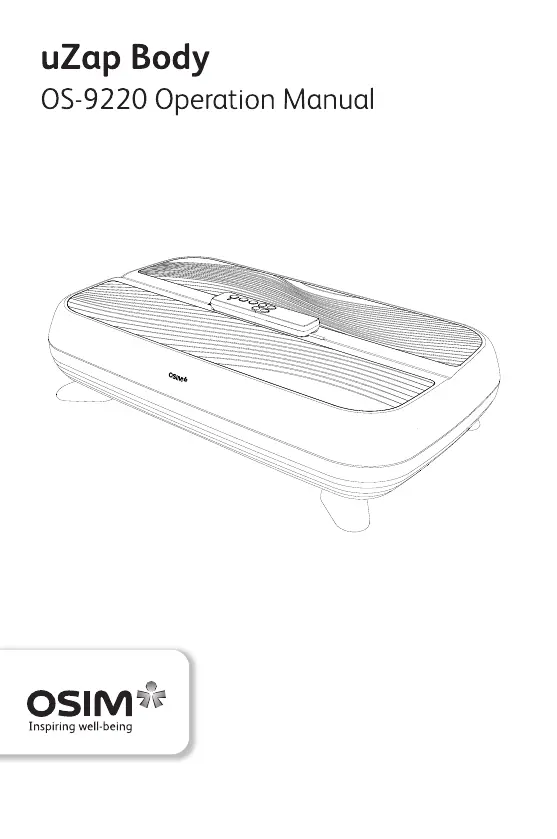
OSIM uZap Body - User Manual

OSIM uZap Body
51 pages
Print Icon
To Next Page IconTo Next Page
Loading...

Questions and Answers

  • J
    Jason BrownAug 5, 2025
    How to fix OSIM Massager uZap Body that will not start?
    • D
      Dorothy CarlsonAug 5, 2025
      If your OSIM Massager uZap Body won't start, make sure the power adapter is properly and securely plugged into the electrical outlet. Also, verify that the main switch of the device is turned on.
  • D
    David TuckerAug 20, 2025
    What to do if OSIM Massager uZap Body stops midway?
    • A
      amanda62Aug 20, 2025
      If your OSIM Massager uZap Body workout stops unexpectedly, several factors could be at play. It might be due to the adapter jack being disconnected. Also, the auto timer might have lapsed, as the default setting is 15 minutes. You might have accidentally pressed the Power/Stop button on the remote. In case of overloading, the motor protection system may trigger, in this case, press the Power/Stop button to restart. Finally, the overheat protection could have activated, so turn off the main switch and let the uZap Body cool down for at least 60 minutes before trying again.

Summary

Important Safety Instructions

Names of Parts and Functions

Main Unit Components

Identifies and describes the main parts of the uZap Body device.

Remote Control Overview

Details the buttons and functions of the remote control for operating the device.

Operation

Powering On and Setup

Instructions for turning on the device and initial setup steps.

Bluetooth Device Pairing

Guide on how to connect a smart device to the uZap Body via Bluetooth.

Starting a Workout

Steps for initiating a workout session, including program selection and intensity adjustment.

Music Playback and Sync

Instructions for playing music via Bluetooth and using the music synchronization feature.

Ending a Workout

How to properly stop the device after a workout session is completed.

Remote Control Pairing

Procedure for pairing the remote control with the uZap Body if it becomes unpaired.

Product Care and Storage

Product Placement and Storage

Guidance on storing and placing the product to prevent damage from environmental factors.

Cleaning Guidelines

Procedures for cleaning the product, including recommended and prohibited methods and materials.

Troubleshooting

Specifications

OSIM uZap Body Specifications

General IconGeneral
Product NameOSIM uZap Body
CategoryMassager
Massage TechnologyVibration
Power SourceBattery
Intensity Levels3
Number of Batteries2
FunctionalityMuscle Relief, Pain Relief, Relaxation
Control TypeButton

Related product manuals