1. Turn on your device
2. Ensure that your computer or other devices have
enabled Wi-Fi and search for available networks.
NOTE: If you use a computer, you need to set your
computer to obtain and IP address automatically.
3. Select the WiFi name (SSID) of your device and click
Connect.
4. Enter the WiFi password if required and click OK.
5. Wait until the client device is connected to your
device successfully.
Connecting
Using Wi-Fi
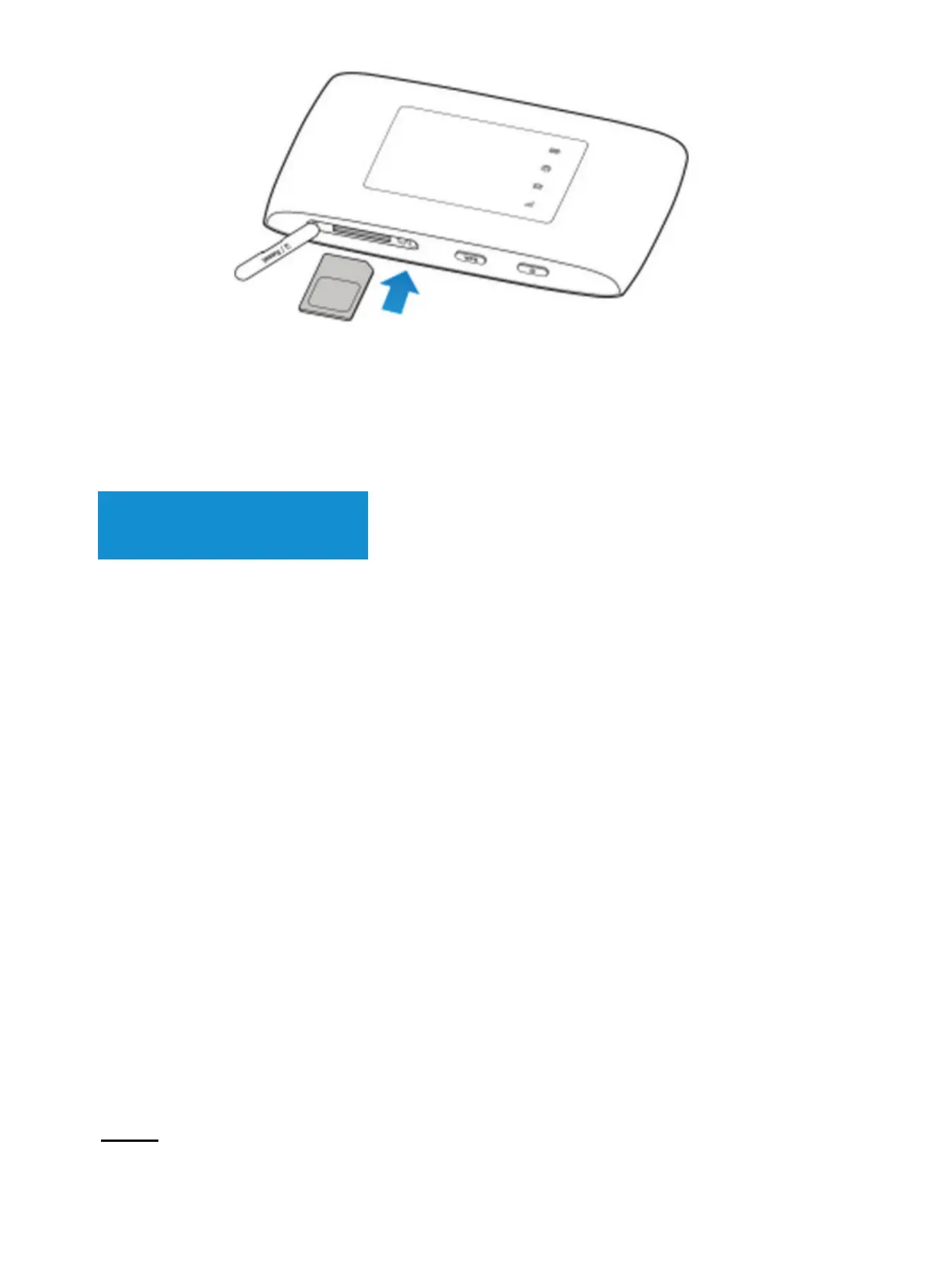
3) Close the micro-SIM card slot cover.
Using USB Cable
1. Connect a computer to your device with an USB
cable
2. Turn on your device. The OS detects new hardware
and automatically installs new software.
Note: If the system does not automatically launch
installation, you can double-click the device
installation icon in My Computer.
3. Wait until the computer is connected to your device
successfully.


 To Next Page