13
Generating the report
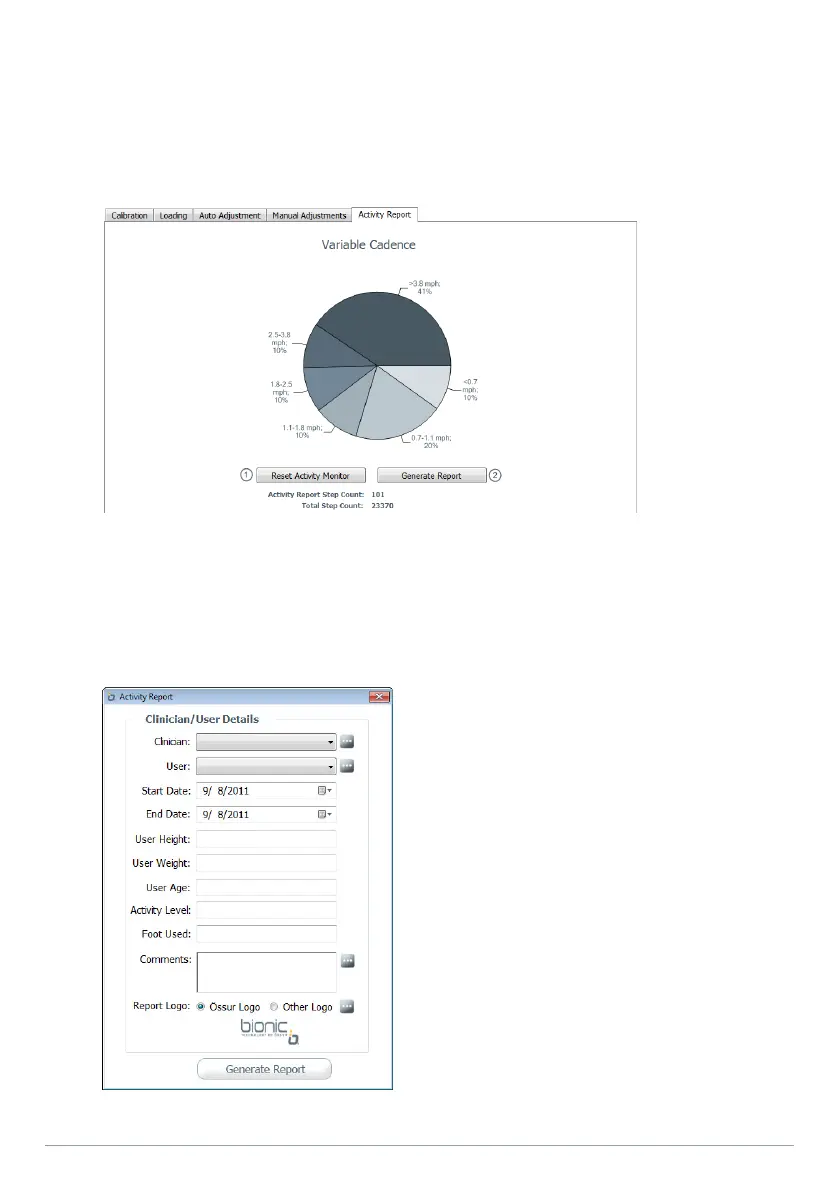
1. Once the trial is over, reconnect to the RHEO KNEE. The user activity data will automatically be
uploaded to RHEOLOGIC Workbench.
2. Press "Generate Report" (Figure 12-2).
1. Reset Activity Monitor 2. Generate Report
3. Enter information you would like to add to the report (Figure 13).
a. Fill in the clinician/user details. Drop-down menus allow you to select the name of the clinicians
and users saved in the system. By clicking the “more” button, you will be allowed to add, edit, and
delete clinicians and users
Figure 12
Figure 13


 To Next Page