87
Brake effect too strong/Brake sticks at the end of the stance phase
• Turn the load regulating screw L () to the right
• The brake responds at a higher load
Note: The load regulating screw L () must not be screwed beyond the brake body otherwise the function of the
knee joint can not be guaranteed.
Readjusting the brake unit after prolonged use
The service screw S () need not be adjusted under standard conditions. After a prolonged period of use, play
may develop in the joint which can be readadjusted using the service screw S ().
To adjust the screw remove the protective cap () and use a mm hexagonal key.
When setting up the joint with fine adjustments turn the screw in small steps of a maximum of ⁄ of a turn each
time. Check the result.
Joint develops play after prolonged period of use
• Turn the service screw S () to the right
• Play in the joint is reduced
Swing phase control
You can set the extension and flexion separately to suit the needs of the user.
The pneumatic system is delivered in the basic setting. In the basic setting both valves are two turns open. You can
make the adjustments from this basic setting to suit the individual gait.
In order to achieve a comfortable gait first adjust the flexion. Then harmonise the gait by adjusting the extension.
When setting up the joint with fine adjustments turn the screw in small steps of about ⁄ of a turn each time.
Check the result.
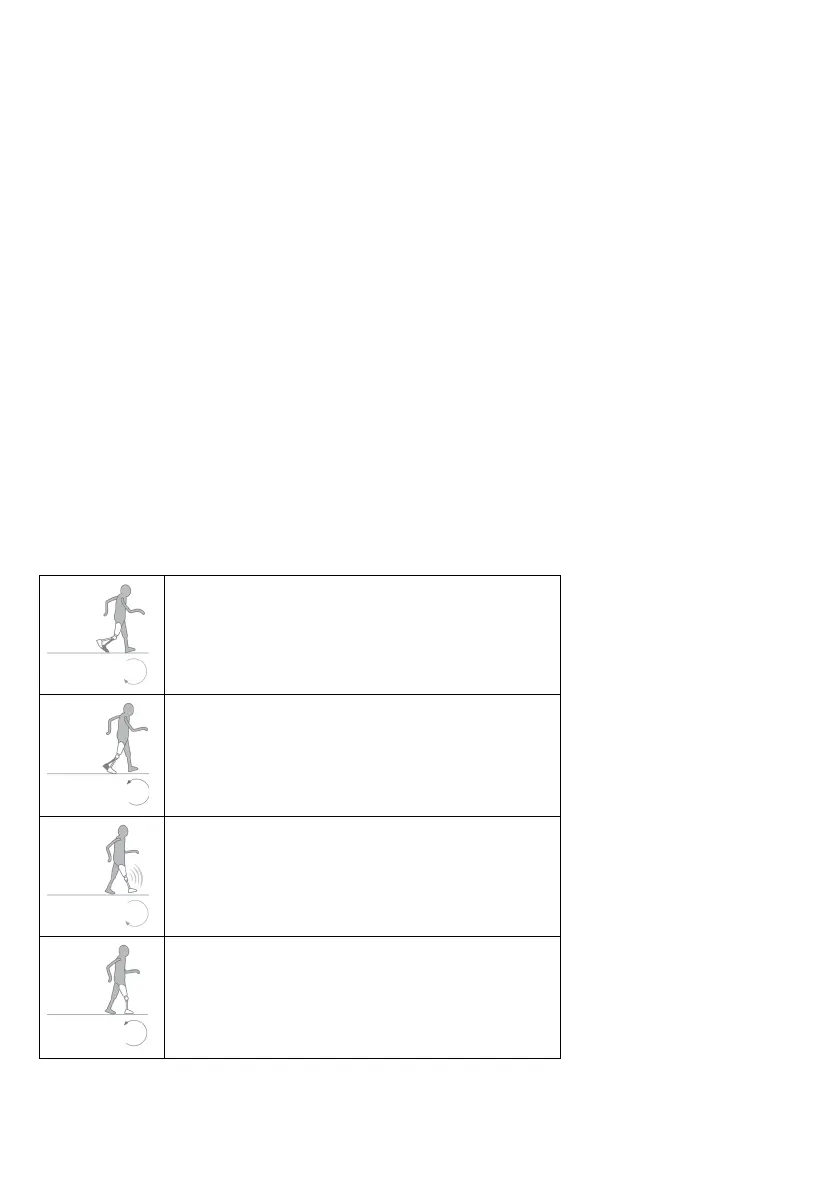
Too much flexion
Close flexion valve F
Turn the flexion valve to the right with a mm
hexagonal key.
Too little flexion
Open flexion valve F
Turn the flexion valve to the left with a mm
hexagonal key.
Abrupt extension stop
Close extension valve E
Turn the extension valve to the right with a mm
hexagonal key.
Extension too slow
Open extension valve E
Turn the extension valve to the left with a mm
hexagonal key.
Note: Flexion and extension must be possible at all settings.
Note: It may be necessary to readjust the brake again after setting the swing phase.





 To Next Page