EasyManua.ls Logo

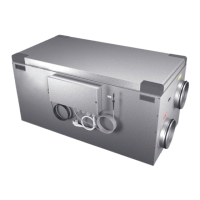
OSTBERG HERU 160 S EC - User Manual

Default Icon
40 pages
Print Icon
To Next Page IconTo Next Page
Loading...
HERU IQ S – HERU IQ T
OPERATION & MAINTENANCE
|
EN
UPDATE
YOUR HERU
To ensure optimal function and
performance of your Heru Air Handling
Unit, please download and install
the latest software version
ostberg.com/updates
UPDATE
YOUR HERU
To ensure optimal function and
performance of your Heru Air Handling
Unit, please download and install
the latest software version
ostberg.com/updates
Other languages in digital format can be downloaded at www.ostberg.com

Other manuals for OSTBERG HERU 160 S EC

Questions and Answers

Summary

Product Overview and Use

Product Description

Details the energy recovery units HERU S and HERU T, their features and applications.

Control Functions

Explains temperature regulation modes and fan capacity control for the HERU units.

Safety

Warnings

Highlights critical warnings regarding personal injury and equipment damage.

General Safety

Covers essential safety precautions for operation, maintenance, and user interaction.

Declaration of Conformity

Lists EU directives and harmonised standards to which the products comply.

Warranty

Extent of the Warranty

Defines the scope of faults covered during the warranty period.

General Limitations in the Warranty

Outlines liability limits and non-covered damages or conditions.

Limitations in the Warranty

Specifies warranty conditions, exclusions, and unauthorized repair restrictions.

Service Conditions During the Warranty Period

Explains how warranty service is handled and procedures with the dealer.

Corrective Measures in the Event of Detected Faults

Details procedures for reporting faults and requirements for warranty repair.

Operation

Installing the IQ Control App

Provides step-by-step instructions for downloading and setting up the mobile control application.

Pairing Units

Guides users through connecting the IQ Control App to the HERU unit via Bluetooth.

Entering the Basic Settings

Covers initial configuration steps like language, time, and measurement systems.

IQ Control App Home Screen

Describes the app's home screen interface, status indicators, and hotkeys.

Temperature Regulation

Explains how to adjust and set desired temperatures using the IQ Control App.

Boost - Temporarily Increased Ventilation

Details the boost function for increased ventilation and how to change its operating time.

Overpressure - Fireplace Lighting Aid

Explains the overpressure function for fireplace use and its configuration settings.

Activate Away Mode

Provides instructions for activating the energy-saving Away mode for reduced airflow.

Scheduling

Guides users on programming ventilation schedules for weekdays and holidays.

Activate Night Cooling

Details the configuration of the night cooling feature using cold outdoor air.

Activate Heater

Explains how to enable and configure the internal electric heater and aftercooling.

Turn Unit Off and On

Outlines the procedures for safely starting and stopping the HERU ventilation unit.

Use the Alarm Menu

Describes how to view, manage, and reset active and historical alarms in the app.

Change Settings

Provides general guidance on modifying various operational parameters through the app.

Update Firmware

Details methods for updating the unit's software via the app or a computer.

Maintenance

Maintenance Schedule

Presents an overview of required inspections and maintenance tasks at specified intervals.

Maintenance Procedures

Provides detailed instructions for routine maintenance tasks like inspections and cleaning.

Preparations for Maintenance

Lists the necessary tools and personal protective equipment for performing maintenance.

Open Doors and Lid

Gives instructions for safely accessing the unit's interior for maintenance.

Remove Filters and Fans

A step-by-step guide for removing filters and fans for cleaning or replacement.

Accessories and Spare Parts

Information on how to obtain replacement parts and additional accessories for the unit.

Technical Data

Troubleshooting

Alarm Troubleshooting

Identifies common alarms, their causes, and provides troubleshooting steps for resolution.

Other Malfunctions

Addresses common issues beyond specific alarms, like display or unit start-up problems.

Troubleshooting Chart

A diagnostic flowchart to help identify and resolve various operational problems.

Appendix 1 IQ Control App - Setup Wizard

Step 1 - RH;CO2;VOC Boost Configuration

Configures sensor input for air quality-based fan compensation and boost.

Step 2 - Heating and Cooling Component Selection

Selects the types of installed after-heater, pre-heater, and cooling components.

Step 3 - Temperature Regulation Setup

Sets up the temperature control strategy, including supply, extract, or room regulation.

Step 4 - Temp Set Point & Supply Temp Low Configuration

Configures temperature set points and settings for low supply air temperature alarms.

Step 5 - Switch Configuration

Configures external inputs for functions like fire alarms, boost, and mode changes.

Step 6 - Alarm Class Assignment

Assigns alarm severity levels (A or B) and determines output relay behavior.

Step 7 - Filter Measurement Setup

Sets up filter control types, measurement periods, and replacement alerts.

Step 8 - Damper Settings

Configures the opening time setting for dampers, acting as a start-up delay.

Step 9 - Flow and Regulation Settings

Defines the airflow direction (Standard or Opposite) and regulation mode.

Step 10 - Standard Fan Speed Configuration

Sets the default fan speeds for exhaust and supply airflow.

Step 11 - Minimum Fan Speed Configuration

Configures the minimum fan speed settings for the unit.

Step 12 - Maximum Fan Speed Configuration

Configures the maximum fan speed settings for the unit.

Step 13 - Save Settings Confirmation

Allows users to save all wizard settings or cancel and return to the previous menu.

Summary

Product Overview and Use

Product Description

Details the energy recovery units HERU S and HERU T, their features and applications.

Control Functions

Explains temperature regulation modes and fan capacity control for the HERU units.

Safety

Warnings

Highlights critical warnings regarding personal injury and equipment damage.

General Safety

Covers essential safety precautions for operation, maintenance, and user interaction.

Declaration of Conformity

Lists EU directives and harmonised standards to which the products comply.

Warranty

Extent of the Warranty

Defines the scope of faults covered during the warranty period.

General Limitations in the Warranty

Outlines liability limits and non-covered damages or conditions.

Limitations in the Warranty

Specifies warranty conditions, exclusions, and unauthorized repair restrictions.

Service Conditions During the Warranty Period

Explains how warranty service is handled and procedures with the dealer.

Corrective Measures in the Event of Detected Faults

Details procedures for reporting faults and requirements for warranty repair.

Operation

Installing the IQ Control App

Provides step-by-step instructions for downloading and setting up the mobile control application.

Pairing Units

Guides users through connecting the IQ Control App to the HERU unit via Bluetooth.

Entering the Basic Settings

Covers initial configuration steps like language, time, and measurement systems.

IQ Control App Home Screen

Describes the app's home screen interface, status indicators, and hotkeys.

Temperature Regulation

Explains how to adjust and set desired temperatures using the IQ Control App.

Boost - Temporarily Increased Ventilation

Details the boost function for increased ventilation and how to change its operating time.

Overpressure - Fireplace Lighting Aid

Explains the overpressure function for fireplace use and its configuration settings.

Activate Away Mode

Provides instructions for activating the energy-saving Away mode for reduced airflow.

Scheduling

Guides users on programming ventilation schedules for weekdays and holidays.

Activate Night Cooling

Details the configuration of the night cooling feature using cold outdoor air.

Activate Heater

Explains how to enable and configure the internal electric heater and aftercooling.

Turn Unit Off and On

Outlines the procedures for safely starting and stopping the HERU ventilation unit.

Use the Alarm Menu

Describes how to view, manage, and reset active and historical alarms in the app.

Change Settings

Provides general guidance on modifying various operational parameters through the app.

Update Firmware

Details methods for updating the unit's software via the app or a computer.

Maintenance

Maintenance Schedule

Presents an overview of required inspections and maintenance tasks at specified intervals.

Maintenance Procedures

Provides detailed instructions for routine maintenance tasks like inspections and cleaning.

Preparations for Maintenance

Lists the necessary tools and personal protective equipment for performing maintenance.

Open Doors and Lid

Gives instructions for safely accessing the unit's interior for maintenance.

Remove Filters and Fans

A step-by-step guide for removing filters and fans for cleaning or replacement.

Accessories and Spare Parts

Information on how to obtain replacement parts and additional accessories for the unit.

Technical Data

Troubleshooting

Alarm Troubleshooting

Identifies common alarms, their causes, and provides troubleshooting steps for resolution.

Other Malfunctions

Addresses common issues beyond specific alarms, like display or unit start-up problems.

Troubleshooting Chart

A diagnostic flowchart to help identify and resolve various operational problems.

Appendix 1 IQ Control App - Setup Wizard

Step 1 - RH;CO2;VOC Boost Configuration

Configures sensor input for air quality-based fan compensation and boost.

Step 2 - Heating and Cooling Component Selection

Selects the types of installed after-heater, pre-heater, and cooling components.

Step 3 - Temperature Regulation Setup

Sets up the temperature control strategy, including supply, extract, or room regulation.

Step 4 - Temp Set Point & Supply Temp Low Configuration

Configures temperature set points and settings for low supply air temperature alarms.

Step 5 - Switch Configuration

Configures external inputs for functions like fire alarms, boost, and mode changes.

Step 6 - Alarm Class Assignment

Assigns alarm severity levels (A or B) and determines output relay behavior.

Step 7 - Filter Measurement Setup

Sets up filter control types, measurement periods, and replacement alerts.

Step 8 - Damper Settings

Configures the opening time setting for dampers, acting as a start-up delay.

Step 9 - Flow and Regulation Settings

Defines the airflow direction (Standard or Opposite) and regulation mode.

Step 10 - Standard Fan Speed Configuration

Sets the default fan speeds for exhaust and supply airflow.

Step 11 - Minimum Fan Speed Configuration

Configures the minimum fan speed settings for the unit.

Step 12 - Maximum Fan Speed Configuration

Configures the maximum fan speed settings for the unit.

Step 13 - Save Settings Confirmation

Allows users to save all wizard settings or cancel and return to the previous menu.

OSTBERG HERU 160 S EC Specifications

General IconGeneral
BrandOSTBERG
ModelHERU 160 S EC
CategoryAir Handlers
LanguageEnglish

Related product manuals