User’s Manual (Confidential)
OsteoSys Co., Ltd.
Model Designation : SONOST 3000 DOC. No. : OT06-2R7124
28
Perform the Daily Test
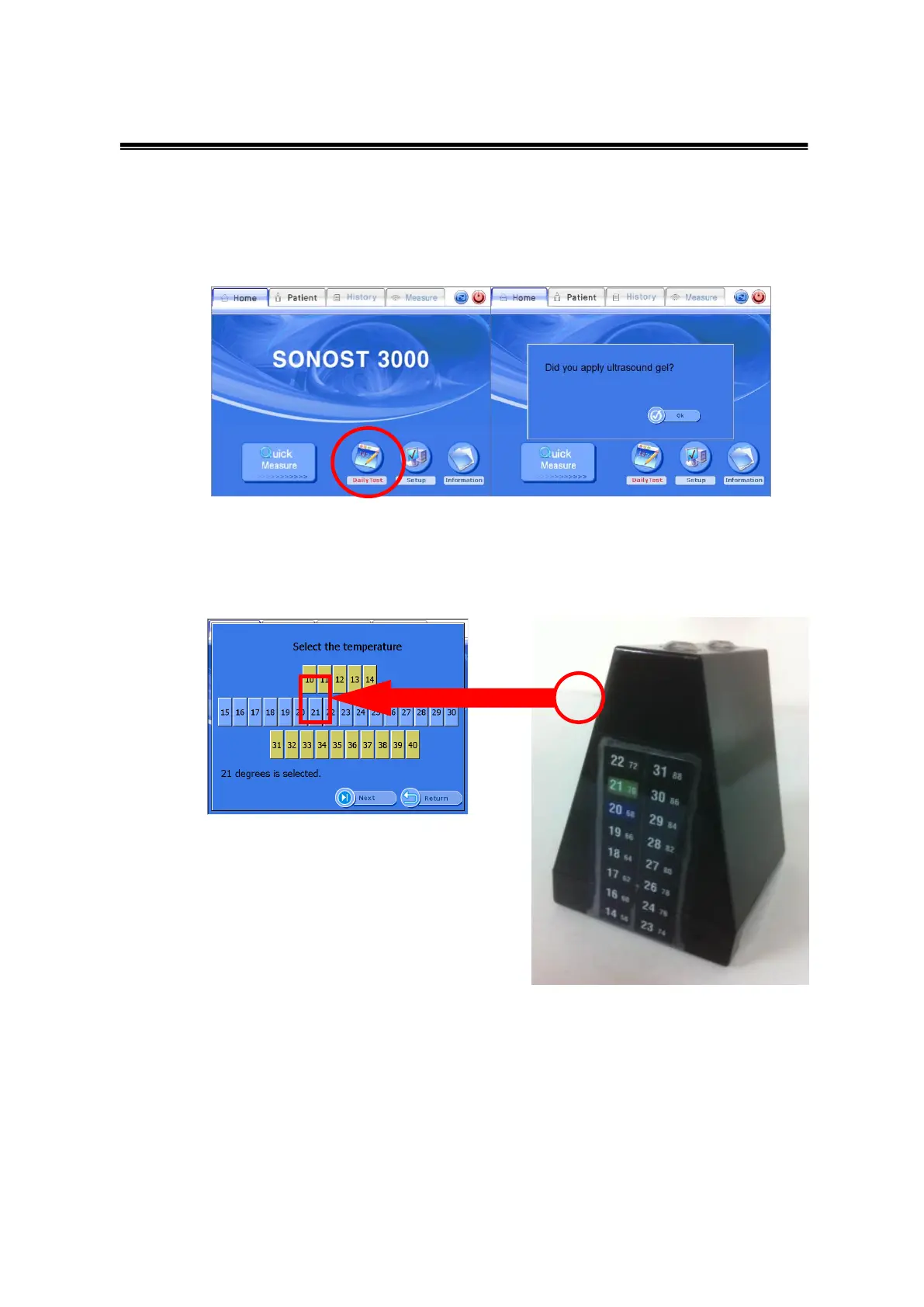
Press the Daily Test button
The Daily test should be done if the color of the button is red.
When the daily test is finished, the color of the button will turn back to
its original color(blue).
After clicking the daily test button, you will see a message "Did you apply
ultrasound gel?” If you have already done so, click "OK".
Select the temperature from the UI after checking the thermo label on the
surface of the phantom. Among the two numbers that are highlighted in
colors, choose the higher number.
Perform Daily Test by clicking the ‘Next’ button.



 To Next Page