User’s Manual (Confidential)
OsteoSys Co., Ltd.
Model Designation : SONOST 3000 DOC. No. : OT06-2R7124
44
- : Setup printer.
- Temp. Compensation: To choose the temperature compensation function when
Performing Daily Test.
- Phantom Info : the values on the bottom label on the phantom.
- Check version of phantom whether it is 0.2ver or not.
- Activate Pediatry(Activate BMD) : To switch the mode of BMD and Pediatry.
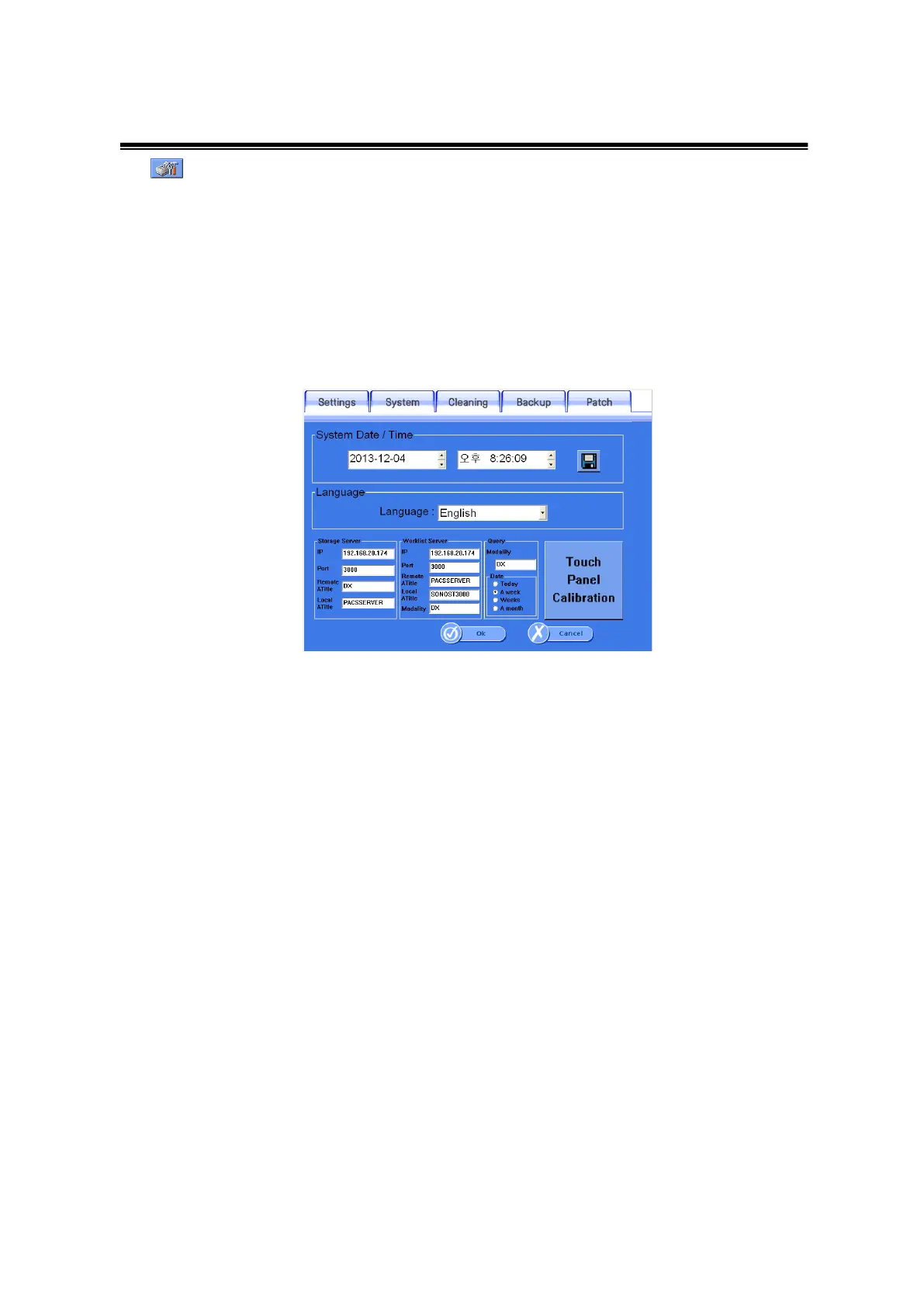
② System: It makes settings related to the Operating System.
<Setup>System Window
- System Date/ Time: Present time setting. It becomes the standard time for all
patients registered date, measured date and printed date. Set the time and click the
<Save> icon on the right.
- Language : The language can be changed in the language settings.
- Touch Panel calibration: It is used when the touch panel is out of order.
Read the screen message carefully, then press the arrow
indicated points precisely.
- Storage Server: If you would like to send images through PACS, you should
input information. You have to get your own IP address and port from the hospital to
connect to a storage server to fill in the information. (You should request for server
information to a person in charge at your hospital.)
- Worklist Server: The Worklist input field is used to import subjects registered in the
server. You have to get own IP address and port from the hospital to connect worklist
server and then input these things exactly. Moreover, in terms of Worklist, you must
input correctly due to patients are classified by Modality.



 To Next Page