User’s Manual (Confidential)
OsteoSys Co., Ltd.
Model Designation : SONOST 3000 DOC. No. : OT06-2R7124
63
3.4.7 Inquiry and deletion of clinical history of existing patients
① Inquiry of Clinical History of Existing Patients
If you want to retrieve the clinical history of existing patients, select a desired patient
and click <History> from the top menus on the “Patient List” screen.
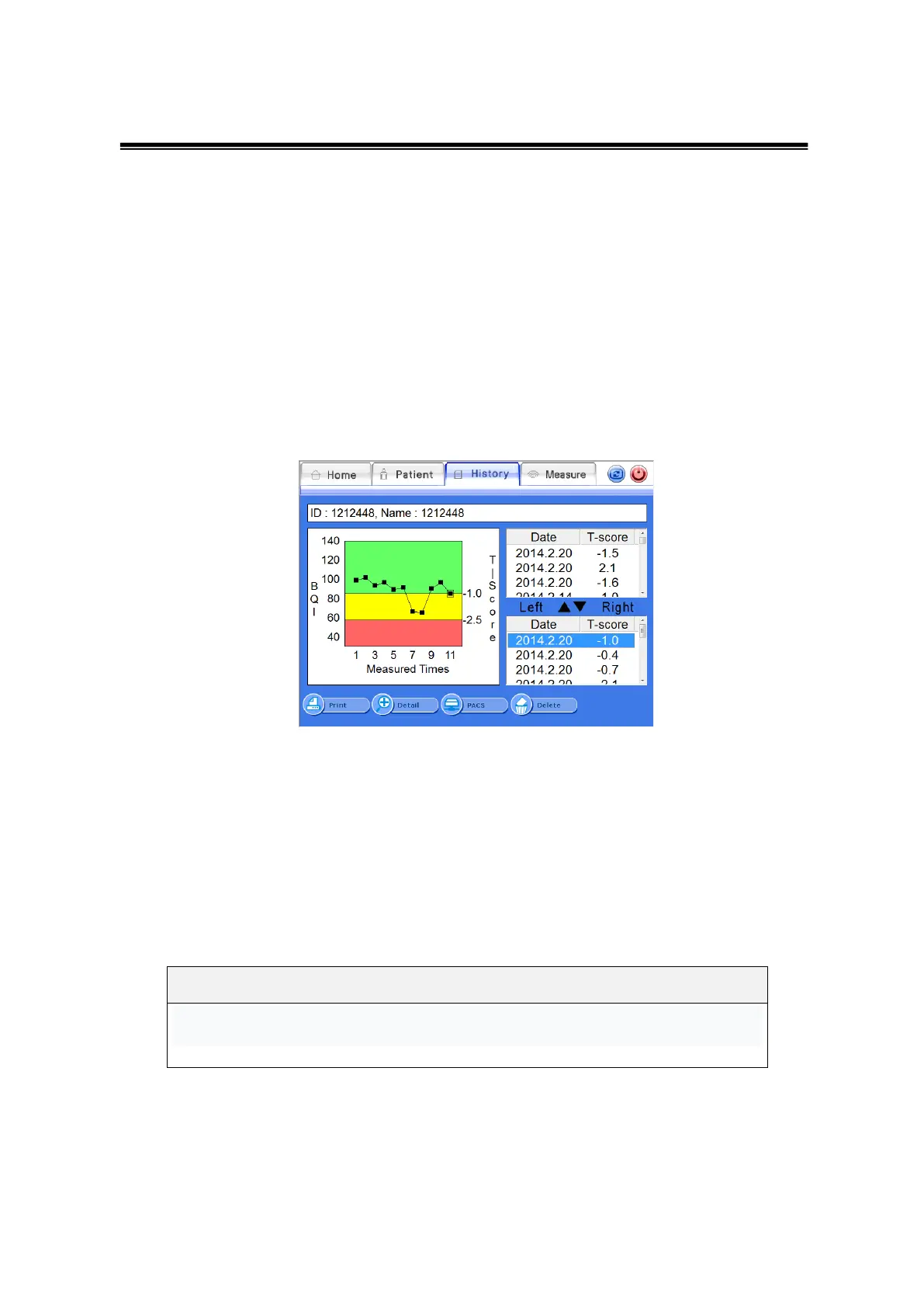
Then “History List” screen appears that contains the patient’s clinical history as shown
below. On the right side, the list of results of left and right foot’s measurement is
displayed. If you select a measurement result from the list, the relevant clinical
history will be displayed with a graph on the left side of the window.
History List Screen
On the lower part of screen, you can see <PACS> button. When you press the <PACS>
button, the result will be sent to the server.
② Detailed Representation of Clinical History of Existing Patients
If you click the <Detail>button on the “History List” screen, the detailed result of the
selected patient appears in the full screen.
Click the History icon to view patient information.



 To Next Page