User’s Manual (Confidential)
OsteoSys Co., Ltd.
Model Designation : SONOST 3000 DOC. No. : OT06-2R7124
75
Running SONOST 3000 user program
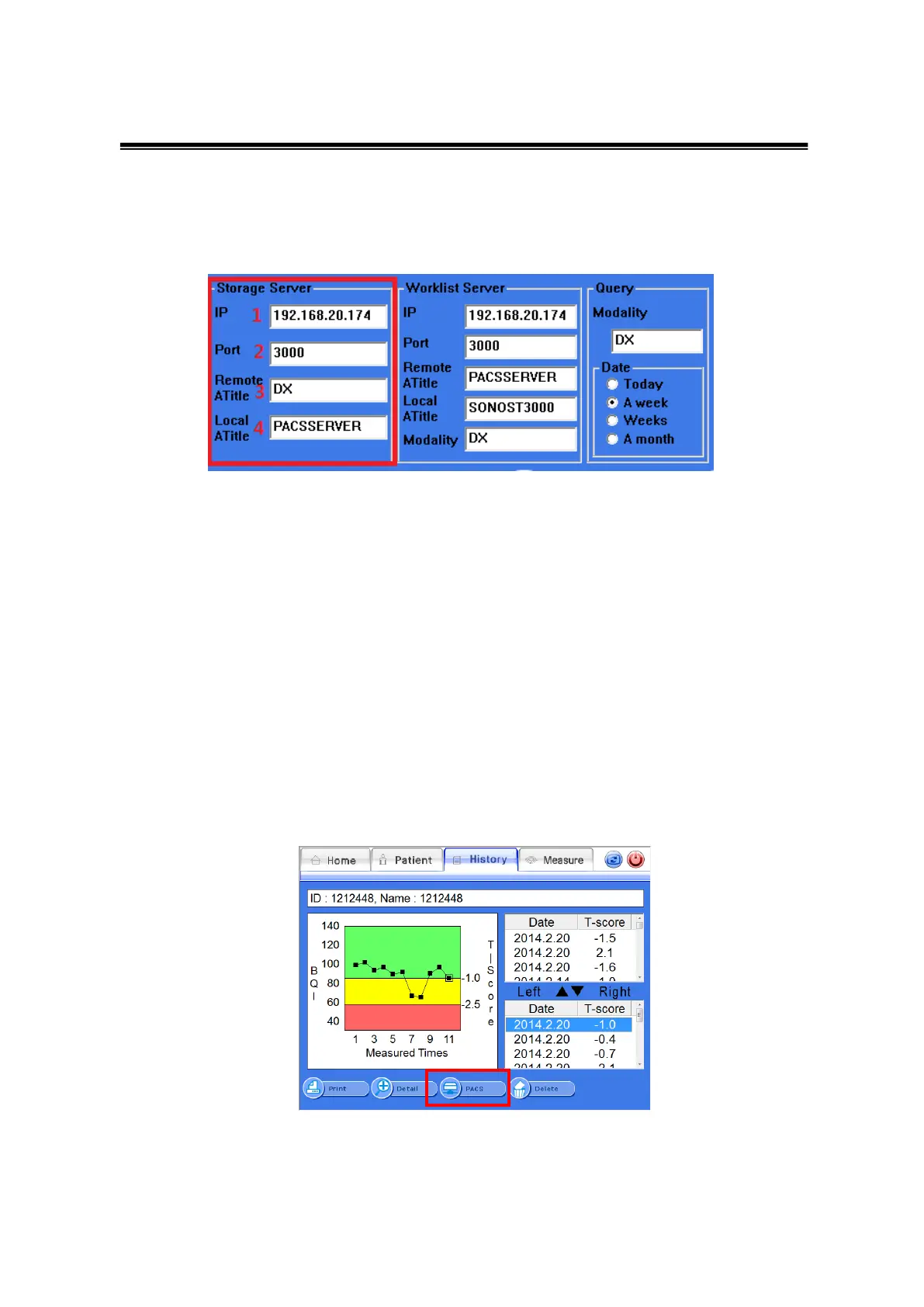
At the beginning of SONOST 3000 program, you should press the <control> button,
and move on to <System>
This pictures figure the same as Worklist server control, when you input IP, Port,
Atitle which can be available from the server manager in hospital.
- Sending PACS
After move on to ‘list of patients’, you can see ‘disease history’ or ‘result’ screen.
you should select ‘disease history’ you would like to send to PACS, then
press the <PACS> button.
<PACS> button on disease history



 To Next Page