For Products Purchased in the United States and Canada Only
To reduce the risk of electrical shock, this appliance has a polarized plug (one blade is wider
than the other). This plug fits a polarized outlet only one way; if the plug does not fit fully
into the outlet, reverse the plug. If it still does not fit, contact a qualified electrician. Do not
attempt to modify the plug in any way.
SAVE THESE INSTRUCTIONS
Welcome
Congratulations on your purchase of an OSTER
®
Toaster Oven!
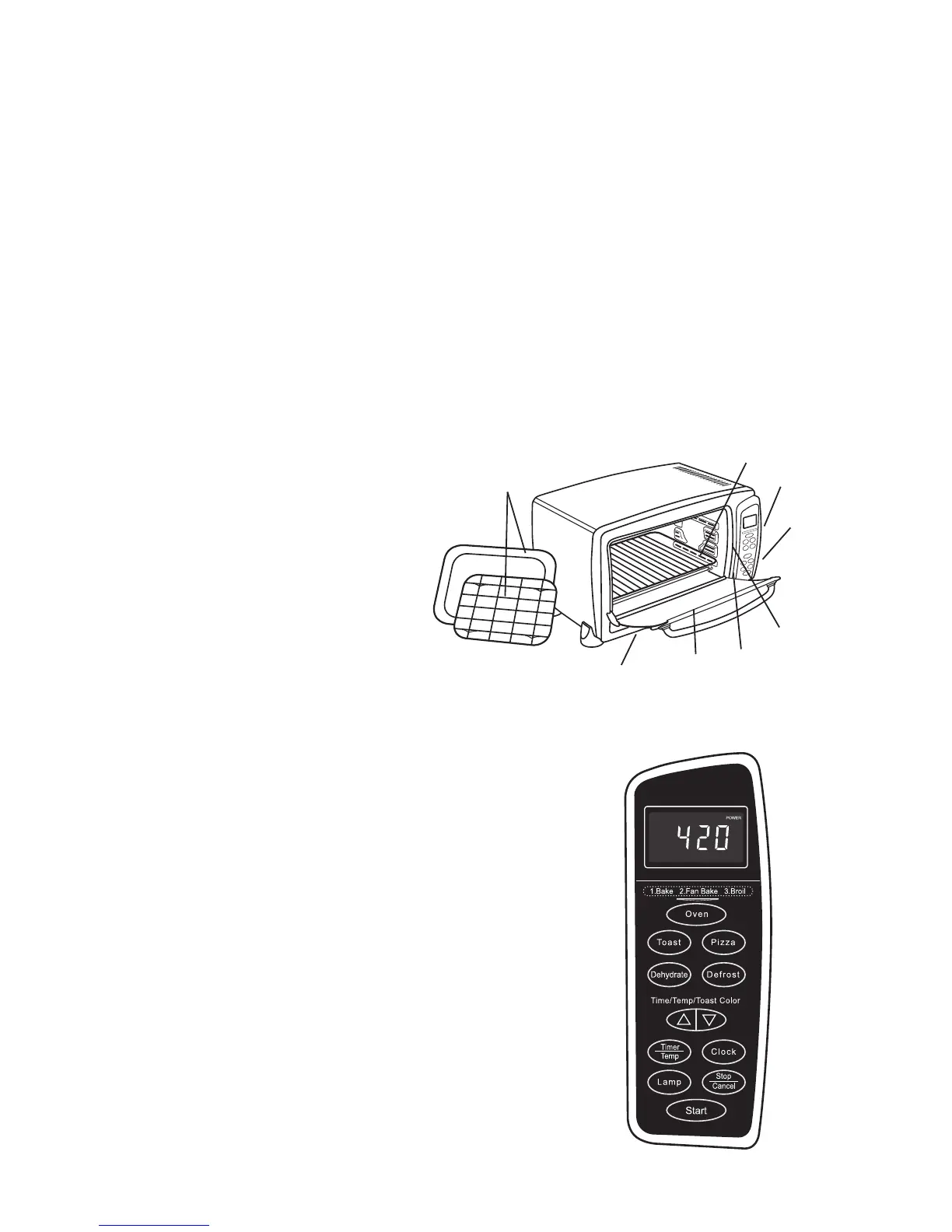
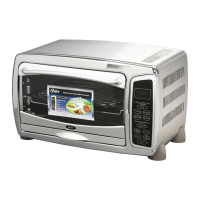
Features of Your Toaster Oven
1. Removable Wire Rack
2. Time Display
3. Control Buttons
4. Three Rack Positions
5. Easy Clean Interior Walls
6. Glass Door
7. External Removable Crumb Tray
8. Baking Pan and Broiling Rack
Control Buttons
1.Function Buttons –
Oven – Select to Bake,
Convection (Fan Bake), Broil.
Toast – Select to toast bread, bagels, etc.
Pizza – Select to bake 9-12” pizza.
Dehydrate – Select to dehydrate foods.
Defrost – Select to defrost foods.
– Adjusts time, temperature or toast shade.
Timer/Temp – Use this button to change
between time and temperature when Bake,
Convection Bake or Broil have been selected.
Clock – Sets the Oven Clock.
Lamp – Turns on Interior Lamp.
Stop/Cancel – Stops heating or cancels function.
Start – Starts baking/cooking process.
>
<
1
2
7
3
5
4
8
6
English-2


 To Next Page