English - 6
Filling Water Reservoir (Use Tap Water)
1. Make sure the iron is unplugged.
2. Move steam lever to dry setting .
3. Open the water ll hole cover by gripping the tab and gently pulling to open.
4. Use an easy-pour measuring cup to ll water reservoir with tap water through the
water ll hole. Do not ll water reservoir beyond the max line.
5. Close the water ll hole cover securely after lling.
WARNING: To prevent the risk of burns, be careful when lling a hot iron with water. Hot
metal parts, hot water and steam can cause injuries.
Dry Ironing
1. Ensure Steam Lever is moved to the Dry setting and iron is locked in position on
the charging base on a at, stable surface (follow instructions for “Corded Mode”).
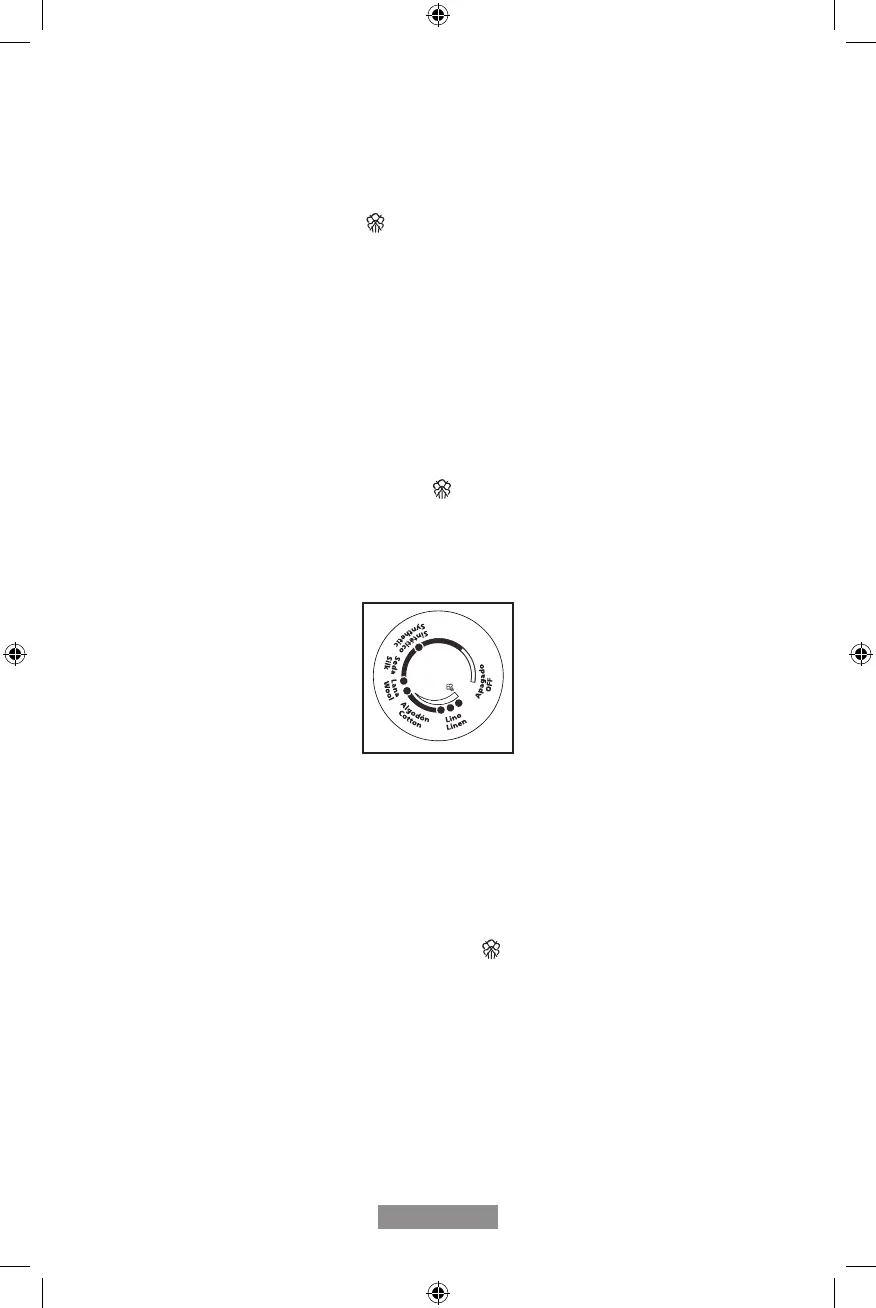
2. Set Fabric Select Dial according to fabric type (Figure 1).
NOTE: If not sure of the fabric type, it is best to rst test the temperature of the iron on a
hem or an inside seam.
Figure 1
3. Plug the power cord into a standard household outlet of the same voltage as the one
indicated in the rating label of your iron.
• The red Indicator Light comes on to indicate iron is heating up.
• When the Indicator Light turns solid green, the iron has reached required temperature
and is ready for use.
4. To use the iron without the cord, follow instructions for “Cordless Mode.”
NOTE: While the Steam Lever is turned to the Dry setting, you may still use the SHOT
OF STEAM or SPRAY MIST feature, as long as the Fabric Select Dial is set to wool,
cotton, or linen / high temperature. Make sure the water reservoir is approximately ¼ full
of water.
GCSTCC5000_22SEPM1 (LA).indd 6GCSTCC5000_22SEPM1 (LA).indd 6 2022/9/14 10:35 AM2022/9/14 10:35 AM


 To Next Page