EasyManua.ls Logo

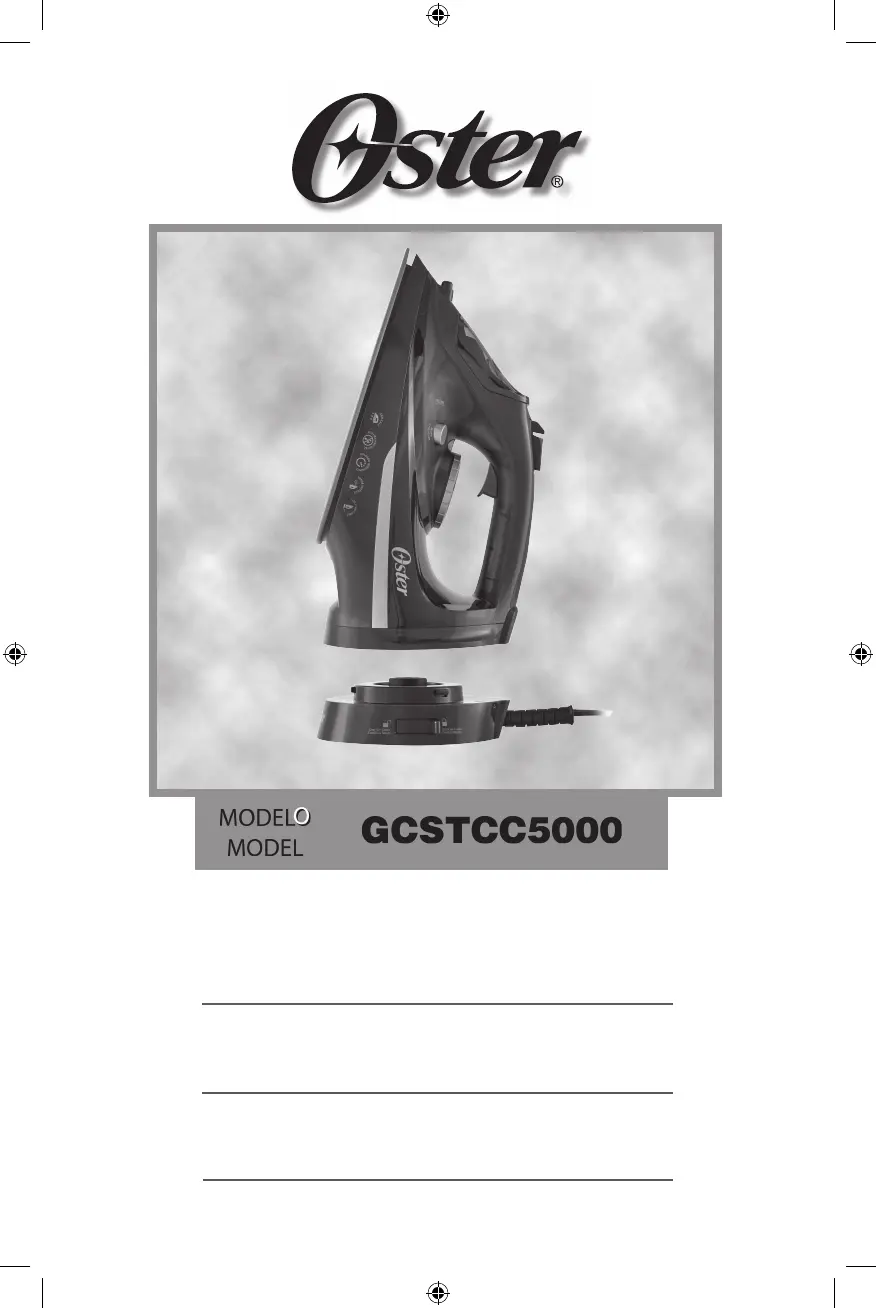
Oster GCSTCC5000 - User Manual

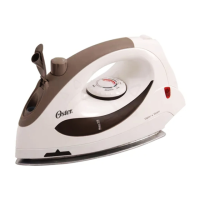
Oster GCSTCC5000
40 pages
Go to English
Print Icon
To Next Page IconTo Next Page
Loading...
Manual de Instrucciones
PLANCHA DE VAPOR INALÁMBRICA
LEA TODAS LAS INSTRUCCIONES ANTES DE USAR ESTE APARATO
Instruction Manual
CORDLESS STEAM IRON
READ ALL INSTRUCTIONS BEFORE USING THIS APPLIANCE
Manual de Instruções
FERRO DE PASSAR SEM FIO VAPOR
LEIA TODAS AS INSTRUÇÕES ANTES DE USAR ESTE APARELHO
MODELO
MODEL
GCSTCC5000
GCSTCC5000_22SEPM1 (LA).indd 1GCSTCC5000_22SEPM1 (LA).indd 1 2022/9/14 10:35 AM2022/9/14 10:35 AM

Questions and Answers

  • A
    Angela CrossAug 13, 2025
    What to do if the indicator light blinks when my Oster GCSTCC5000 is in cordless mode?
    • K
      Kelly BensonAug 13, 2025
      To stop the blinking and reset your Oster Iron, make sure the charging base is connected to a power socket and place the iron onto the base for reheating.
  • C
    Carol WilliamsAug 17, 2025
    Why is my Oster GCSTCC5000 Iron leaking?
    • T
      Theresa GarrettAug 17, 2025
      If your Oster Iron is leaking, make sure you only fill the water to the 'Max' level. Also, avoid pressing the 'SHOT OF STEAM' button too frequently, use it only in 3-second intervals or less. After each use, empty the water reservoir and move the steam lever to the 'Dry' setting.
  • C
    Cheryl WolfeAug 20, 2025
    Why is my Oster GCSTCC5000 not heating up?
    • W
      William RamirezAug 21, 2025
      If your Oster Iron is not heating, check that the unit is correctly plugged into the heating base and that the electrical cord is plugged into a working electrical outlet. Also, ensure that the Fabric Select Dial is set to the correct setting for your garment. Verify that the auto-off function is not active.
  • R
    Rita NovakAug 25, 2025
    Why won't my Oster Iron steam?
    • M
      Michele HicksAug 25, 2025
      If your Oster Iron won't steam, ensure the water tank level is at least 1/4 full. Also, make sure the steam lever is set to a steam setting. You may need to press the 'SHOT OF STEAM' button several times to prime the iron.
  • R
    Robert EverettAug 28, 2025
    How to stop the green indicator light from blinking on my Oster GCSTCC5000?
    • A
      Ashley JonesAug 28, 2025
      To stop the green indicator light from blinking on your Oster Iron, move the iron back and forth and allow it to reheat. The light blinks to indicate that the iron's auto-off function has been activated.
  • F
    fergusondanaSep 1, 2025
    How to prevent shine when ironing fabrics with my Oster Iron?
    • J
      john79Sep 1, 2025
      To prevent unwanted shine on fabrics when using your Oster Iron, use an ironing cloth or a 100% white cotton fabric between the garment and the iron.
  • T
    Todd CastanedaSep 5, 2025
    What to do if my Oster GCSTCC5000 leaves spots/flakes on clothing?
    • J
      Jennifer SmithSep 5, 2025
      If your Oster Iron leaves spots or flakes on clothing, empty the water reservoir completely after each use. Clean the soleplate when cool with a wet, damp cloth, and use the self-cleaning feature once a month. Also, ensure the water cup used to fill the iron is clean.
  • C
    christopher72Sep 8, 2025
    How to remove wrinkles effectively with my Oster GCSTCC5000 Iron?
    • T
      thompsonmonicaSep 9, 2025
      To sufficiently remove stubborn wrinkles with your Oster Iron, use the 'SHOT OF STEAM' or 'SPRAY MIST' features. Double-check that the Fabric Select Dial is set to the correct fabric setting.

Summary

Important Safeguards

Appliance Description

About Your Iron Icons;Symbols

Getting to Know Your Oster Iron

Operating Your Iron

Filling Water Reservoir

Instructions for filling the water reservoir with tap water, including warnings.

Dry Ironing

Steps and guidance for dry ironing, including fabric selection and heat settings.

Steam Ironing

Procedure for steam ironing, involving steam settings and fabric selection.

Corded Mode

Instructions for using the iron in corded mode, including base connection.

Cordless Mode

Guide on how to operate the iron in cordless mode, including unlocking from the base.

3-Way Auto-Off Feature

Explanation of the automatic shut-off feature and how to reset it.

Care and Maintenance

Caring for Your Iron After Use

Steps for turning off, unplugging, and emptying the iron after use.

Storing Your Iron

Guidelines for safely storing the iron, including cord management.

Maintaining and Cleaning Your Iron

Procedures for using the self-clean feature and cleaning the soleplate.

Anti-Calcium Technology

Steps to maintain the anti-calcium system for prolonged efficiency.

Ironing Tips and Troubleshooting

Ironing Tips

General advice and techniques for effective ironing of various fabrics and garments.

Ironing Shirts

Specific instructions for ironing shirts, covering collars, fronts, backs, and sleeves.

Ironing Pants

Guidance on ironing pants, including waistbands, pockets, cuffs, and legs.

Troubleshooting

Common problems and their solutions for the steam iron.

Oster GCSTCC5000 Specifications

General IconGeneral
BrandOster
ModelGCSTCC5000
CategoryIron
LanguageEnglish

Related product manuals