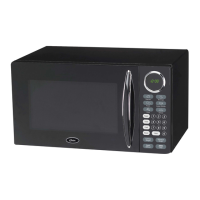
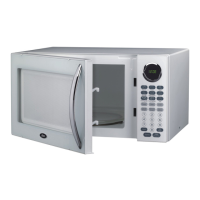
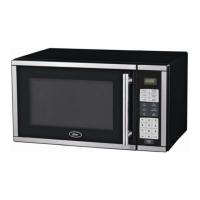
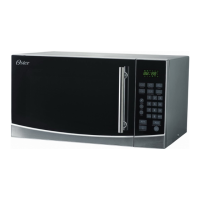
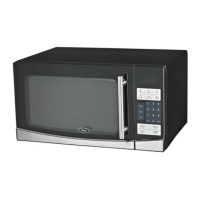
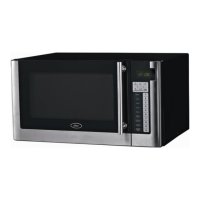
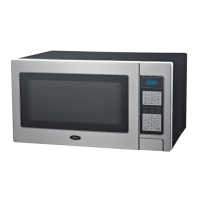
The Oster 0.9 Cu. Ft. Countertop Microwave, model OGB8903, is designed for convenient and efficient food preparation in a home kitchen setting. This user-friendly appliance offers a range of cooking and defrosting functions, making it suitable for various culinary needs.
Function Description
The microwave's primary function is to heat, cook, and defrost food using microwave energy. It features a control panel with a digital display that shows cooking time, power level, indicators, and the current time.
Key cooking functions include:
- One-stage Cooking: Allows users to set a specific cooking time and power level for straightforward heating tasks. The default power setting is 100%, but users can adjust it to lower levels (10% to 90%) using the number pads.
- Two-stage Cooking: This advanced feature enables cooking at different temperatures or power levels for different durations, accommodating recipes that require varied heating stages. The microwave signals when the first stage is complete and automatically transitions to the second stage.
- Quick Cook Buttons: Provides instant settings for popular foods, simplifying the cooking process for common items like popcorn, beverages, potatoes, frozen dinners, pizza, and reheat functions.
- Cook by Weight: This feature allows for programmed cooking based on the weight of specific food types, including beef, mutton, and pork. The user enters a code for the food type and its weight, and the microwave automatically calculates the cooking time. It's important that meat is defrosted and at refrigerated temperature for this function.
- Defrost by Weight: Similar to "Cook by Weight," this function enables programmed defrosting based on the weight of the food. The microwave will pause and beep to remind the user to turn the food over during the defrosting process.
- Speed Defrost: A quick defrost function that alternates defrost and stand times to efficiently defrost foods. This function can also be combined with one- or two-stage cooking programs.
Additional functions include:
- Clock Setting: Users can set the current time, which is displayed on the control panel. The microwave operates on a 12-hour clock format.
- Timer Function: An independent timer can be set for various tasks, even while a cooking program is in progress.
- Child Lock: A safety feature that prevents unsupervised operation by children. It can be activated and deactivated by pressing and holding the "RESET" button for three seconds.
Usage Features
The microwave is designed for ease of use with its intuitive control panel and various pre-programmed settings.
- Control Panel: The front panel includes number pads (0-9) for entering times and amounts, along with dedicated buttons for "Popcorn," "Beverage," "Potato," "Frozen Dinner," "Pizza," "Reheat," "Power," "Timer," "Cook," "Reset," "Clock," "Cook by Weight," "Defrost by Weight," "Speed Defrost," and "START/STOP."
- Digital Display: Provides clear visual feedback on the cooking status, time, and selected functions.
- Audible Signals: The microwave emits beeps to indicate the end of cooking stages or programs. For multi-stage cooking, a single signal indicates the transition to the next stage. At the end of a total cooking time, the system will sound beeps with "END" displayed, continuing every two minutes until the door is opened or a pad is touched.
- Turntable System: The microwave is equipped with a glass tray and turntable ring assembly, which must always be in place during cooking. This system ensures even heating by rotating the food.
- Quick Cook Options: The "Popcorn" button automatically sets the cooking time for a 3.5 oz. bag of microwave popcorn, with an option to change the preset time. The "Beverage" function allows users to heat 1-4 cups (5-7 oz. each) or 1-4 larger coffee mugs (9-11 oz. each) by selecting the number of servings. "Potato" offers settings for 1-4 potatoes (4-6 oz. each) or 1-4 large potatoes (8-10 oz. each). "Frozen Dinner" provides settings for 1-2 small (7-9 oz.) or large (10-12 oz.) frozen dinners. "Pizza" has settings for reheating a slice or a whole pizza. "Reheat" is a simple one-touch function to warm food.
- Power Level Adjustment: The "POWER" button allows users to select power levels from 10% to 100%, offering flexibility for different types of food and cooking requirements.
- Safety Interlocks: The microwave is designed with door safety lock systems to prevent operation when the door is open. It is crucial not to tamper with these safety features.
Maintenance Features
Proper maintenance ensures the longevity and safe operation of the microwave.
- Cleaning:
- The interior of the microwave should be cleaned regularly with a damp cloth to remove food splatters and spills. Mild detergents can be used for stubborn dirt. Harsh cleaners, sprays, or abrasive materials should be avoided as they may damage surfaces.
- The exterior can be cleaned with a damp cloth, taking care to prevent water from seeping into ventilation openings.
- The window should be wiped clean on both sides with a damp cloth.
- The control panel should be cleaned with a soft, damp cloth, with the microwave door left open to prevent accidental activation.
- The glass tray and turntable ring assembly are removable for cleaning and can be washed in warm, soapy water or in a dishwasher.
- The microwave floor should also be cleaned regularly to prevent excessive noise from the roller ring.
- Odor Removal: Unpleasant odors can be removed by microwaving a cup of water with the juice and skin of one lemon for 5 minutes, then wiping the interior thoroughly with a soft cloth.
- Troubleshooting: Before calling for service, users are advised to check basic issues such as ensuring the microwave is securely plugged in, checking for blown fuses or tripped circuit breakers, verifying correct control panel programming, and confirming that the door is securely closed.
- Professional Service: For any damages, repairs, or light bulb replacement, it is recommended to contact qualified service personnel or the customer support center. The microwave should not be operated if damaged, especially if the door, hinges, latches, or seals are compromised.
- Utensil Guide: The manual provides a guide on recommended, limited-use, and not-recommended cooking utensils to prevent damage to the microwave and ensure safe food preparation. For example, regular glass jars and bottles are not recommended due to the risk of shattering, and metal utensils can damage the microwave. A simple test for microwave-safe dishes involves microwaving the empty dish on high for 30 seconds; if it becomes very hot, it should not be used.
- Disposal: Users are advised not to dispose of the appliance in regular garbage and to check local regulations for proper disposal methods.

 Need help?
 General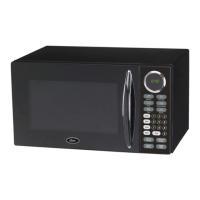

 To Next Page