EasyManua.ls Logo

Oster OTM1101VBS - User Manual

Oster OTM1101VBS
19 pages
Print Icon
To Next Page IconTo Next Page
Loading...
PTT041207
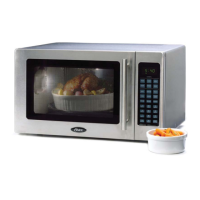
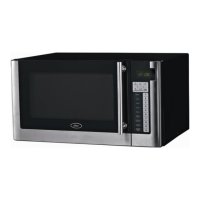
1.1 Cu. Ft. Stainless Steel Convection Microwave
User’s Manual
Model: OTM1101VBS
Question and Answer IconNeed help?

Do you have a question about the Oster OTM1101VBS and is the answer not in the manual?

Summary

Important Safety Instructions

Important Safety Instructions (continued)

Precautions to Avoid Possible Exposure to Excessive Microwave Energy

Precautions to prevent excessive microwave energy exposure during operation.

Installation Guide

Grounding Instructions

Electrical Requirements

Details the necessary voltage, frequency, and amperage for the microwave.

Power Cord

Information regarding the power supply cord, including extension cord usage.

Product Diagram

Control Panel

Cook Signals

Indicates signals received from the microwave, confirming or rejecting user entries.

Operation Instructions

Setting the Clock

Step-by-step guide to setting the microwave's 12-hour clock display.

Microwave Cooking

Instructions for performing basic microwave cooking using power levels and time.

Operation Instructions (continued)

Grill

Instructions for using the grill function, including top grill and combined options.

Convection

Guide to operating the convection cooking feature for even browning and crisping.

Roast

Details on using pre-programmed roast settings with specific temperature and time combinations.

Special Features

Popcorn

Instructions for using the dedicated popcorn setting for microwaveable popcorn bags.

Potato

Guide for cooking potatoes, with options for different sizes and quantities.

Reheat

Instructions for using the reheat function to warm pre-cooked foods.

Special Features (continued)

Compu Pizza

Pre-programmed settings for cooking various types of pizza, including frozen and refrigerated.

Compu Cook

Automated cooking programs for common food items like potatoes, vegetables, and meats.

Special Features (continued)

Compu Defrost

Pre-programmed settings for defrosting different types of food based on weight.

Compu Grill

Automated grilling programs for various food items like hamburgers, steaks, and poultry.

Special Features (continued)

Compu Roast

Automated roast settings for whole chicken, turkey, pork loin, and other meats.

Compu Bake

Pre-programmed settings for baking items such as french fries, brownies, and cakes.

Special Features (continued)

Add Cook Time

Method to increase the cooking time during or after a cooking cycle.

Setting Microwave Timer

Instructions on how to set and use the independent microwave timer.

Setting Child Lock

Procedure to activate and deactivate the safety lock to prevent unsupervised use by children.

Automatic Protection Mechanism

Explanation of the microwave's self-protection modes and error codes.

Cooking Utensils Guide

Recommended

List of utensils recommended for use in the microwave, including browning dishes and wraps.

Limited Use

Utensils that can be used with caution or for short periods, like aluminum foil.

Cooking Utensils Guide (continued)

Not Recommended

List of utensils that should not be used in the microwave due to safety risks.

Cooking Techniques

Stirring

Guidance on stirring food during cooking for even heat distribution.

Arrangement

Tips on arranging food items inside the microwave for optimal cooking.

Cooking Techniques (continued)

Shielding

Techniques for using aluminum foil to shield food from overcooking specific parts.

Turning

Instructions for turning food items midway through the cooking process.

Standing

Importance of letting food stand after cooking for heat to distribute evenly.

Adding Moisture

Tips on adding moisture to food to improve cooking and heat dispersion.

Cleaning and Care

Before Calling for Service

Specifications

Summary

Important Safety Instructions

Important Safety Instructions (continued)

Precautions to Avoid Possible Exposure to Excessive Microwave Energy

Precautions to prevent excessive microwave energy exposure during operation.

Installation Guide

Grounding Instructions

Electrical Requirements

Details the necessary voltage, frequency, and amperage for the microwave.

Power Cord

Information regarding the power supply cord, including extension cord usage.

Product Diagram

Control Panel

Cook Signals

Indicates signals received from the microwave, confirming or rejecting user entries.

Operation Instructions

Setting the Clock

Step-by-step guide to setting the microwave's 12-hour clock display.

Microwave Cooking

Instructions for performing basic microwave cooking using power levels and time.

Operation Instructions (continued)

Grill

Instructions for using the grill function, including top grill and combined options.

Convection

Guide to operating the convection cooking feature for even browning and crisping.

Roast

Details on using pre-programmed roast settings with specific temperature and time combinations.

Special Features

Popcorn

Instructions for using the dedicated popcorn setting for microwaveable popcorn bags.

Potato

Guide for cooking potatoes, with options for different sizes and quantities.

Reheat

Instructions for using the reheat function to warm pre-cooked foods.

Special Features (continued)

Compu Pizza

Pre-programmed settings for cooking various types of pizza, including frozen and refrigerated.

Compu Cook

Automated cooking programs for common food items like potatoes, vegetables, and meats.

Special Features (continued)

Compu Defrost

Pre-programmed settings for defrosting different types of food based on weight.

Compu Grill

Automated grilling programs for various food items like hamburgers, steaks, and poultry.

Special Features (continued)

Compu Roast

Automated roast settings for whole chicken, turkey, pork loin, and other meats.

Compu Bake

Pre-programmed settings for baking items such as french fries, brownies, and cakes.

Special Features (continued)

Add Cook Time

Method to increase the cooking time during or after a cooking cycle.

Setting Microwave Timer

Instructions on how to set and use the independent microwave timer.

Setting Child Lock

Procedure to activate and deactivate the safety lock to prevent unsupervised use by children.

Automatic Protection Mechanism

Explanation of the microwave's self-protection modes and error codes.

Cooking Utensils Guide

Recommended

List of utensils recommended for use in the microwave, including browning dishes and wraps.

Limited Use

Utensils that can be used with caution or for short periods, like aluminum foil.

Cooking Utensils Guide (continued)

Not Recommended

List of utensils that should not be used in the microwave due to safety risks.

Cooking Techniques

Stirring

Guidance on stirring food during cooking for even heat distribution.

Arrangement

Tips on arranging food items inside the microwave for optimal cooking.

Cooking Techniques (continued)

Shielding

Techniques for using aluminum foil to shield food from overcooking specific parts.

Turning

Instructions for turning food items midway through the cooking process.

Standing

Importance of letting food stand after cooking for heat to distribute evenly.

Adding Moisture

Tips on adding moisture to food to improve cooking and heat dispersion.

Cleaning and Care

Before Calling for Service

Specifications

Oster OTM1101VBS Specifications

General IconGeneral
TypeCountertop Microwave Oven
Capacity1.1 cu. ft.
Power1000 Watts
Power Output1000 Watts
Control TypeDigital
TurntableYes
Cooking Levels10
Turntable Diameter12.4 inches
ColorBlack Stainless Steel
Child Safety LockYes
Defrost FunctionYes
TimerYes
Voltage120V
Preset ProgramsAuto Cook Menu

Related product manuals