4
|
Quick Start Guide English
575862 Rev B | 03.2016
Bosch Automotive Service Solutions Inc.
1 General Scan Tool Information
1. 1 User Interface
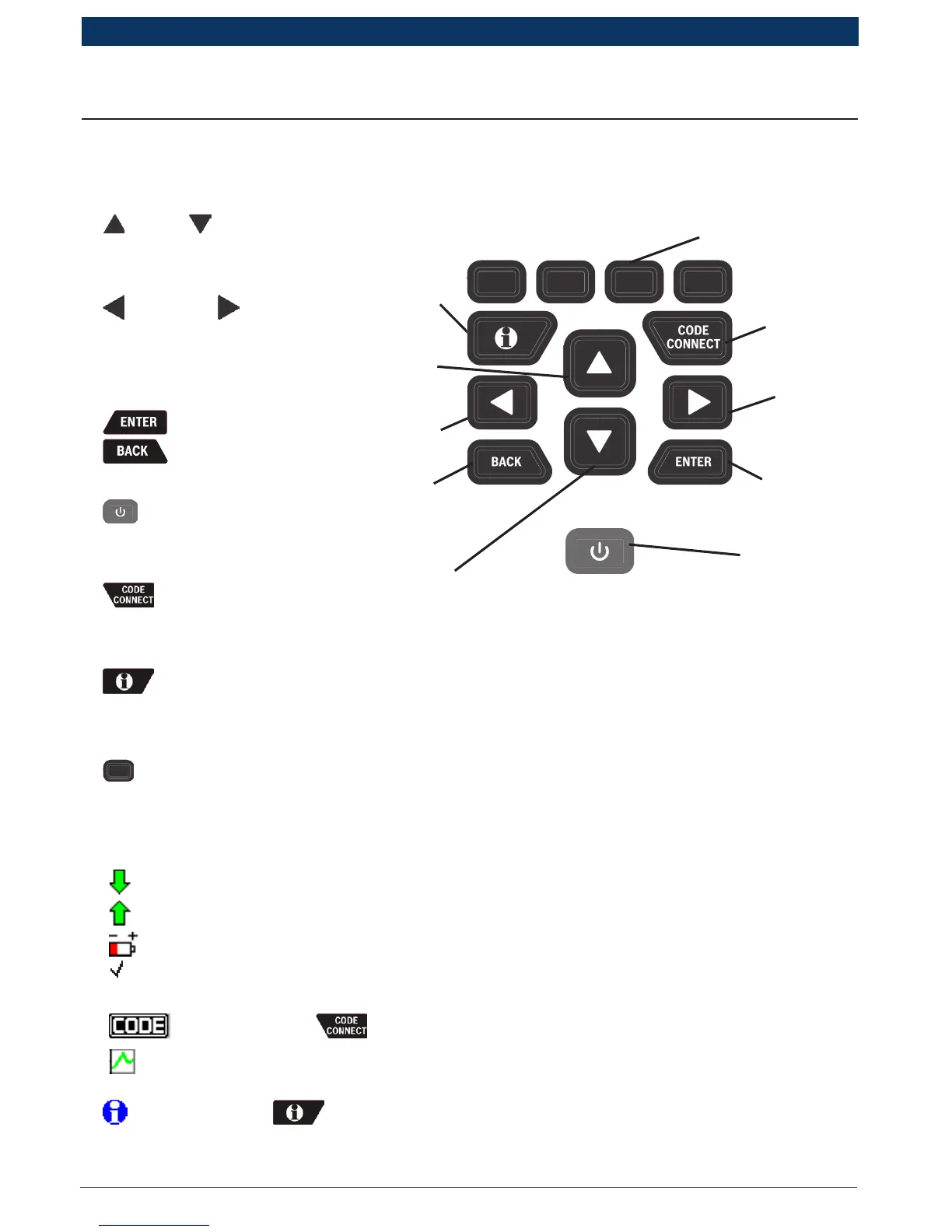
The scan tool is designed for easy use. All menus and lists operate the
same way.
• UP or DOWN arrow
keys allow movement
through lists and menus.
• LEFT or RIGHT
arrow keys moves
between Answers and
Recorded Data Frames.
• key selects item.
• key returns to
previous screen.
• ON/OFF key turns
scan tool on or off when
powered by batteries.
• key allows the
operator to access
vehicle-specific repair information.
• MORE INFO key displays the Diagnostic Trouble Code (DTC) defini-
tion when viewing Freeze Frame Data. It will display the code setting
criteria when viewing DTC definition.
• SOFTKEYS are used to perform the specified action on the display
directly above the key.
1.1.2 Display Icons
• Indicates additional information is available by scrolling down.
• Indicates additional information is available by scrolling up.
• Indicates the internal batteries need replaced or are not installed.
• Indicates selected items in a data list or that data is available for
items on the Review Data and Print Data Menu.
• Indicates the key is active.
• Indicates graphical viewing of data items is available in View Data
and when playing back previously recorded data.
• Indicates the key is active.
LEFT
arrow
key
MORE
INFO
key
ON/OFF
key
ENTER
key
RIGHT
arrow
key
CODE
CONNECT
key
DOWN
arrow key
BACK
key
SOFTKEYS
UP
arrow
key


 To Next Page