Quick Start Guide | 5English
575862 Rev B | 03.2016
Bosch Automotive Service Solutions Inc.
2 Download Scanning Suite
• Go to www.otctools.com/service-and-support/updates-and-downloads
and download the Scanning Suite PC application.
• Scanning Suite is NOT required to operate the Scan Tool.
• Install the downloaded Scanning Suite application prior to connecting
the Scan Tool to the PC.
• Some of the items included in Scanning Suite are:
– Tool update software
– Print Capture
• To be able to use Scanning Suite the PC must meet the following mini-
mum requirements:
– Microsoft Windows 7, 8, and 10.
– Adobe Acrobat Reader
– Screen Resolution of 800 × 600
> If screen resolution is 800 × 600, in Display Properties, Settings Tab, set
Font Size to Small Fonts.
• Use Scanning Suite to determine if any updates are available for your
tool by clicking Check for Update button.
• You can also configure the Scanning Suite Frequency (SS Frequency) to
automatically check every xx minutes. The default frequency is 30 minutes.
• Refer to instructions provided on www.otctools.com/service-and-sup-
port/updates-and-downloads for how to install Scanning Suite and Tool
updates.
3 Using Your Scan Tool
3. 1 Installing Internal Batteries
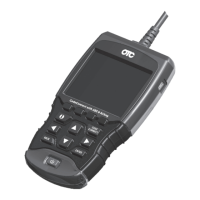
Scan Tool requires 4-AAA alkaline batteries only when operating tool with-
out vehicle power, otherwise tool is powered by vehicle battery.
When internal batteries need replaced, the low-battery icon ( ) displays.
1. Place display face down on a non-abrasive surface.
2. Remove battery cover by turning screw counterclockwise and sliding
cover off.
3. Remove batteries and properly discard.
4. Install 4 new AAA Alkaline Batteries.
5. Reinstall battery cover by sliding on and turning screw clockwise.
NOTE: Do not overtighten screw.


 To Next Page