20 21
About
Startup Handling Warnings More info
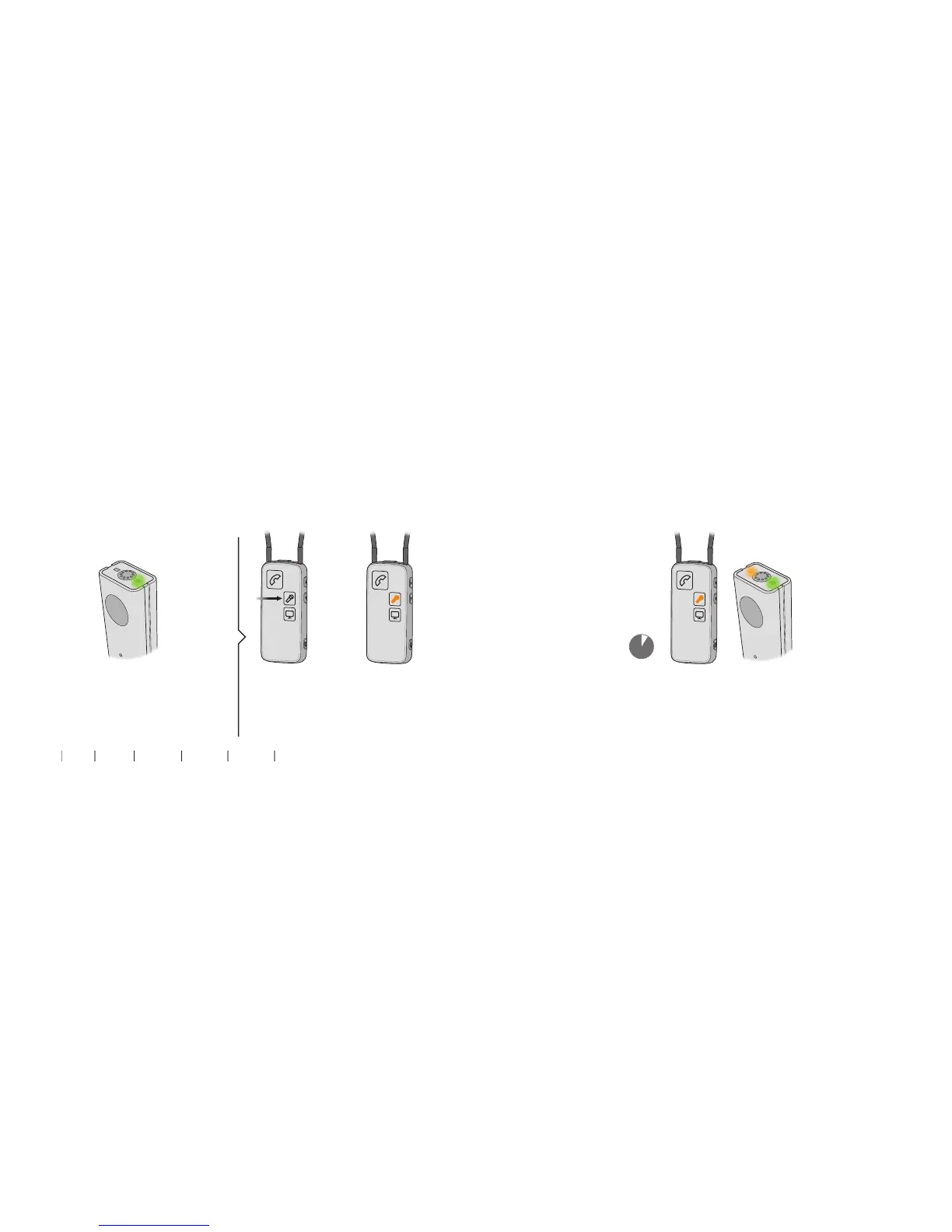
Resume sound from Streamer Pro
1. Microphone has to be on 2. Start sound from Streamer Pro
(Green light is on) Short press on
Streamer Pro mic
button.
Orange light on
Streamer Pro
slowly pulsating.
3. Sound from Microphone to Streamer Pro
After 2 seconds, orange light on
Microphone turns on.
2 secs


 To Next Page