10 11
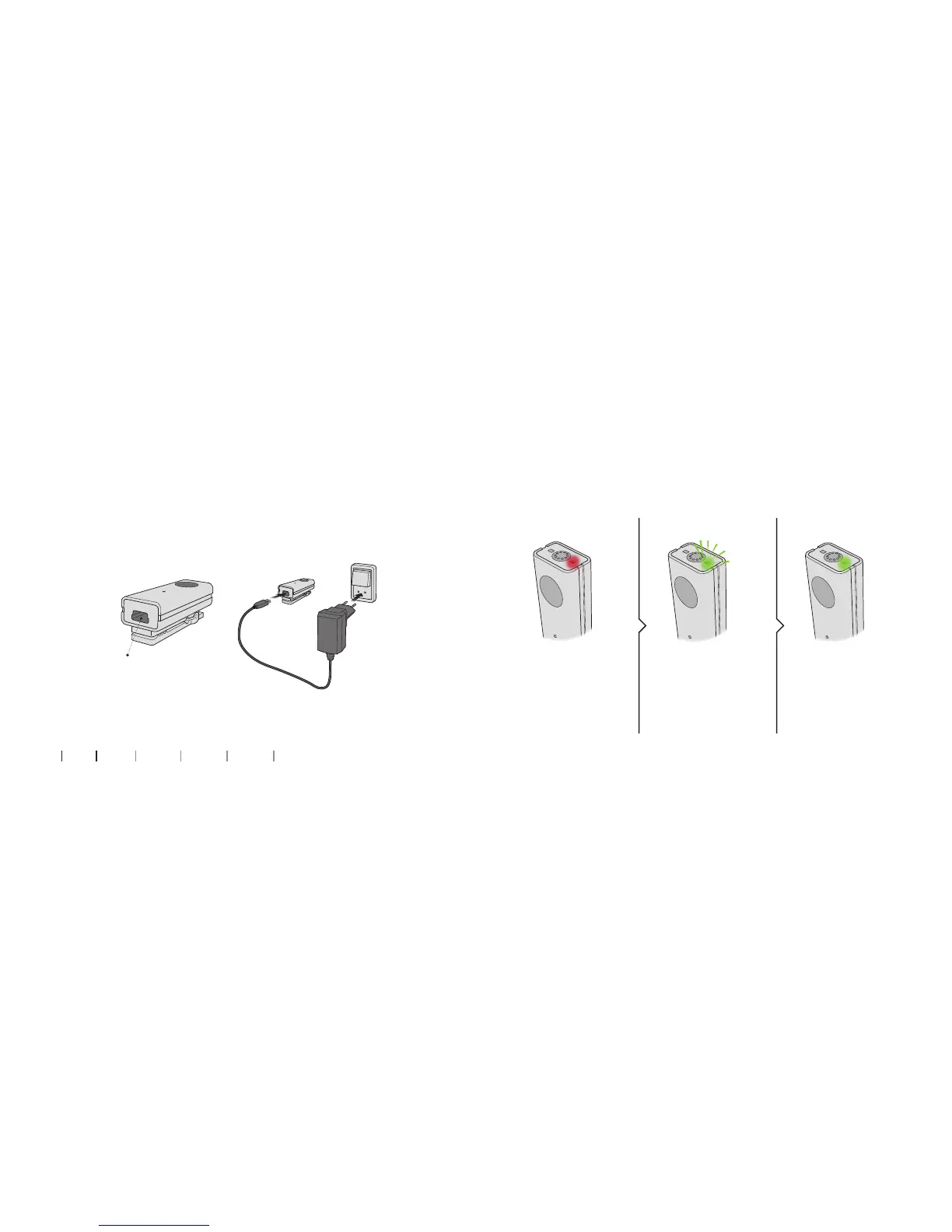
Charging / power indicator
To charge the Microphone, connect the power supply cord to
the mini USB connector placed at the bottom of the Microphone.
About Startup Handling Warnings More info
Battery charge connector
(mini USB)
Blinking green light Constant green light
Battery low.
Maximum 20 minutes
of speaking time left.
Charging. Fully charged after
approx. 1.5 hours and can
be used for 5 hours on a
full charge.
Constant red light


 To Next Page