26 27
About Start up Handling Options Warnings More info
Change programs
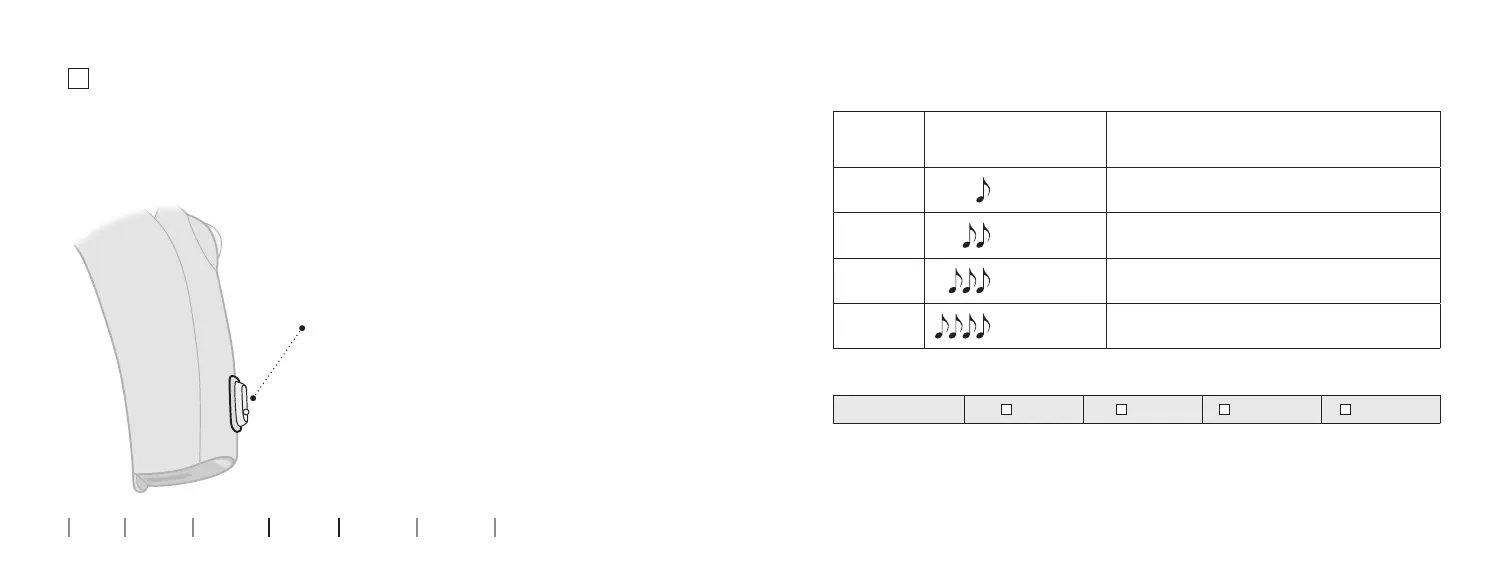
Your hearing aid can have up to 4 dierent programs.
These are programmed by your hearing care professional.
To be lled out by the hearing care professional
Program Sound you will hear
when activated
When to use
1
“1 beep”
2
“2 beeps”
3
“3 beeps”
4
“4 beeps”
Program change:
LEFT RIGHT Short press Long press
Press the button to change program.
Note that if you have two hearing aids, the
RIGHT hearing aid switches forward from
e.g. program 1 to 2 and the LEFT hearing
aid switches backwards from e.g. program
4 to 3.



 To Next Page