16 17
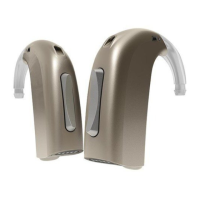
Press the upper part to go forward in the program cycle e.g from P-P.
Press the lower part to go backward in the program cycle e.g from P-P.
Below you can see a description of the programs available in your hearing instrument.
Prg. 1:
Prg. 2:
Prg. 3:
Prg. 4:
To be filled out by your Hearing Care Professional!
Volume Control (Optional)
A volume control may be activated.
The volume control allows you to adjust the volume in specific listening situations
to the level you feel comfortable with.
To increase volume: short press on the upper part of the push-button.
To decrease volume: short press on the lower part of the push-button.
You will hear a beep when you increase or decrease the volume.
When the hearing instrument is turned on, it starts up at a preferred volume level.
When adjusting the volume control to the preferred level, this is indicated by two
short beeps.
Backward
Forward


 To Next Page