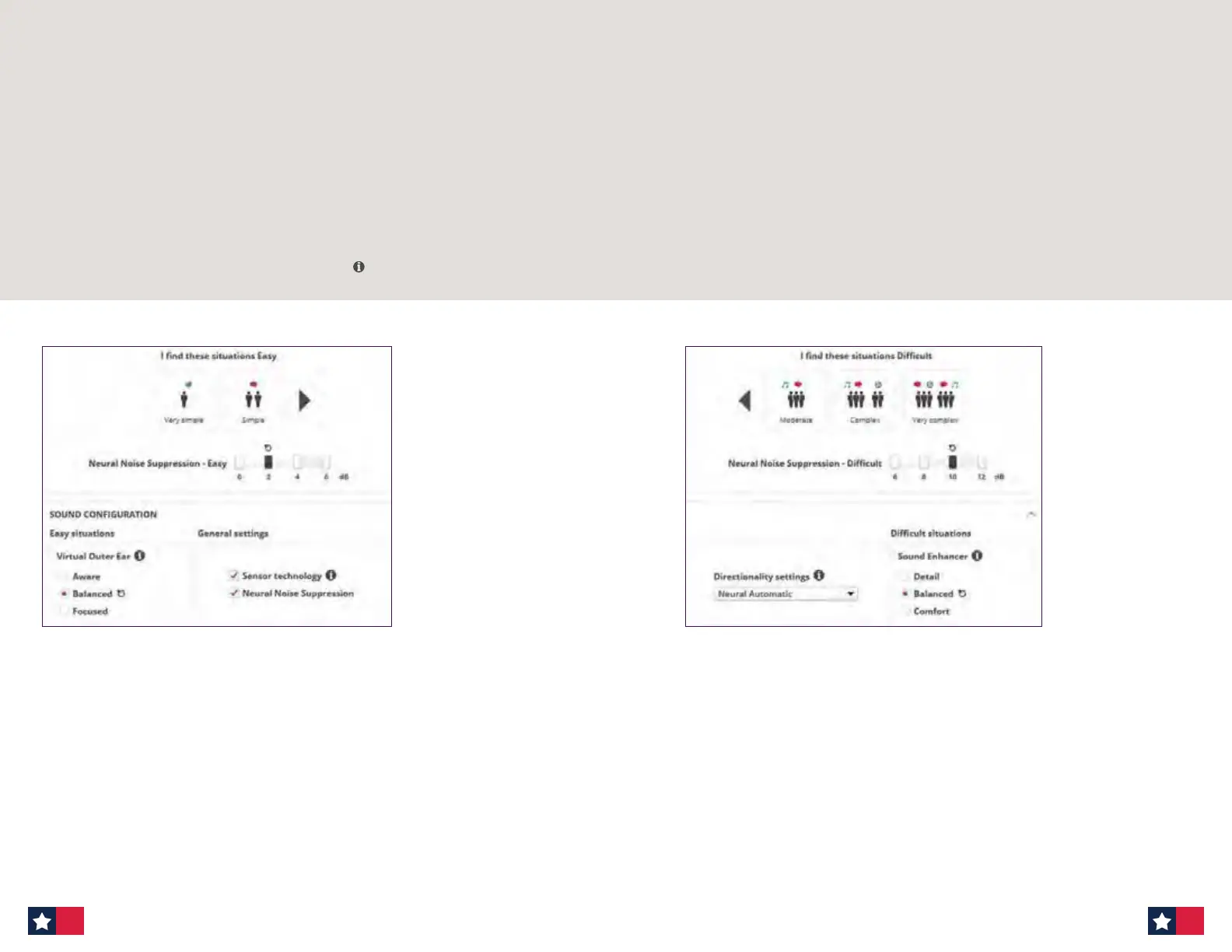
B. Easy Environment
Sensor Technology: Sensor technology aects the help-in-noise system in the hearing
aids based on patients’ head and body movement. Movement is detected by a motion
sensor in dierent ways, including head nodding, head turns, and full body motion.
When your patient moves their head and/or body, such as during a conversation, or when
walking across a room, the help-in-noise system in the hearing aids continuously adapts
to the body movement, to provide suitable help for that listening situation. Likewise,
when a patient is sitting still, conversing in a dicult environment, the system will adapt
and maximize the help.
For more information on Sensor Technology — hover on
MoreSound Intelligence at follow-up appointment
Adjusting Easy and Dicult environments: How much support is needed?
1. Virtual Outer Ear — Easy
- Compensates for loss of pinna eect.
- Choose this control should the patient want more/less of a front focus.
- Options for Virtual Outer Ear in easy environments:
- Aware
- Balanced
- Focused
Ask patient
- Do you want to focus a bit more on someone in front of you, in quieter
situations? If yes, choose ‘Focused’,
- Do you want to be very aware of all sounds around you in quieter situations?
If yes, choose ‘Aware’.
C. Dicult Environment
• Sensor technology is available in two programs: General and Speech in Noise.
• Sensor technology is ON by default in adult ttings.
• Sensor technology is not available if Neural Noise Suppression is o and
Neural Automatic is deselected.
• It is recommended to use your clinical judgement about when this feature may not
be suitable, for example, if your client has atypical head or body movements.
• It is also important to note that Sensor technology does not aect the hearing aid
processing in easy situations.
2. Sound Enhancer — Dicult
- Allows for additional boost from 1000–4000kHz when MSI is actively working to
control noise in dicult environments.
- Choose this control should patients want more support in dicult environments.
- Options for Sound Enhancer for dicult environments:
- Detail
- Balanced
- Comfort
Ask patient
- In dicult listening situations, are you sometimes overwhelmed?
If yes, choose ‘Comfort’.
- When listening to speech in dicult situations, do you prefer more
speech detail? If yes, choose ‘Detail’
20 21












 To Next Page