MoreSound Intelligence 3.0 for
Oticon Intent instruments
MoreSound Intelligence 3.0 introduces a quantum leap in
sound scene processing, giving access to the full sound scene
with clear contrast and balance.
With input from 4D user-intent sensors, MoreSound Intelligence 3.0
seamlessly adapts to the user’s specic listening needs.
Based on 4D user-intent sensors and the Deep Neural Network 2.0
(DNN) with vast training from real-life sound scenes, MoreSound
Intelligence 3.0 knows how to process and optimize sounds, seamlessly
across dierent environments. The system utilizes the user’s behavior
to monitor their listening intent and adapt the processing accordingly,
ensuring a personalized listening experience. The result is not only a
more precise and natural representation of individual sounds, but also
a clear and more distinct contrast between sounds.
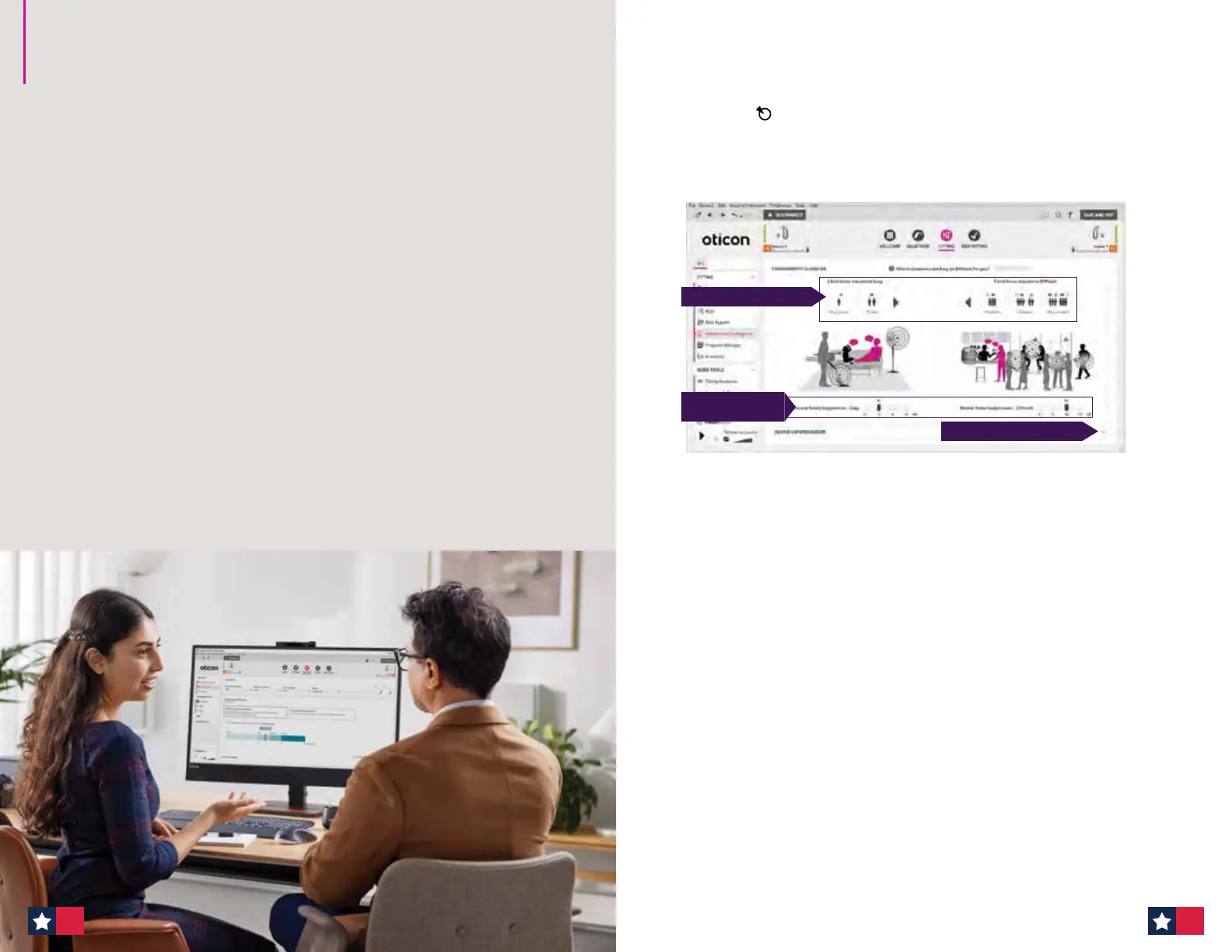
The MoreSound Intelligence screen for Oticon Intent is optimized
and redesigned to use as an interactive counseling tool to prescribe
individualized help-in-noise for patients.
MoreSound Intelligence 3.0 at initial tting
Adjusting Environmental Conguration: When is support needed?
The target is the recommended setting and a great starting point for
patients. We recommend setting the Environmental Conguration during your
patient’s initial tting appointment.
A. Environmental Conguration
Images in this guide for MoreSound Intelligence 3.0 represent Genie 2 screens for
Oticon Intent 1.
(A) Allows for setting the hearing aids to determine WHEN patients need more support
(directionality and noise reduction).
(B) Personalize the Neural Noise Suppression for both easy and dicult environments
(if needed). This adjusts the strength of the support provided by the Deep Neural
Network 2.0, for both easy and dicult situations. These ranges have been extended
since the previous version of MoreSound Intelligence, to provide even greater support
in noise, if needed, for Oticon Intent users.
(C ) Adjustments to Sound Conguration can be made by clicking the dropdown arrow.
In the Sound Conguration tab, you will nd Virtual Outer Ear, Sound Enhancer,
Sensor technology and Directionality settings. In most cases, these should not
need to be adjusted.
• Ask patient: “Which situations are Easy or Dicult for you?”
• Together with the patient, move the arrows to place the ve boxes in either the
Easy or Dicult category. For clarication about each situation, hover over each
image and examples of environments will appear.
• Neural Noise Suppression Easy is extended from 4 dB to 6 dB for Oticon Intent.
• Neural Noise Suppression Dicult is extended from 10 dB to 12 dB for Oticon Intent.
A. Classify the Environment
C. Access Sound Conguration
B. Personalize Neural
Noise Suppression
1918


 To Next Page
 Loading...








