End Fitting Screen — Accessories and Save and Exit
Compatible accessories and general hearing aid information are located on the
landing page for the End Fitting screen.
Accessories are paired outside of the software. If accessories have been
previously paired, there will be a red and/or blue indicator above the accessory
image that has been successfully paired.
Click Save and Exit to save the session and exit the software. Note: Settings
are automatically saved in the instruments during the Programming process.
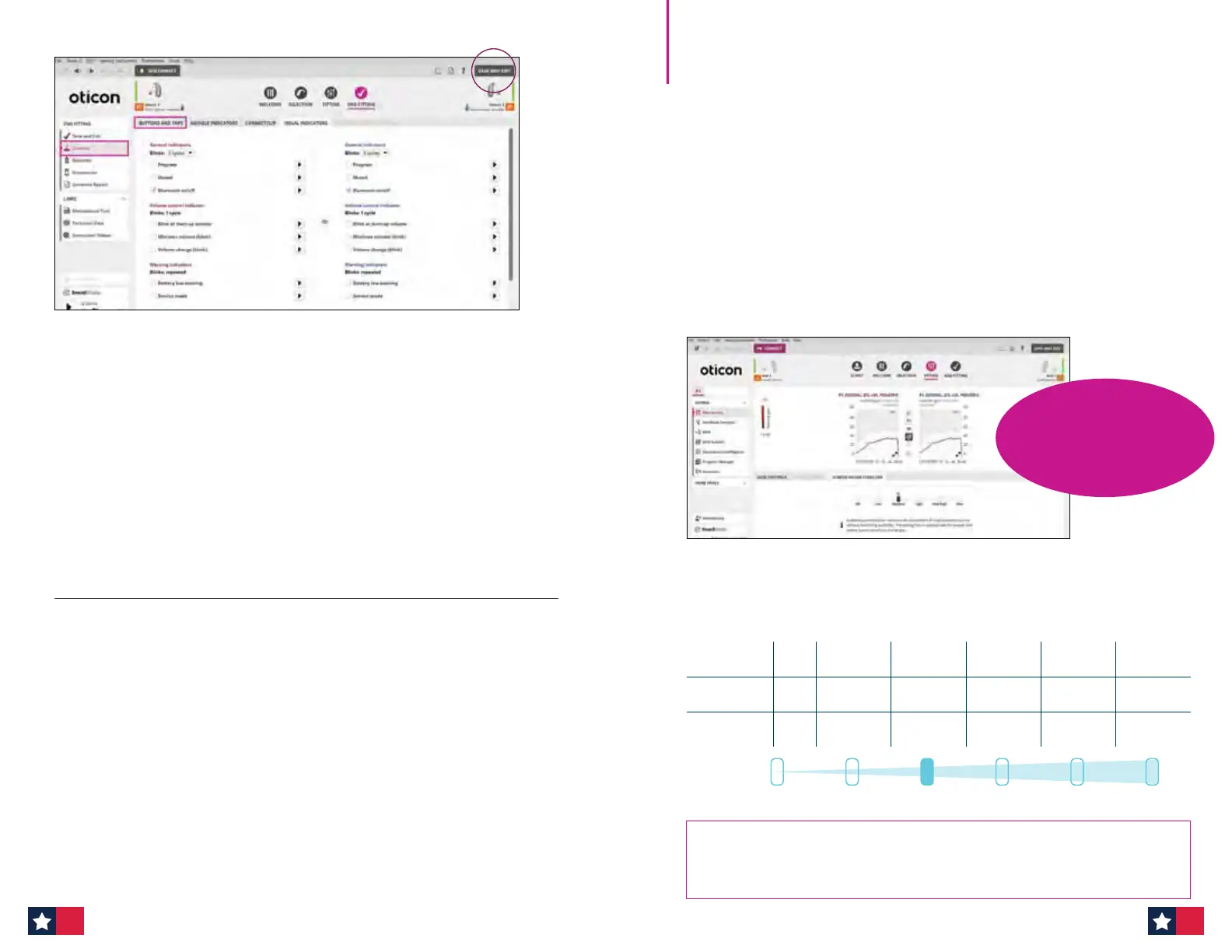
End Fitting Screen — Controls — Buttons and Taps
The End Fitting screen now features an updated tab name, Controls, which
replaces the Buttons and Indicator tab. Buttons and Taps can be accessed in
the rst tab along the top. LED options under the Visual Indicators tab can be
programmed for the miniRITE R, miniRITE T, miniBTE R and miniBTE T.
When tting miniRITE R and miniBTE R rechargeable lithium-ion hearing aids,
the Batteries option can be selected from the left task pane to see Current
Battery Level (current charge in hearing aids) and overall Battery Health.
New Call Tap Control feature for Oticon Intent allows patients to answer and
end calls by tapping the hearing aid. This feature is located under Controls —
Buttons and Taps and then Call Controls.
Developed with Veterans in mind
SuddenSound Stabilizer is fast and precise, it can instantly provide the
appropriate gain reduction, and instantly release the gain when the sudden
sound ends. This ensures your patients receive better access to speech, while
still enjoying access to all the relevant information from the sound scene.
Moreover, SuddenSound Stabilizer can detect and handle over 500,000 sudden
sounds per day, helping your patients stay aware of what’s going on around
them — without compromising their comfort or access to speech.
Based on your patient’s observations, SuddenSound Stabilizer can be adjusted
to their preference — move the slider bar to the right to increase support by
lowering the activation level and/or increasing maximum attenuation,
likewise the slider can be moved to the left for less support.
Teach your patient about SuddenSound Stabilizer: Better handling
of both soft and loud sudden sounds will help you stay aware of what's
going on around you without compromising comfort and access to speech.
Adjusting SuddenSound Stabilizer in Genie 2 software
SuddenSound Stabilizer can be found on the Fitting Tab
SuddenSound Stabilizer
O Low MaxHighMedium Very high
OFF LOW MEDIUM HIGH
VERY
HIGH
MAX
Activation
level
- 60 dB SPL 55 dB SPL 40 dB SPL 40 dB SPL 40 dB SPL
Max.
attenuation
0 10dB 15 dB 20 dB 25 dB 30 dB
ASK US ABOUT
our SuddenSound
Stabilizer research
with Veterans!
1716


 To Next Page
 Loading...








