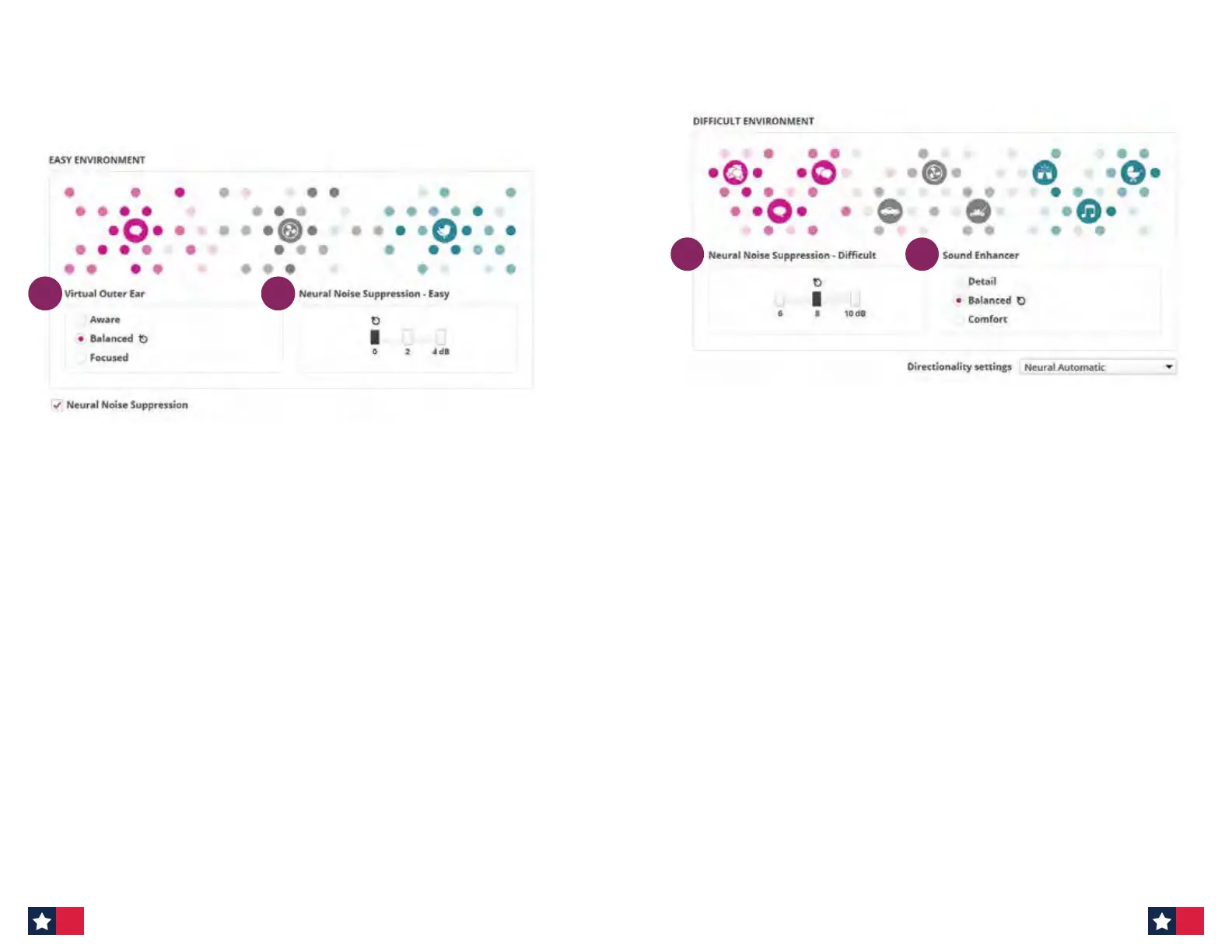
B. Easy Environment
12
These handles determine HOW MUCH support a patient will have in easy
environments (light gray)
1. Neural Noise Suppression — Easy
- Amount of noise suppression for easy situations (light gray).
- Choose this control if patients are struggling in situations that are
considered more simple environments.
Ask patient: Do you nd background sounds to be disturbing
sometimes, even in quieter situations?
2. Virtual Outer Ear — Easy
- Compensates for loss of pinna eect.
- Choose this control should the patient want more/less of a front
focus.
- Options for Virtual Outer Ear in easy environments:
- Aware
- Balanced
- Focused
Ask patient: Do you want to be very aware of all sounds around you or
focus a bit more on someone in front of you in quieter situations?
MoreSound Intelligence at follow-up appointment
Adjusting Easy and Dicult environments: How much support is needed?
3
4
These handles determine HOW MUCH support a patient will have in dicult
environments (dark gray)
3. Neural Noise Suppression — Dicult
- Amount of noise suppression for dicult situations (dark gray).
- Choose this control if patients are struggling in more complex
environments.
Ask patient: Do you nd background sounds to be disturbing when
there are many sounds around you?
4. Sound Enhancer — Dicult
- Allows for additional boost from 1000–4000kHz when MSI is actively
working to control noise in dicult environments.
- Choose this control should patients want more support in dicult
environments.
- Options for Sound Enhancer for dicult environments:
- Detail
- Balanced
- Comfort
Ask patient: When listening to speech in dicult situations, are you
sometimes overwhelmed or do you prefer to have more speech detail?
C. Dicult Environment
24 25












 To Next Page