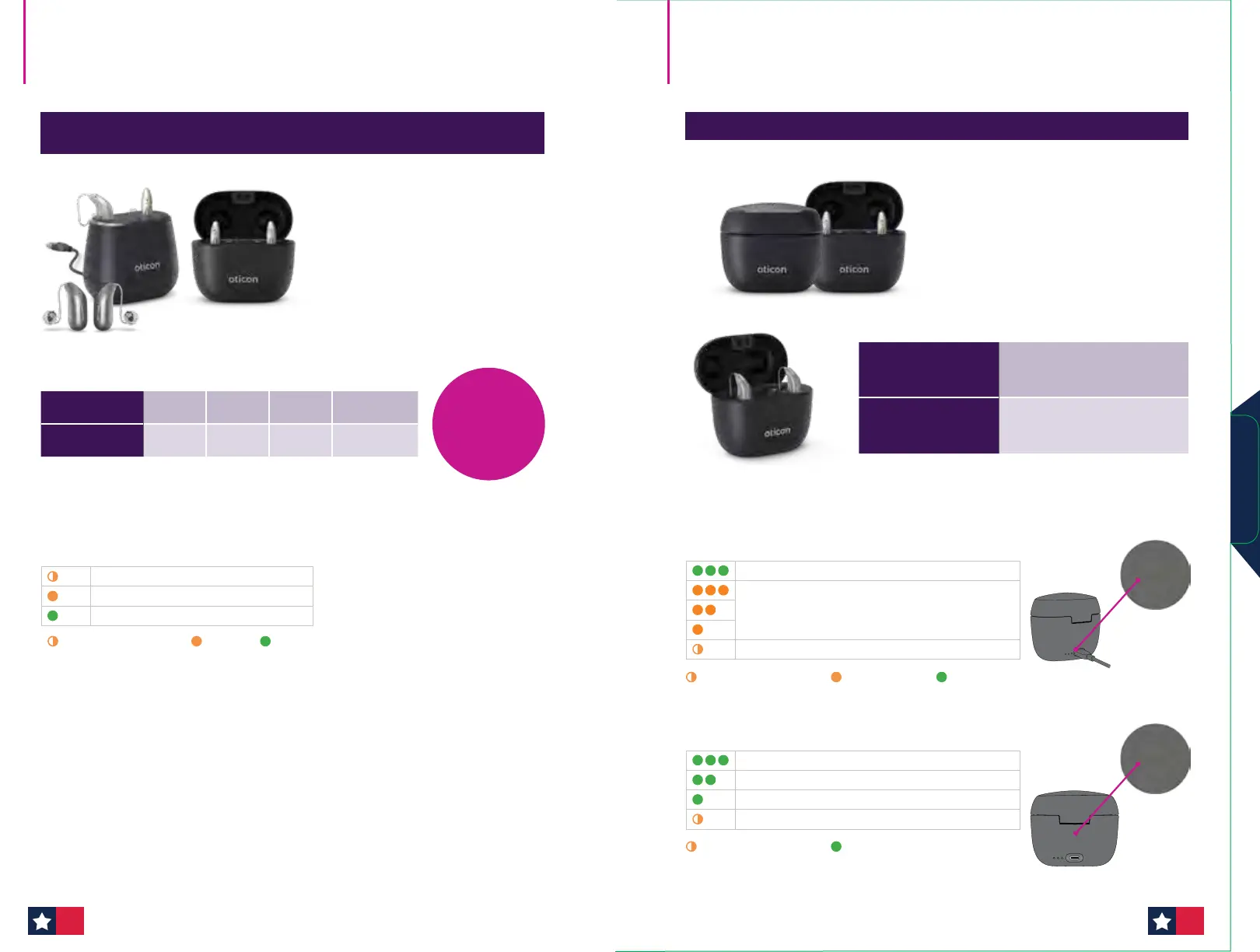
LED patterns while disconnected from a power source
70–100%
40–70%
Less than 40%
Battery too low for a full charging cycle (pulsing)
ORANGE pulsating blink GREEN steady
SmartCharger miniRITE fully charged
Charging
Battery too low to recharge the hearing aids (pulsing)
Charging status is indicated via LED
LED patterns while connected to a power source
ORANGE pulsating blink ORANGE steady GREEN steady
Oticon Intent charging for both
Oticon Intent Desktop and Oticon Intent SmartCharger
• Advanced Contact Charging
• Quick charge in 15 minutes
• Fitting during charging available
• LED located on the back of the
charger
Oticon Intent SmartCharger
• Power bank
• Protective Lid
• Advanced contact charging
• Quick charge in 15 minutes
• Fitting during charging available
• LED located on back of charger
Oticon Intent chargers Oticon Intent SmartCharger
Charging — Low battery
Charging — At least 4 hours of use*
Fully charged
ORANGE pulsating blink
ORANGE
GREEN
Hearing aid LED light charging status
Desktop charger SmartCharger
Charging time
15 min 30 min 60 min 120 min (full)
Use time*
4 hours 8 hours 16 hours 20 hours
33%
reduction in
charging
time
Power bank battery
Up to 4 hours depending on
charging level
Power bank and
hearing aids
Up to 6 hours depending on
charging level
*Expected use time for rechargeable battery depends on use pattern, active feature set, hearing loss, sound environment,
battery age, and use of wireless accessories.
Chargers
4342












 To Next Page