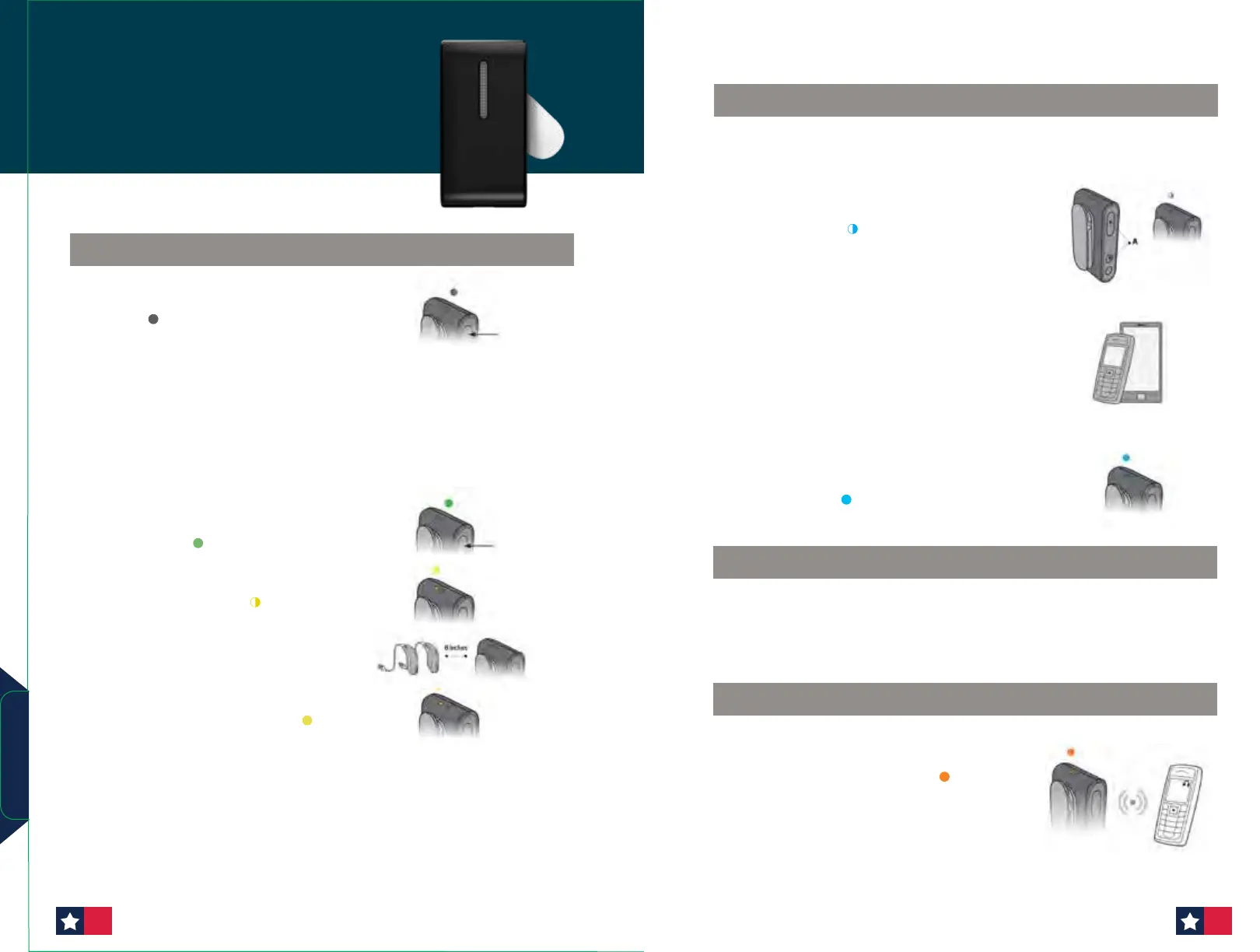
1. Pair the ConnectClip with the hearing aids before pairing
ConnectClip with the mobile phone.
2. Place ConnectClip in Pairing mode. Press and hold the
multi-button AND volume up button for about 6 seconds (A)
until status BLINKS BLUE
The ConnectClip will be in pairing mode for about 3 minutes.
3.
Enable pairing on mobile phone.
Turn on Bluetooth. Search for and connect to/pair with ConnectClip
This is normally in the Settings/Bluetooth section of the phone.
4.
Enter a pin code. If the phone requests a pin code enter
0000 (four zeros).
5.
Pairing complete. Pairing complete with mobile phone is indicated
by status STEADY BLUE
PAIRING CONNECTCLIP WITH MOBILE PHONE
If connected to a mobile phone or other paired device through
Bluetooth, the music played on the phone/device will automatically
be played in the hearing aids. STATUS ORANGE
You do not need to press any buttons or change anything on
the ConnectClip.
Press and hold the multi-button, volume up
and volume down for
10 seconds to clear all Bluetooth pairings, indicated by the status
indicator light BLINKING RED.
LISTENING TO MUSIC
UNPAIRING CONNECTCLIP
ConnectClip
Quick Start Guide
1. Ensure ConnectClip is powered off. Press and hold
multi-button for approximately 6 seconds until power
indicator OFF
2. Turn both hearing aids OFF and back ON.
(Please see the Instructions For Use —
Turn hearing aids ON/OFF for your device)
3.
The hearing aids will now be ready for first time
connection with the ConnectClip. You now have 3
minutes to complete the pairing.
4. Turn ON ConnectClip. Press and hold multi-button
for approximately 3 seconds until power indicator
shows STEADY GREEN
5. ConnectClip will now search for the hearing aids.
Status indicator BLINKING YELLOW
6. Place ConnectClip and both hearing aids close to
each other (maximum distance is 8 inches)
7. Connection established with hearing aid(s) is
indicated by status indicator STEADY YELLOW
PAIRING CONNECTCLIP WITH HEARING AIDS
Accessories
5554












 To Next Page