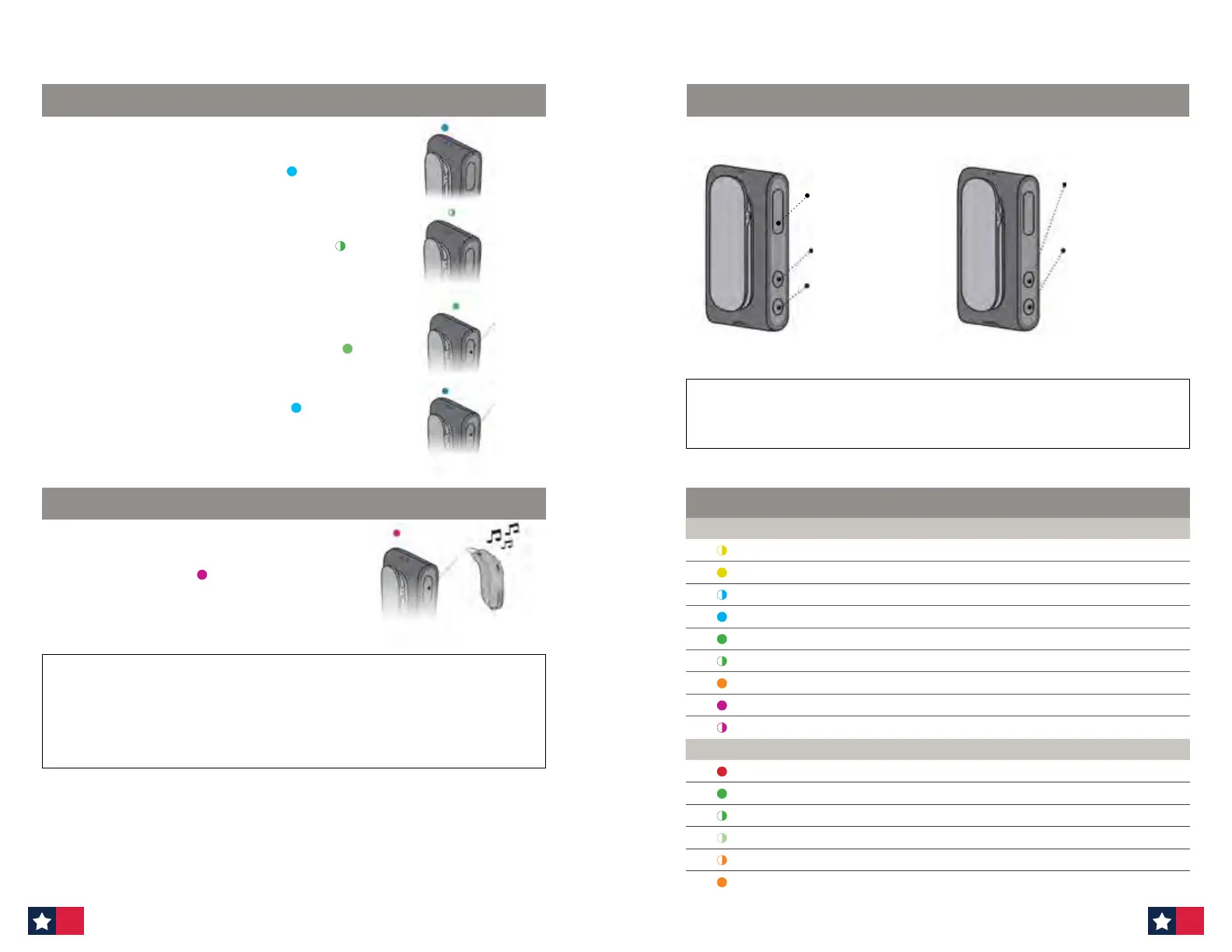
Phone connected: When the ConnectClip is turned on and is in
range of the mobile phone it will automatically connect to the
mobile phone. The status indicator is STEADY BLUE
Phone ringing:
When the phone rings your patient will hear a
ring indicator (and, if available, the ring-tone from your phone)
in your hearing aids. The status indicator will BLINK GREEN
Answer call: Either a short press of the multi-button (A) — or
answer the call from the mobile phone.
Once the call is connected status will change to STEADY GREEN
End call: Either a short press of the multi-button (A) — or hang up
the call from the mobile phone. Status STEADY BLUE
A
A
Press and hold multi-button for approximately 3 seconds to change
mode. Mode change is confirmed by an audible indication in the
hearing aids. STATUS MAGENTA
IMPORTANT: Attach the ConnectClip to the speaker's clothing about 8 inches below their mouth.
Make sure the microphone is pointing towards the mouth and is not covered by clothes, ties,
scarves, in a shirt pocket, etc. Your patient may also use the lanyard provided to hang the ConnectClip
over the speaker's clothes.
RECEIVING CALLS
REMOTE MICROPHONE
OVERVIEW CONNECTCLIP BLINKING PATTERNS
When ConnectClip is not streaming sound it doubles as a remote control for the hearing aids.
Volume up
— short press
Volume down
— short press
Next program
—
Press and hold for
3 seconds for next
program
Mute hearing aid
microphones
—
long press on volume
down button
Short press volume up
or down will unmute
Multi-button
REMOTE CONTROL
IMPORTANT: When used as a remote control, the maximum distance between ConnectClip and
hearing aids is 6 feet.
Status Description
Blinking yellow Searching for hearing aids
Steady yellow Hearing aids connected. Not connected to a phone.
Blinking blue Searching for mobile phone (pairing)
Steady blue Connected to a mobile phone
Steady green On a call
Blinking green Incoming call
Steady orange Music, Mobile Phone
Steady magenta Remote microphone mode
Blinking magenta Remote microphone reconnecting
Power Description
Steady red Battery low
Steady green Turned on — not charging
Blinking green Turned on — charging
Fading green Turned on — charging complete
Blinking orange Turned o — charging
Steady orange Turned o — charging complete
56 57












 To Next Page