EasyManua.ls Logo

oticon Nera - User Manual

oticon Nera
72 pages
Print Icon
To Next Page IconTo Next Page
Loading...
Alta2 Nera2 Ria2
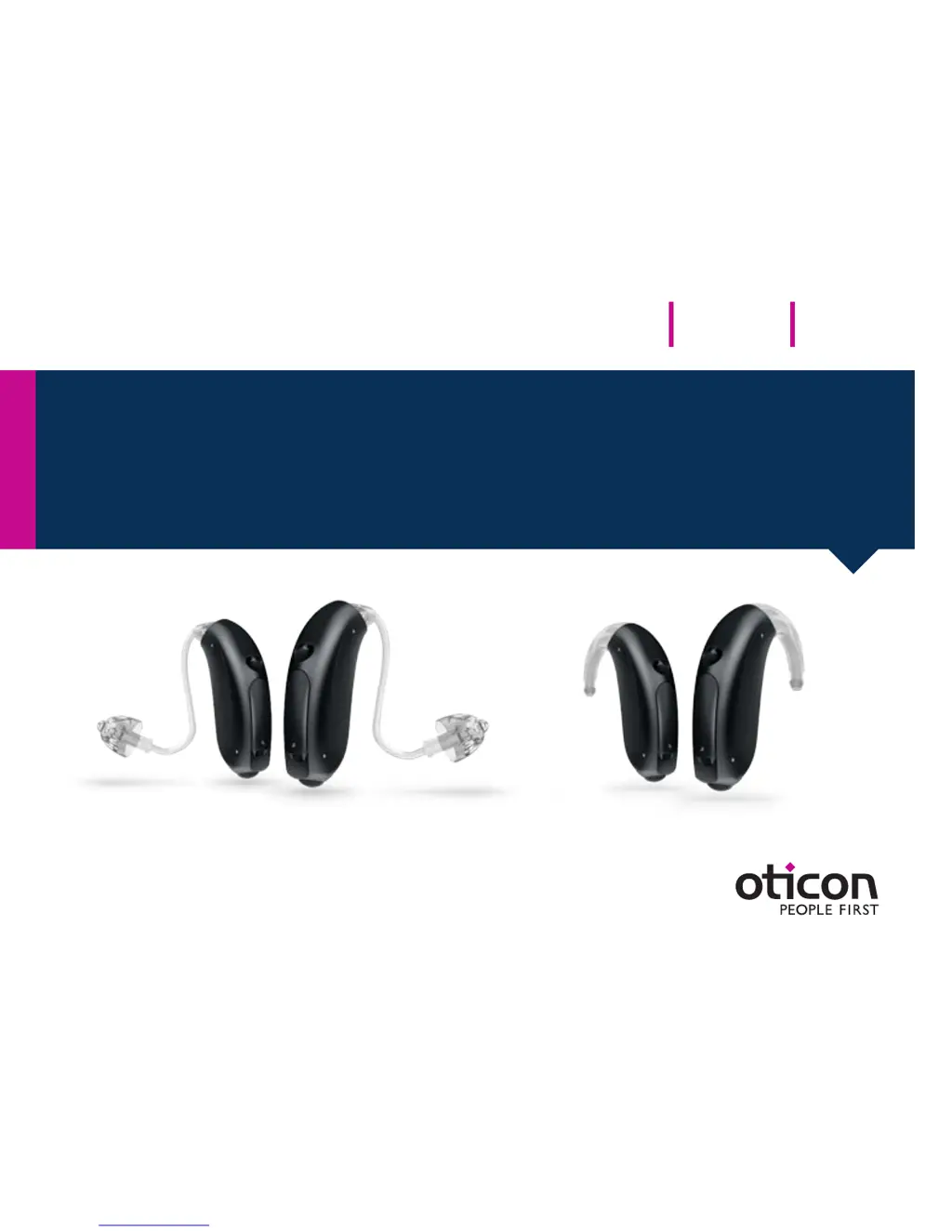
INSTRUCTIONS FOR USE miniBTE
Alta2, Alta, Nera2, Nera, Ria2, Ria

Questions and Answers

  • B
    becky10Aug 8, 2025
    Why oticon Hearing Aid has no sound?
    • T
      Tom HuynhAug 8, 2025
      Your Oticon Hearing Aid might have no sound due to a worn-out battery, so replace it. Alternatively, the tube or earpieces (mold, dome, GripTip, micro mold or LiteTip) may be clogged. In this case, clean the mold or clean the Corda miniFit (thin tube), replace the dome or GripTip, or replace the wax filter.
  • W
    wardedwardAug 15, 2025
    What to do if my oticon Nera Hearing Aid has intermittent or reduced sound?
    • K
      kellybrittanyAug 15, 2025
      If your Oticon Hearing Aid has intermittent or reduced sound, it could be due to several reasons. The sound outlet might be clogged, so clean the mold or clean the Corda miniFit (thin tube), replace the dome or GripTip, or replace the wax filter. Moisture may also be the cause; wipe the battery with a dry cloth and/or dry the tube. Additionally, a worn-out battery could be the problem, so replace it. If the damping filter in the sound hook is clogged, contact your Hearing Care Professional for assistance.
  • M
    murphyjamieAug 23, 2025
    Why does my oticon Nera Hearing Aid have no sound?
    • S
      Steven SanchezAug 23, 2025
      Your oticon Hearing Aid might have no sound due to a worn-out battery, so try replacing it. Alternatively, the tube or earpieces (mould, dome, GripTip, Micro mould or LiteTip) could be clogged. In this case, clean the mould or clean the Corda miniFit (thin tube), replace the dome or GripTip, or replace the wax filter.
  • S
    Shelley PriceAug 31, 2025
    How to stop squealing noise in oticon Hearing Aid?
    • J
      Julie OconnellAug 31, 2025
      If your Oticon Hearing Aid is producing a squealing noise, it could be because the earpiece is not inserted correctly. Re-insert the earpiece (mold, dome, GripTip, micro mold or LiteTip). Another possible cause is ear wax accumulated in the ear canal; have your ear canal examined by your doctor.

Summary

Introduction to the Booklet

Purpose and Reading Guidance

Outlines the booklet's purpose and advises careful reading, including the warning section.

Indication for Use

Intended Purpose of the Hearing Instrument

Specifies the hearing instrument is for amplifying sound to compensate for mild to moderate-to-severe hearing impairment.

Identify Your Hearing Instrument

MiniBTE Styles: Sound Hook vs. Thin Tube

Distinguishes between miniBTE with sound hook/mold and miniBTE with thin tube configurations.

Left and Right Instrument Identification

Explains how to identify the left and right hearing instruments via color indicators.

MiniBTE Configurations Explained

Sound Hook and Mold Setup

Details the components and functions of the miniBTE with sound hook and mold.

Thin Tube (Corda miniFit) Setup

Details the components and functions of the miniBTE with thin tube (Corda miniFit).

Battery Management

Battery Type and Insertion

Describes the hearing instrument's battery and the process of activating it.

Turning the Instrument On and Off

Instructions on operating the hearing instrument's on/off switch via the battery drawer.

Replacing the Battery

Step-by-step guide for removing and inserting a new battery, including using the MultiTool.

Handling and Daily Care

Cleaning Microphone Openings and Components

Guidance on cleaning microphone openings and using the MultiTool for care.

Mold and Tube Maintenance

Instructions for handling, putting on, cleaning, and washing molds with sound hooks.

Thin Tube Maintenance and Replacement

Guidance on putting on, cleaning, and replacing thin tubes, domes, and tips.

Micro Mold and LiteTip Care

Instructions for maintaining micro molds and LiteTips, including wax filter replacement.

Optional Features and Controls

Mute and Program Shifting

How to mute the instrument and change between different hearing programs.

Volume Adjustment

Instructions on adjusting the hearing instrument's volume using the push button.

Tamper-Resistant Battery Drawer

Information on the optional tamper-resistant battery drawer for safety and its operation.

Wireless Accessories and Autophone

Overview of wireless accessories, ConnectLine, Remote Control, and Autophone program.

Important Safety Warnings

General Usage and Choking Hazards

Warnings on proper usage, misuse risks, and keeping small parts away from children.

Medical Conditions and Active Implants

Precautions for active implants, medical procedures, and specific health conditions.

Environmental and Chemical Hazards

Advice on avoiding extreme heat, chemicals, and potential side effects.

Childrens Hearing Health and Safety

Recommendations for children with hearing loss, including audiologist referrals and tamper-resistant compartments.

Troubleshooting and Support

Troubleshooting Common Issues

Guide to identify symptoms, causes, and solutions for common hearing instrument problems.

Water Resistance and Care

Information on the hearing instrument's water resistance and procedures if exposed to water.

Warranty and Mobile Connectivity

Details on warranty certificate, international warranty, and mobile phone compatibility.

Technical and Compliance Information

Technical Specifications and Compliance

Information on radio transmitter, FCC/IC compliance, and declaration of conformity.

Instrument Settings Overview

A table for documenting instrument settings for volume control, program shift, and mute.

Technical Data Charts

Output Sound Pressure & Gain (Alta Models)

Graphs showing OSPL90 and Full-on Gain for Alta models with different attachments.

Output Sound Pressure & Gain (Nera;Ria Models)

Graphs showing OSPL90 and Full-on Gain for Nera/Ria models with different attachments.

oticon Nera Specifications

General IconGeneral
CategoryHearing Aid
ManufacturerOticon
ModelNera
TypeDigital
StyleBTE
Battery Type312, 13
WeightVaries by style

Related product manuals