PRODUCT INFORMATION
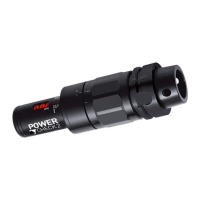
PULL-FORCE MEASUREMENT SYSTEM POWER-CHECK 2
Clamping stroke adjustment (position power drawbar)
The action by using the power check with adapter results in a clamp stroke which should
come close to a nominal tool ( tolerance of the important dimensions of the tool are in
the middle) by a given pull in force ( recommended by Norm standard ) and should be
close together. If you don't follow the standards or deviate from the given data, the clamp
stroke will vary.
4.2 CHARGE BATTERY
The Power-Check 2 is powered via:
a USB PC interface
Precondition: The Power-Check PC-software must be installed! → # 8.2 / 27
a wall power supply (as from modification index B; not included in delivery volume)
The battery condition is briefly displayed during power on
(Bar display 0 - 100%).
For charging
Remove cap
Connect USB connector with wall power supply or
with PC
Charging process
Charge 75 %: max. 4 h (the device's charge indicator already indicates this charge state at 100%)
Charge 100 %: < 10 h
Charging process may be interrupted at any time
Charging switches off automatically
POWER-CHECK-2_PE_2015-09
Subject to modification due to technical advance! // 18


 To Next Page
 Loading...