19
Make sure, that the paper is inserted correctly (straight).
5. Move the right paper tractor towards the right to slightly tighten the paper. Lock the tractor in
that position moving the tractor lever towards the inside of the printer.
Make sure, that the paper is not too taught, otherwise it may tear.
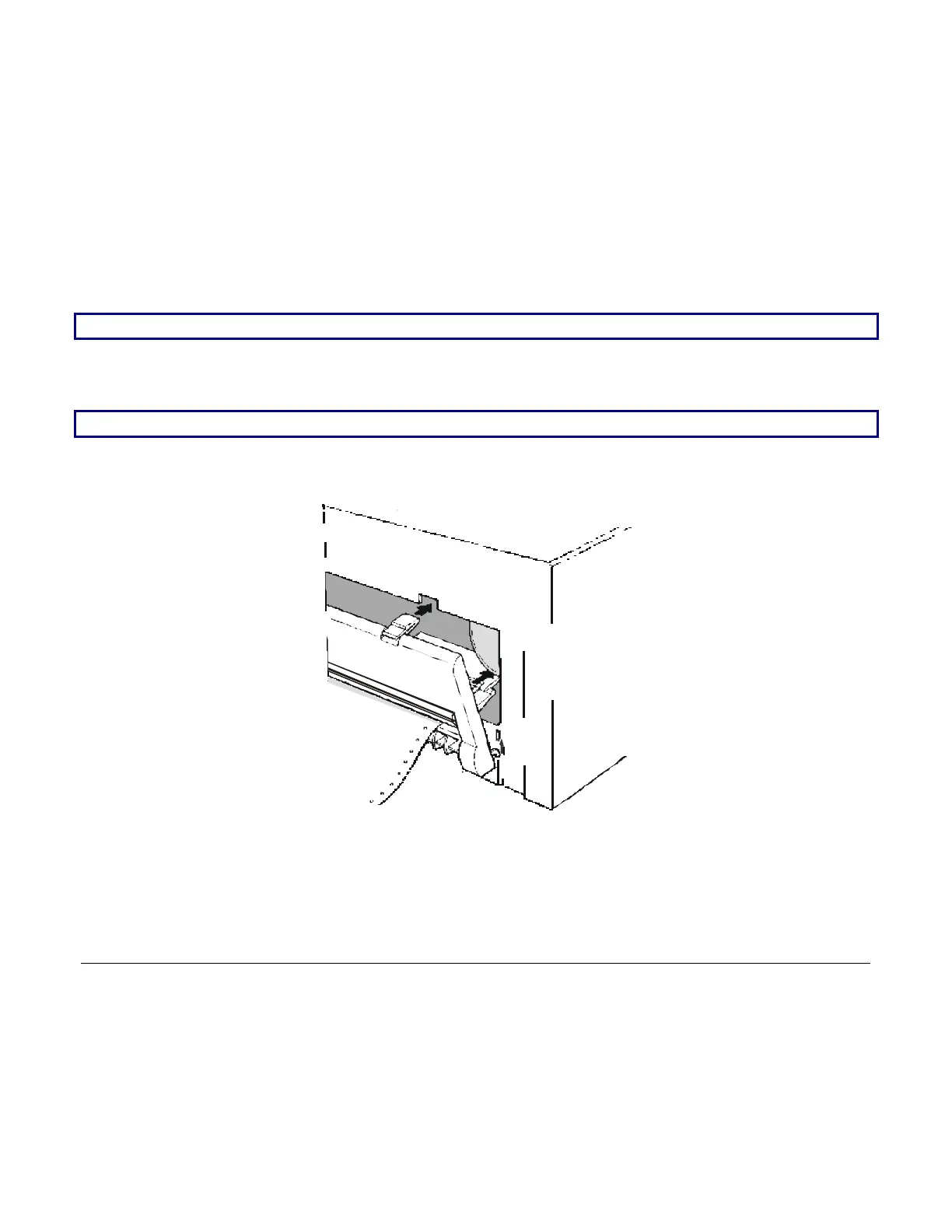
6. Hook the rear tractor cover into the corresponding slots (1) and push it against the printer until
both rear tractor levers (2) firmly hook into the printer.
2
1
7. Press LOAD/PARK to load the paper into the printer.
To remove the paper from the printer follow the above sequence backwards.



 To Next Page