32
If you press the
ON LINE
key:
• the printer self-test is printed. See “Printing a Test Page” before in this manual. In this way it
is possible to check the current printer parameters.
• once the self-test is finished, the printer remains in Setup Mode.
If you press the PROGRAM key:
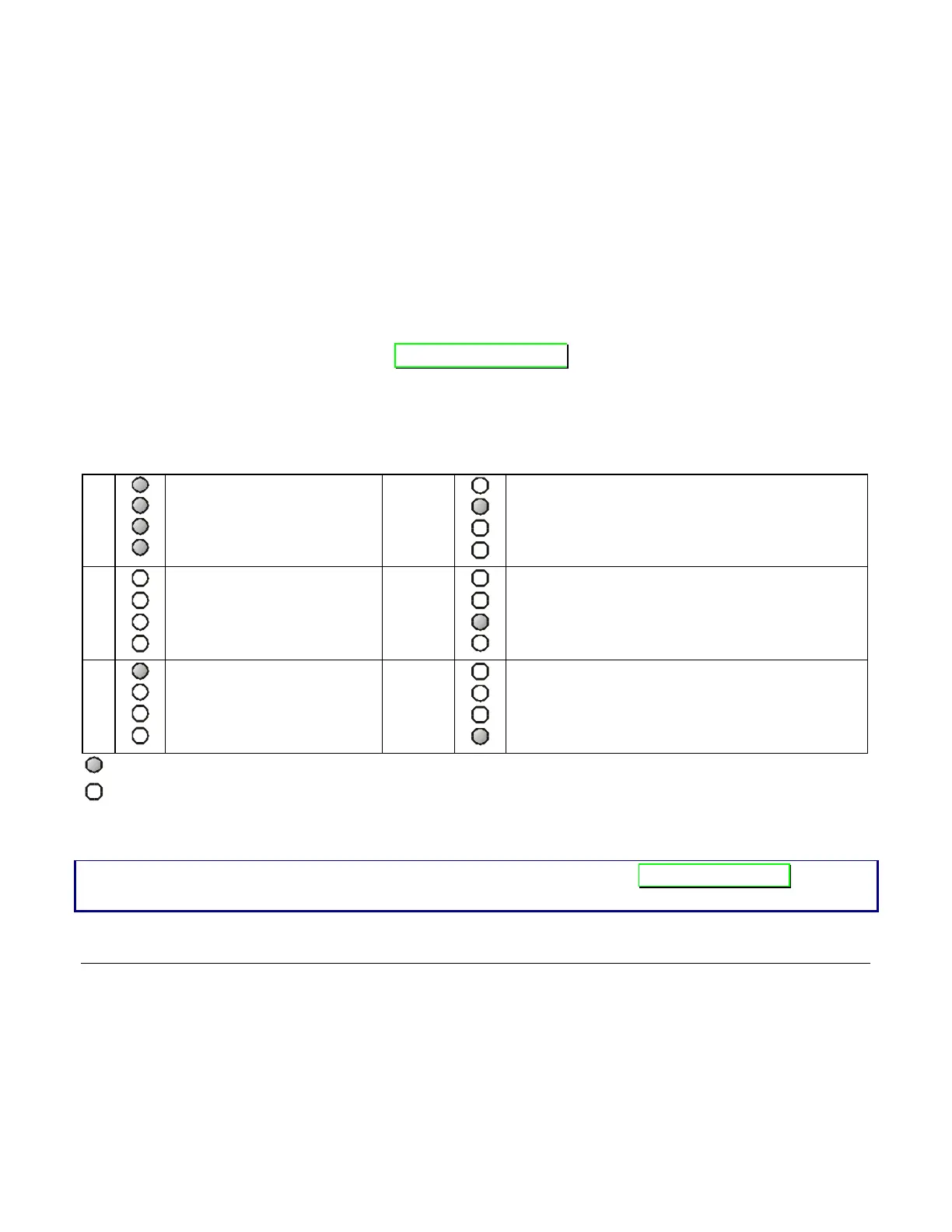
• the Px leds change and you can select the Setup Page you want to print as follows:
P1
P2
P3
P4
All setup pages
P1
P2
P3
P4
Program 2 page
P1
P2
P3
P4
Configuration page
P1
P2
P3
P4
Program 3 page
P1
P2
P3
P4
Program 1 page
P1
P2
P3
P4
Program 4 page
= lit
= unlit
The printer setup forms contain all printer parameters and the values that can be set. The
current value is indicated by an asterisk (*).
For a detailed description of the parameters and the settings see “Setup Parameters” later in
this manual.



 To Next Page